Conference Livestream Run-of-Show Guide
A keynote can look perfect in rehearsal and still fall apart at minute 12 when the walk-up music runs long, the slide op takes a late cue, and the remote speaker joins without the correct return audio. That is exactly why a conference livestream run-of-show guide matters. For corporate events, the run of show is not a generic agenda. It is the operational document that keeps producers, technical directors, A1s, camera operators, graphics, stage managers, and stream engineers working from the same clock.
For planners and marketing teams, the difference is simple. A program agenda tells people what should happen. A livestream run of show tells the crew how it will happen, when each handoff occurs, what source is live, where the signal goes, and what backup path is ready if something breaks.
What a Conference Livestream Run-of-Show Guide Should Actually Do
A usable run of show has to bridge two worlds: show flow and technical execution. If it only lists speaker names and presentation titles, production will fill in the gaps on the fly. That is risky on a hybrid conference with multiple presenters, playback assets, lower thirds, confidence monitors, remote callers, and sponsor obligations.
A proper document should answer the questions the crew will ask under pressure. What is the exact show open? Who calls the go for walk-in, countdown, and roll-in video? Which feed goes to the room screens, which goes to the webcast encoder, and which goes to the confidence monitor? When the panel ends, is there a hard out to break, or does the host toss directly to Q&A? If a remote guest drops, is there a standby bumper or a host reset line ready?
That level of detail is what keeps a corporate stream stable. It also protects the client team from last-minute surprises that become visible to both the room and the online audience.
Build the Run of Show from Signal Flow, Not Just Session Order
Many teams build the run of show from the agenda outward. In practice, it works better to build it from signal flow inward. Start by mapping every source and destination. Cameras, presentation computers, playback, remote platforms, graphics engines, confidence monitors, room IMAG, overflow rooms, records, and stream outputs all need to be accounted for.
Once signal flow is clear, the timing document becomes much more accurate. You know which transitions are simple and which ones carry risk. A cut from camera one to camera two is easy. A switch from a keynote deck to a remote presenter over Zoom Webinars or Microsoft Teams, while feeding in-room PA, mix-minus return, streamed graphics, and a local record, needs a different level of preparation.
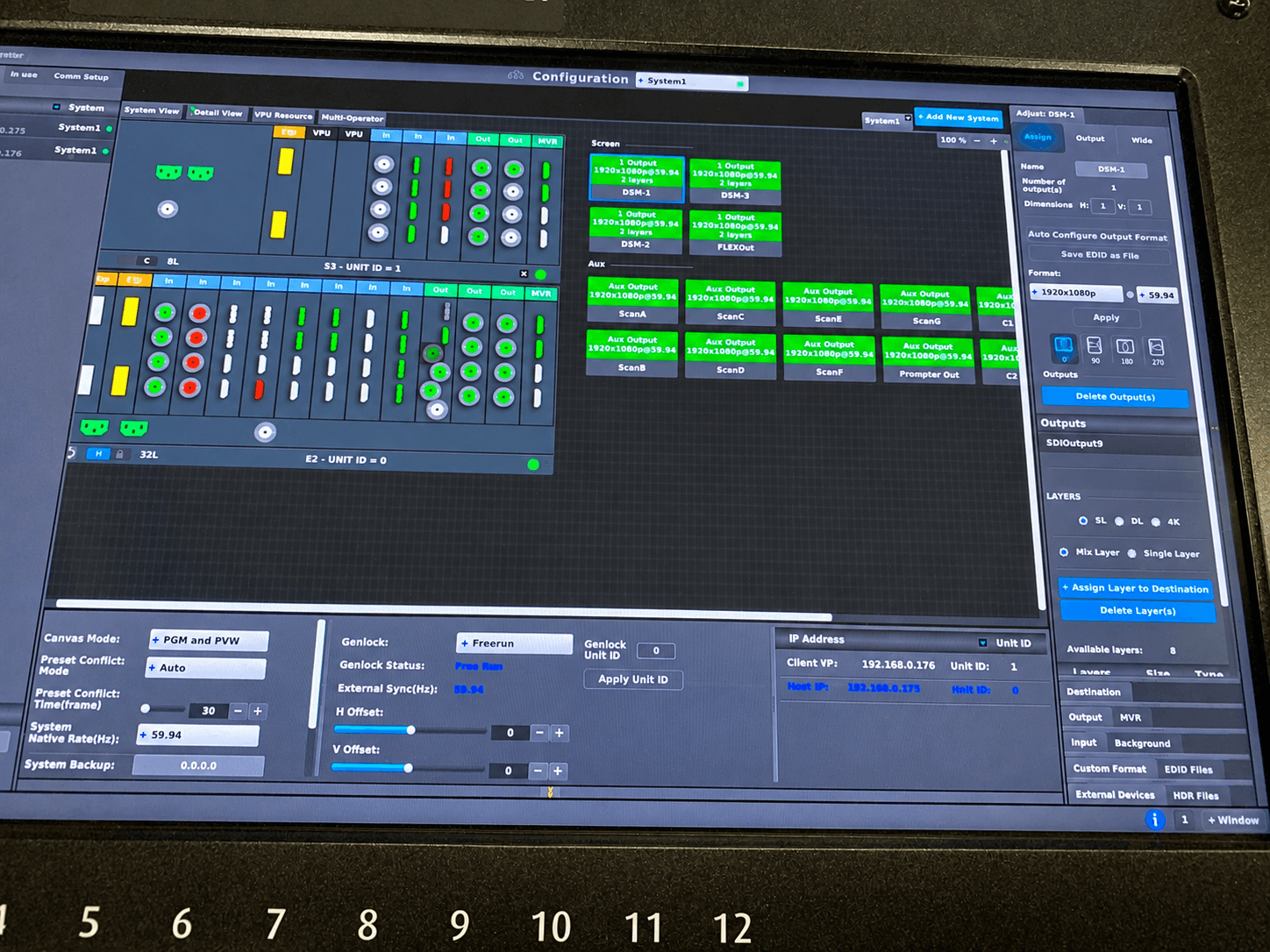
This is also where experienced technical direction matters. If the event uses multi-screen outputs, screen management, or complex destination routing, a processor like the Barco E2 becomes part of the planning conversation, not just an equipment line item. The run of show should reflect those routing realities so the operator is never guessing mid-show.
The Sections Every Live Show Document Needs
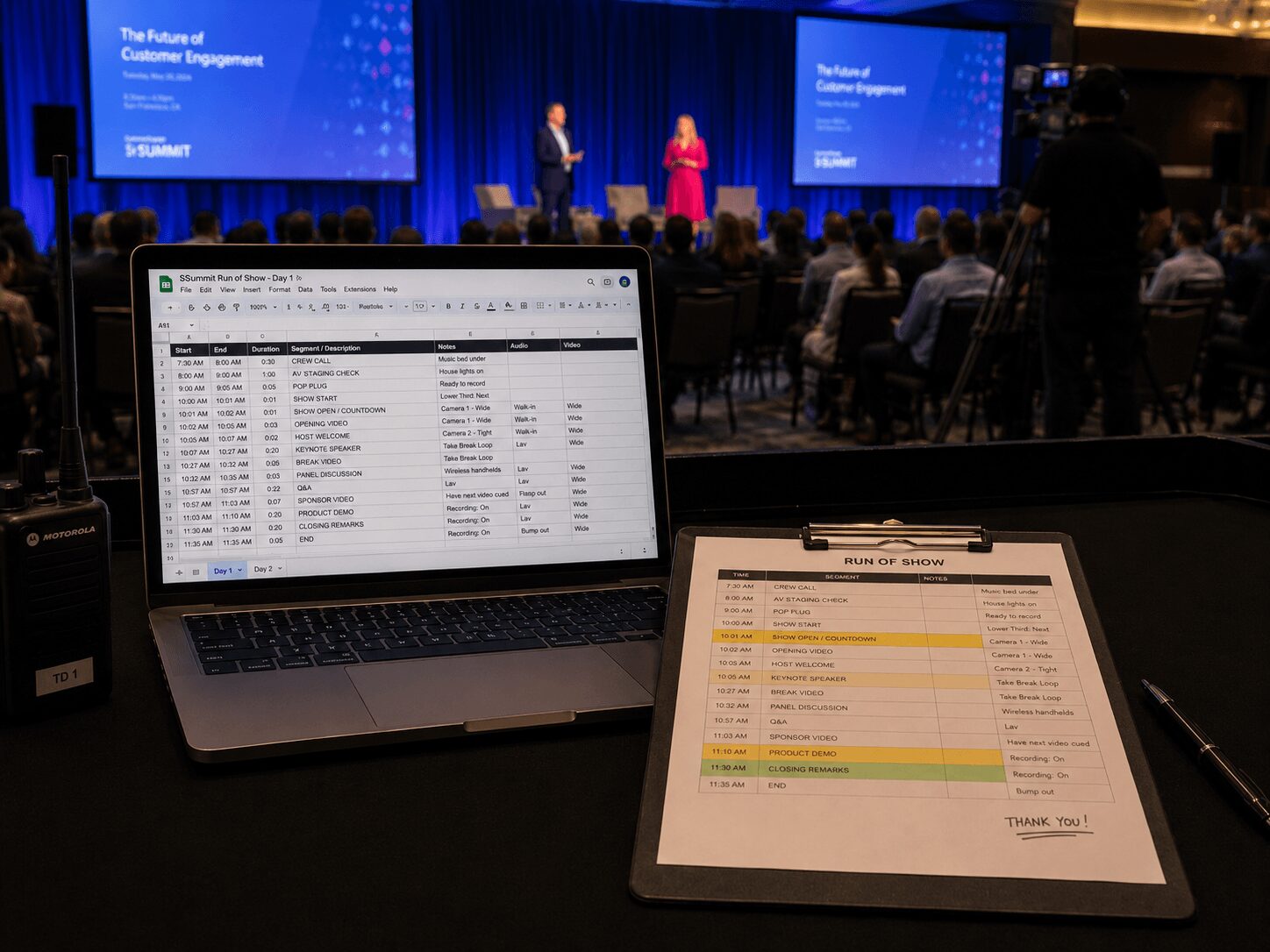
The best run-of-show documents are detailed without becoming unreadable. In most corporate productions, each line item should include start time, duration, segment title, on-stage action, live source, graphics cue, audio cue, playback notes, operator notes, and contingency notes. If you leave out contingency notes, you are assuming nothing will drift or fail. That assumption rarely survives a full conference day.
Speaker management also belongs in the document. Include mic type, stage entry side, confidence monitor needs, clicker ownership, whether the speaker is advancing their own slides, and whether there is any embedded audio or video in the deck. Those details affect camera framing, A1 prep, and playback timing.
For hybrid sessions, add a separate block for remote guest logic. Note the platform, join time, return video path, return audio path, IFB or confidence plan, and backup plan if the guest connection is unstable. If the only note says remote guest joins live, the document is not finished.
For smaller shows, a structured workbook in Google Sheets can work well if it is maintained carefully and shared with the right operators. For larger conferences, event platforms such as Cvent may help manage agenda and session data, but the technical run of show still needs production-specific fields for cueing, signal flow, and backup logic.
Timing Needs to Be Real, Not Optimistic
One of the most common run-of-show mistakes is using ideal durations instead of real durations. Marketing teams often estimate that a CEO intro will take two minutes because the script is short. On stage, that same intro can take four if there is audience response, applause, a late walk, or a teleprompter pace change.
Your conference livestream run-of-show guide should use tested timing wherever possible. Rehearse the open. Time the playback. Confirm how long it actually takes a moderator to get from lectern to soft seating. If there is a remote handoff, add buffer. If there is audience Q&A, define whether the segment has a hard stop or a flex window.
This is especially important for streamed conferences because digital audiences feel dead air immediately. A room can absorb a 20-second reset. A livestream cannot. Online viewers read every pause as a mistake unless the show has intentionally built cover elements such as holding slides, bumpers, or host resets.
Who Calls the Show Matters as Much as the Document
A run of show is only useful if one person owns the calls. On a polished corporate livestream, that is usually the show caller, producer, or technical director depending on crew structure. Everyone else should know where cues come from.
That sounds obvious, but a surprising number of conference crews end up with parallel command chains. The stage manager is cueing talent, the producer is cueing playback, the client is texting last-minute slide changes, and the stream op is trying to verify audio routing. The fix is not more chatter. The fix is a clean cue hierarchy.
In practical terms, the document should identify who calls stand by and go for each critical action: open, walk-ons, roll-ins, lower thirds, remote joins, audience Q&A, sponsor reads, breaks, and show close. If a cue is mission-critical, it should have one voice attached to it.
Redundancy Belongs Inside the Run of Show
Redundancy is often treated as a separate technical worksheet. It should also appear in the run of show where it matters. If the primary playback machine fails during the opener, the backup trigger needs to be noted. If the remote platform freezes, the host script for a reset should be written into the segment notes. If the stream encoder path changes, the engineer should know whether there is a standby slate available.
That is where experienced corporate production teams save shows. They do not just carry backup gear. They define the operational response before the room fills. For livestream-heavy events, that usually means redundant internet, encoder strategy, local recording, playback backup, spare microphones, alternate presentation paths, and documented failover steps.
AVIXA Standards provide useful context around audiovisual system planning, performance, verification, and documentation. Platform-specific production tools such as vMix can also help teams think through switching, recording, streaming, remote contribution, and webcast workflow requirements. Those resources are useful, but the critical step is translating them into your actual show paperwork.
Rehearsal Should Stress the Handoffs
Most teams rehearse content. Fewer rehearse transitions. That is backwards for livestreamed conferences.
The handoffs are where live shows fail: keynote deck to video playback, moderator to remote guest, audience Q&A to sponsor break, break return to panel, panel overrun to hard end. Your rehearsal should spend disproportionate time on those moments because they combine timing, routing, cueing, and human behavior.
A practical approach is to mark every high-risk transition in the run of show and run each one twice. Once under normal conditions, and once with a problem injected — late speaker, wrong deck version, missing lower third, muted remote guest, or delayed walk-on. If the crew cannot recover in rehearsal, they will not recover faster in front of a live audience.
The Run of Show Should Match the Production Scope
Not every conference needs a 20-tab workbook. A single-room executive webcast can run on a tighter document than a multi-day user conference with breakout feeds, sponsor content, and LED wall destinations. The right level of detail depends on complexity, number of operators, and how many outputs are public-facing.
What should not change is the standard for clarity. If the event has cameras, graphics, playback, room screens, and a livestream, then the document needs enough operational detail to support all five systems at once. If it does not, the crew starts relying on memory, side conversations, and improvisation.
For organizations producing keynotes, conferences, and hybrid events at a high level, this is usually where full-service corporate event production becomes more efficient than trying to coordinate separate freelancers and vendors. When one team handles staging, video, audio, switching, streaming, and show calling, the run of show tends to reflect the actual system instead of an idealized version of it. For broader support on event execution, see AV Land’s event services and livestream services.
A Good Run of Show Protects the Audience Experience
The audience never sees the document, but they absolutely feel the difference. A tight show feels intentional. Graphics appear on time. Speakers start clean. Breaks end when they should. Remote guests sound prepared instead of patched in. The stream does not drift into awkward silence while the room resets.
That kind of result comes from planning at the operator level. Not just what the audience sees, but what every device, every operator, and every cue is doing at that moment.
If you are building your next conference livestream, treat the run of show as a live control document, not an agenda with timestamps. The more precisely it reflects cueing, routing, timing, and backup logic, the calmer the room gets when the clock starts.
AV Land Conference Livestream Run-of-Show Support
AV Land supports conference livestream planning, technical direction, show calling support, camera workflows, playback planning, remote presenter integration, stream monitoring, recording, and backup workflow planning for Bay Area corporate events.
For livestreamed conferences, the run of show should reflect how the event actually operates: source changes, cueing, platform handoffs, graphics, audio, records, stream outputs, confidence monitors, and contingency steps. AV Land helps build that planning into the production process before show day.
Need Help Planning a Conference Livestream Run of Show?
AV Land supports Bay Area conferences with livestream production, technical direction, run-of-show planning, recording, audio, video, remote presenters, and show-day operation.
Contact AV Land to discuss your next conference, keynote, or hybrid event.
Phone: 415-799-1315
Email: info@av.land
Frequently Asked Questions
What is a conference livestream run of show?
A conference livestream run of show is an operational document that maps timing, cues, sources, audio, graphics, remote presenters, stream outputs, recording, and backup steps for a live or hybrid conference.
How is a livestream run of show different from an agenda?
An agenda tells attendees what happens and when. A livestream run of show tells the production crew how each segment happens, which source is live, who calls the cue, where the signal goes, and what happens if something changes or fails.
What should be included in a livestream run of show?
It should include start times, durations, segment titles, speaker notes, camera cues, graphics cues, audio cues, playback notes, remote guest details, stream notes, recording notes, operator notes, and contingency plans.
Should remote presenters be included in the run of show?
Yes. Remote presenters should have join times, platform details, return audio and video plans, IFB or confidence requirements, backup options, and clear handoff notes in the run of show.
Does AV Land support conference livestream planning in the Bay Area?
Yes. AV Land supports conference livestream production, run-of-show planning, technical direction, recording, hybrid events, and corporate AV production across San Francisco, San Jose, Santa Clara, Mountain View, Palo Alto, Oakland, and nearby Bay Area cities.