



How to Manage Breakout Session Requests
Breakouts usually become complicated long before attendees walk into the room. The trouble starts when session requests arrive in fragments — one team asks for a confidence monitor, another wants panel mics, a speaker adds remote presenters late, and suddenly a simple breakout track needs switching, recording, streaming, and overflow support. If you want to know how to manage breakout session requests without turning every revision into a fire drill, the answer is to treat each request like a production scope, not a room reservation.
For corporate conferences, product launches, and multi-track meetings, breakout planning is less about collecting wish lists and more about controlling variables. The planner needs a clean intake process. The production team needs signal flow clarity. Everyone needs deadlines that mean something. That is what keeps ten rooms from becoming ten different technical problems.
How to Manage Breakout Session Requests Without Scope Creep
The fastest way to lose control is to let breakout needs come in through email threads, chat messages, spreadsheet comments, and last-minute speaker notes. A better approach is to require every breakout request through one standardized intake path. That can be a form, a shared planning document, or a session workbook, but it needs the same fields every time.
At minimum, collect the session title, room name, start and end times, expected audience count, presentation format, number of presenters, remote participation needs, recording requirements, and any special playback or demo needs. If a presenter says they need “basic AV,” that should trigger follow-up, not approval. Basic means different things to marketing, speakers, and technical crews.
Event management platforms such as Cvent can help organize registration, agendas, sessions, and event data, but the AV request process still needs production-specific detail. A session title and room assignment are not enough to build a reliable breakout room.
This is also where you separate true requirements from preferences. A keynote-style walk-in music cue may be optional in a 60-person breakout. A dedicated confidence monitor may be mandatory if the session includes multiple remote speakers and timed remarks. Managing breakout session requests well means identifying what affects show execution versus what is simply nice to have.
Build a Request System Around Production Realities
Many planning teams organize breakouts by content track. That makes sense for agenda management, but it is not enough for technical planning. Production teams need to see each room in terms of inputs, outputs, labor, and reset time.
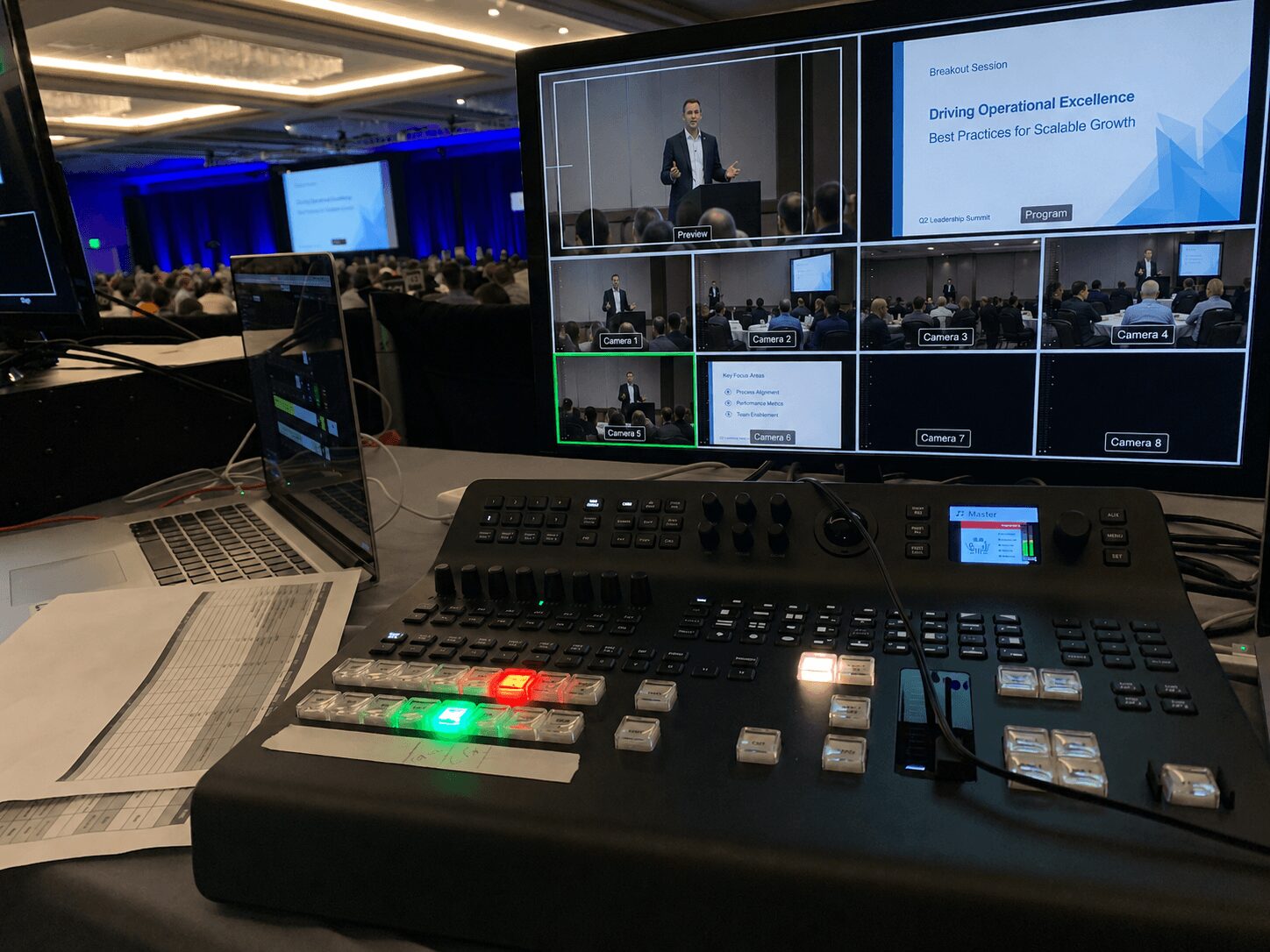
A useful way to structure requests is to sort each breakout into one of three production tiers. A basic session might include a screen, single presentation laptop input, handheld or lavalier microphone, and room audio. A moderated panel might add multiple wireless mics, a confidence monitor, confidence timer, playback audio, and recording. A hybrid breakout could require cameras, switcher support, return feed, remote guest integration, streaming encoding, and comms.
Once every session is classified, scheduling becomes more realistic. Two basic rooms can often share similar setups and staffing logic. A hybrid room cannot be treated like a standard breakout just because it has the same audience size. This is where experienced corporate event production teams save planners from under-scoping labor and equipment. What looks similar on an agenda grid can be completely different in signal flow.
If your event includes several concurrent rooms with mixed technical needs, it helps to align breakout planning with your main production partner early. Full-service corporate event production teams can map room-by-room requirements before they become change orders or show-site surprises. See AV Land’s event services for broader corporate event production support.
Lock the Decision Points Early
Most breakout issues are not caused by unusual technology. They are caused by late decisions. Session owners keep revising format details because nobody set a deadline for technical changes. That is manageable for one room. It becomes expensive across twelve.
Set three checkpoints. The first is the initial request deadline, when session owners submit known needs. The second is the technical review deadline, when production flags conflicts, missing information, and budget impact. The third is the lock date, when any major additions trigger approval and cost review.
The lock date matters because breakout rooms are built around inventory and labor calls. Adding recording to six sessions after crew schedules are finalized is not a minor request. Neither is adding confidence monitors if power distribution, table layouts, and switcher outputs were planned differently.
That does not mean nothing can change. It means changes should have consequences attached to them — more gear, more operators, more setup time, or a compromise somewhere else. Serious planners appreciate that level of clarity because it keeps the event predictable.
Match Room Setups to Actual Use Cases
A common planning mistake is giving every breakout room the same AV package for the sake of consistency. Uniformity is convenient, but it is not always efficient. Some rooms need reinforced audio because they are panel-heavy. Others need better display strategy because they rely on detailed product screens. Some need recording only. Some need streaming and recording. Those are different technical builds.
When considering how to manage breakout session requests, start by asking how the room will actually be used. Is the presenter stationary at a lectern, or moving through demos? Will there be audience Q and A? Is there dense spreadsheet content that demands brighter projection or LED displays? Are remote presenters joining over Zoom or Teams, and if so, who is managing mix-minus and return confidence?
Platforms matter here. Zoom Webinars, Microsoft Teams, and other meeting tools are easy to request and easy to underestimate. Once a breakout session includes remote contributors, the room needs proper audio routing, echo control, playback management, and an operator who understands failure points.
For hybrid breakouts, a dedicated streaming or recording workflow is often the dividing line between a clean session and a compromised one. If breakout content needs to be delivered to remote attendees or captured for post-event use, plan that scope intentionally instead of bolting it on later. AV Land’s livestream services page outlines the kind of infrastructure these rooms often require.
Standardize What Can Be Standardized
Not every breakout decision needs to be custom. In fact, the more rooms you have, the more valuable standardization becomes. Standard laptop connection kits, standard microphone packages, standard confidence monitor sizes, standard recording specs, and standard room diagrams reduce errors because crews are not reinventing each room from scratch.
The key is knowing where standardization helps and where it creates friction. It makes sense to standardize cable paths, lectern positions, switcher logic, and support tables. It makes less sense to standardize every display package if one room is presentation-heavy and another is discussion-based.
This is where equipment planning and operator planning intersect. If every breakout room uses a slightly different playback path, troubleshooting slows down. If every room uses the same base architecture with a few deliberate upgrades, your crew can move faster and recover faster when something shifts.
AVIXA Standards provide useful industry context around audiovisual system performance, verification, and documentation. Those standards can help non-technical stakeholders understand why repeatable room setups, clean documentation, and consistent workflows matter in live event environments.
Assign Ownership Before Show Day
Breakout sessions often fail in the handoff between departments. Marketing owns the content, the event team owns the schedule, the venue owns parts of the house system, and the AV provider owns technical execution. If nobody owns the final breakout request set, details fall through.
One person should own session intake. One person should approve technical changes. One person on the production side should translate requests into room builds, labor plans, and gear allocation. That does not require a large team. It requires clear responsibility.
On show day, each breakout room also needs a defined support model. Some rooms can be covered by roving techs if the setup is simple and the presenters are rehearsed. Others need dedicated operators because the session includes playback, recording, remote guests, or high-visibility executives. The trade-off is cost versus risk. A room with no dedicated operator is cheaper. It is also slower to recover when a laptop handshake fails thirty seconds before the session starts.
Audio and Wireless Planning Cannot Be an Afterthought
Breakout rooms often look simple until microphones are added. A room with one presenter may only need a handheld or lavalier. A panel may need several wireless microphones, audience Q and A, playback audio, and recording feeds. A hybrid breakout may also need echo control, mix-minus routing, remote speaker return, and local reinforcement at the same time.
For multi-room events with many wireless systems, RF coordination matters. Tools such as Shure Wireless Workbench can support frequency coordination, monitoring, and wireless system management. But the software is only part of the process. Someone still needs to plan microphone counts, room separation, antenna placement, backup units, and who is responsible for troubleshooting during live sessions.
This is one reason breakout requests should ask for panel count, microphone type, audience Q and A, and recording needs early. Waiting until onsite to discover a room needs six wireless microphones and remote audio return is how simple rooms become production problems.
Plan for Revision, Not Chaos
Even with good controls, breakout requests will change. Speakers switch formats. Panels add participants. Product teams ask for demo audio at the last minute. The goal is not to eliminate change. It is to absorb change without losing technical control.
That usually means maintaining a versioned rooming document, a current equipment matrix, and a labor schedule that leaves some margin. It also means carrying sensible contingency gear — extra wireless units, spare laptops or playback machines, backup adapters, spare clickers, and enough patching flexibility to reroute around a bad input or failed device.
For higher-stakes corporate programs, redundancy should be proportional to visibility. Not every breakout needs full show redundancy. But any room tied to executive communications, investor messaging, product messaging, or hybrid distribution deserves a more conservative approach.
The cleanest breakout events are not the ones with the biggest gear lists. They are the ones where requests were defined early, reviewed by people who understand live production, and translated into room plans that match reality. If your sessions are multiplying faster than your confidence in the schedule, that is usually the signal to tighten the intake process and bring production into the conversation earlier.
AV Land Breakout Session Support
AV Land supports breakout rooms, conference sessions, hybrid rooms, recording, livestreaming, audio, video, screen support, technical direction, and show-day AV operation for Bay Area corporate events.
For planners, the goal is not just to put equipment in each room. The goal is to create a controlled process where each breakout request becomes a clear room plan with the right gear, labor, signal flow, and support model.
Need Help Managing Breakout Session AV?
AV Land supports Bay Area conferences with breakout room planning, AV production, livestreaming, recording, audio, video, technical direction, and room-by-room show support.
Contact AV Land to discuss your next conference or multi-room corporate event.
Phone: 415-799-1315
Email: info@av.land
Frequently Asked Questions
What is a breakout session request?
A breakout session request is the technical and logistical information needed to support a smaller conference session. It may include room name, session time, presenter count, microphones, screen needs, recording, livestreaming, remote speakers, and special playback or demo requirements.
How should event planners collect breakout AV requests?
Event planners should use one standardized intake process, such as a form, workbook, or shared planning document. Each request should capture the same technical fields so the production team can plan rooms consistently.
Should every breakout room have the same AV package?
Not always. Some standardization helps, but rooms should be matched to actual use cases. A basic presentation room, moderated panel room, and hybrid breakout room require different levels of equipment, labor, and support.
When should breakout AV requests be locked?
Breakout AV requests should have an initial request deadline, a technical review deadline, and a final lock date. Major additions after the lock date should trigger review for cost, labor, equipment, and setup impact.
Does AV Land support breakout sessions across the Bay Area?
Yes. AV Land supports breakout sessions, conference rooms, hybrid rooms, recording, livestreaming, and corporate AV production across San Francisco, San Jose, Santa Clara, Mountain View, Palo Alto, Oakland, and nearby Bay Area cities.