


How to Route Backup Audio for Live Events
A keynote can survive a late deck revision. It does not survive a dead walk-in track, a muted remote guest, or a livestream that suddenly has no program audio. Knowing how to route backup audio means designing alternate paths before doors open, then giving the production team clear, fast options when a source, console, network, or encoder fails.
For corporate conferences, product launches, executive webcasts, and hybrid events, backup audio is not one spare cable or a duplicate playlist. It is a planned signal architecture. Each critical source needs a primary route, an independent alternate route where practical, and an operator who knows exactly what to take next.
Start With the Critical Audio Paths
Not every channel deserves the same level of redundancy. A playback source used only for room walk-in music can have a simpler recovery plan than a CEO microphone feeding the PA, recording, confidence-monitor feed, and webcast. The first job is identifying what the audience cannot lose.
For most corporate productions, the critical paths are presenter microphones, show playback, remote contributors, program mix to the room, program mix to the livestream, and communications between key operators. Record feeds are also high priority when the event includes executive remarks, customer interviews, or content that must be repurposed after the show.
Build the routing plan around destination, not just source. A wireless microphone may need to reach the front-of-house mix, broadcast mix, hearing-assistance system if deployed, recording system, and a confidence feed for a remote participant. Those destinations should be documented separately. If a backup is only available at front of house but not in the webcast, the show is only partially protected.
Separate the Room Mix From the Broadcast Mix
A room mix and a stream mix often need different treatment. In a ballroom, audience response and presenter voices may be naturally present in the space. Online, the same program can feel empty unless audience microphones, walk-in music, playback, and remote returns are managed deliberately.
Whenever the event scope supports it, use separate mix buses or a dedicated broadcast mix position. This allows the stream operator to protect online audio without making disruptive changes to the house mix. It also creates a cleaner place to insert a backup source if the primary broadcast output or console path has a problem.
Design Independence Into the Backup Route
A backup route that shares every failure point with the primary route is not a true backup. Two playback computers connected through the same power strip, same network switch, same audio interface, and same console input stage can still fail together.
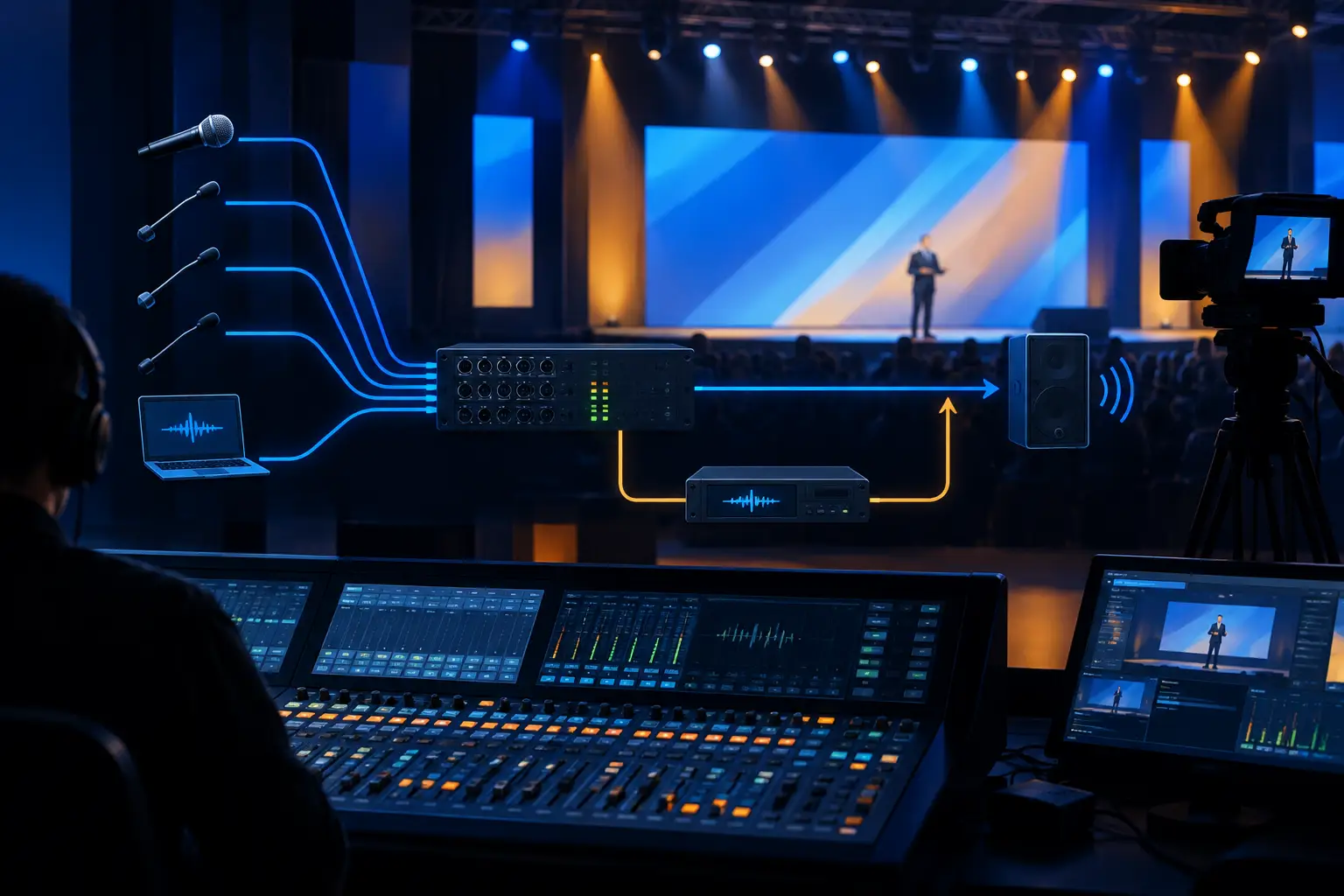
The goal is not to duplicate every piece of equipment without reason. It is to identify common points of failure and make intentional choices. A practical system may include primary and backup playback machines on separate power, separate output paths into separate console inputs, and a tested means to switch between them. For higher-stakes programs, the backup may also have an alternate interface, alternate network path, or direct analog feed available.
For microphones, redundancy can mean a second, coordinated wireless channel for an executive speaker, a wired lectern microphone ready to open, or a handheld microphone positioned with a stage manager. The best answer depends on the presentation format. A keynote presenter moving across a large LED stage needs a different contingency than a seated executive interview.
Use Dedicated Inputs for Primary and Backup Sources
Avoid patching a backup source into the same console channel only after the primary source fails. That approach costs time, increases the chance of a patching mistake, and forces the engineer to troubleshoot during the most visible moment of the show.
Instead, land primary and backup sources on dedicated channels labeled consistently across the console, stage rack, patch sheet, and show file. Match gain structure, EQ, compression, and routing as closely as appropriate. Keep the backup channel muted or held at a safe level until needed.
For playback, label channels by function rather than by vague device names. “Primary walk-in playback,” “Backup walk-in playback,” “Primary video roll audio,” and “Backup video roll audio” tell an operator what to do under pressure. “Laptop 1” and “Laptop 2” do not.
Plan for Analog, Digital, and Networked Audio Failures
Modern corporate shows may use analog I/O, digital console stage racks, Dante or other networked audio transport, USB interfaces, embedded SDI audio, and audio from remote meeting platforms. Each transport layer introduces useful capability and its own failure scenarios.
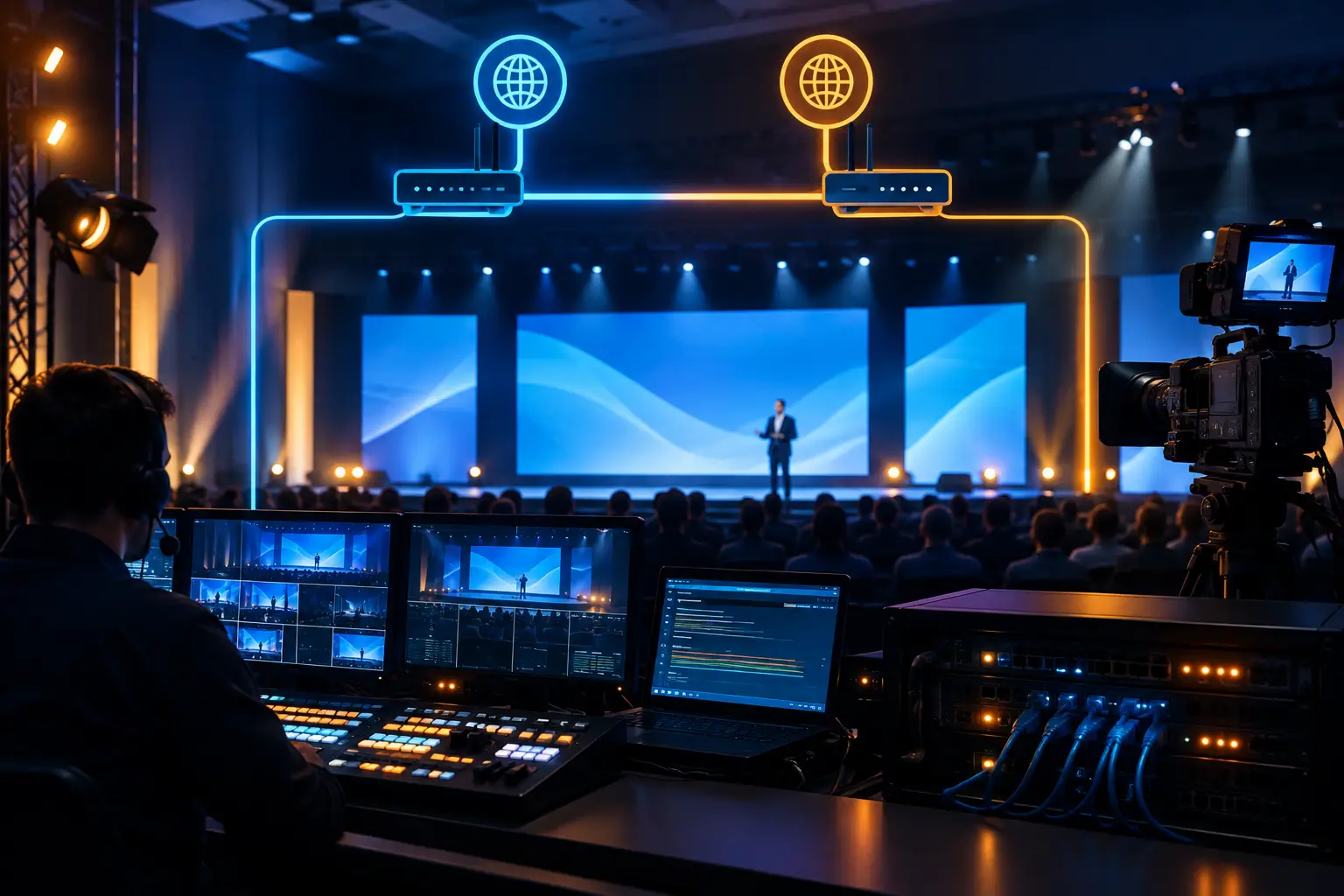
If the main system relies on networked audio, determine what happens if a switch, clocking relationship, fiber run, or endpoint drops. A local analog feed to the broadcast chain can be a valuable last-resort path. If playback audio is embedded in a video signal, provide an alternate audio output that does not depend on the same video device or conversion chain.
This is especially relevant for livestreams. A video switcher can continue producing a clean image while the embedded program audio is incorrect, muted, delayed, or routed from the wrong source. The streaming encoder should receive a monitored program feed, and the team should have a defined backup input or alternate encoder path when the program demands it.
Build a Backup Audio Workflow for Playback
Playback is a frequent point of failure because it combines files, operating systems, cueing, interfaces, video outputs, and last-minute content changes. The backup system must have the same approved show content, cue structure, output mapping, and playback order as the primary system.
Before rehearsal, confirm that both systems contain the final assets and that each file plays with the expected channels, sample rate, and embedded audio. A video file that plays correctly on a producer’s laptop may still have unexpected audio mapping when it reaches the production switcher or playback interface.
During rehearsals, switch from primary to backup playback on purpose. Do not treat the second machine as protected merely because it powers on. Test the actual changeover while monitoring the room, the stream return, and any recording feeds. The test should confirm that the backup is level-matched and that the operator can take it without hunting through menus.
For critical stings, walk-in music, sponsor videos, and opening rolls, consider maintaining a simple emergency playback source with approved content. It may not replace a fully cued show machine, but it can keep a room covered while the primary system is recovered.
Protect Remote Guests and Hybrid Audio
Remote contributors add a second production environment to the show. Their microphone, speaker output, internet connection, meeting-platform settings, and return mix can all affect the program. The backup plan must cover both the remote guest’s ability to hear the event and the audience’s ability to hear the guest.
Use mix-minus routing so the remote guest receives program content without an echo of their own voice. Then provide a clear alternate communication method, such as a phone bridge or producer call, if the primary platform connection becomes unstable. A remote guest can often continue speaking by phone if the visual connection drops, but only if the audio team has prepared the route and the producer has authority to make the call.
For executive webcasts, monitor the actual return from the streaming platform or encoder whenever possible. Headphones at the console only confirm the local mix. They do not confirm that the destination audience is receiving the intended audio.
Document the Changeover, Then Rehearse It
The value of a backup path is measured in recovery time. That is why routing diagrams alone are not enough. The production team needs a short show-call procedure stating who identifies the issue, who authorizes the switch, who executes it, and who confirms the result.
A useful procedure can be expressed in a few clear actions: identify the failed source, announce the intended backup over comms, switch the designated route, confirm room and stream audio, then troubleshoot the primary off-air. This prevents multiple operators from making simultaneous changes to the same signal path.
Rehearse failures that are realistic for the program. Mute the primary playback output. Pull the primary wireless receiver. Remove a stream input. Ask the team to restore program audio while timing the response. These checks often expose missing labels, unmatched levels, or a backup source that was never actually routed to every required destination.
When to Bring in a Dedicated Audio Team
A single operator can manage a simple meeting-room system. A multi-room conference with wireless microphones, panel discussions, video playback, LED content, remote guests, recording, and a public livestream requires a more deliberate division of responsibility.
At that point, audio routing affects video, streaming, stage management, and technical direction. A full-service corporate event production team can build the signal flow, manage show files and playback, staff critical positions, and test failover routes before the first presenter walks onstage. AV Land supports Bay Area corporate productions where backup audio must protect both the in-room audience and the online program.
Frequently Asked Questions
What is the simplest backup audio setup for a corporate presentation?
At minimum, use a second playback source with the same approved content, connected to dedicated console inputs and tested to the same destination feeds as the primary. For presenters, have a ready alternative microphone and a stage-management plan for deploying it.
Should backup audio use the same mixer as the primary system?
It can, especially on smaller shows, but understand the trade-off. A backup source on a separate channel protects against source failure, not console failure. Higher-risk programs may justify an alternate output path, secondary mixer, or direct feed to the streaming chain.
How do you prevent backup playback from sounding louder or different?
Match output levels during rehearsal, then compare both sources through the actual room and broadcast paths. Copy processing where appropriate, but listen carefully because different interfaces and files can still produce small level or tonal differences.
Does a livestream need its own backup audio plan?
Yes. The stream may have separate mixing, embedding, encoding, and monitoring stages. Confirm an alternate way to feed program audio to the encoder and monitor what the online audience receives, not just what is present at the console.
For a show with executives onstage, cameras rolling, and an audience online, backup audio should be treated as an operating plan, not a spare device. Request a quote to map the critical paths, test the failovers, and staff the production appropriately.