



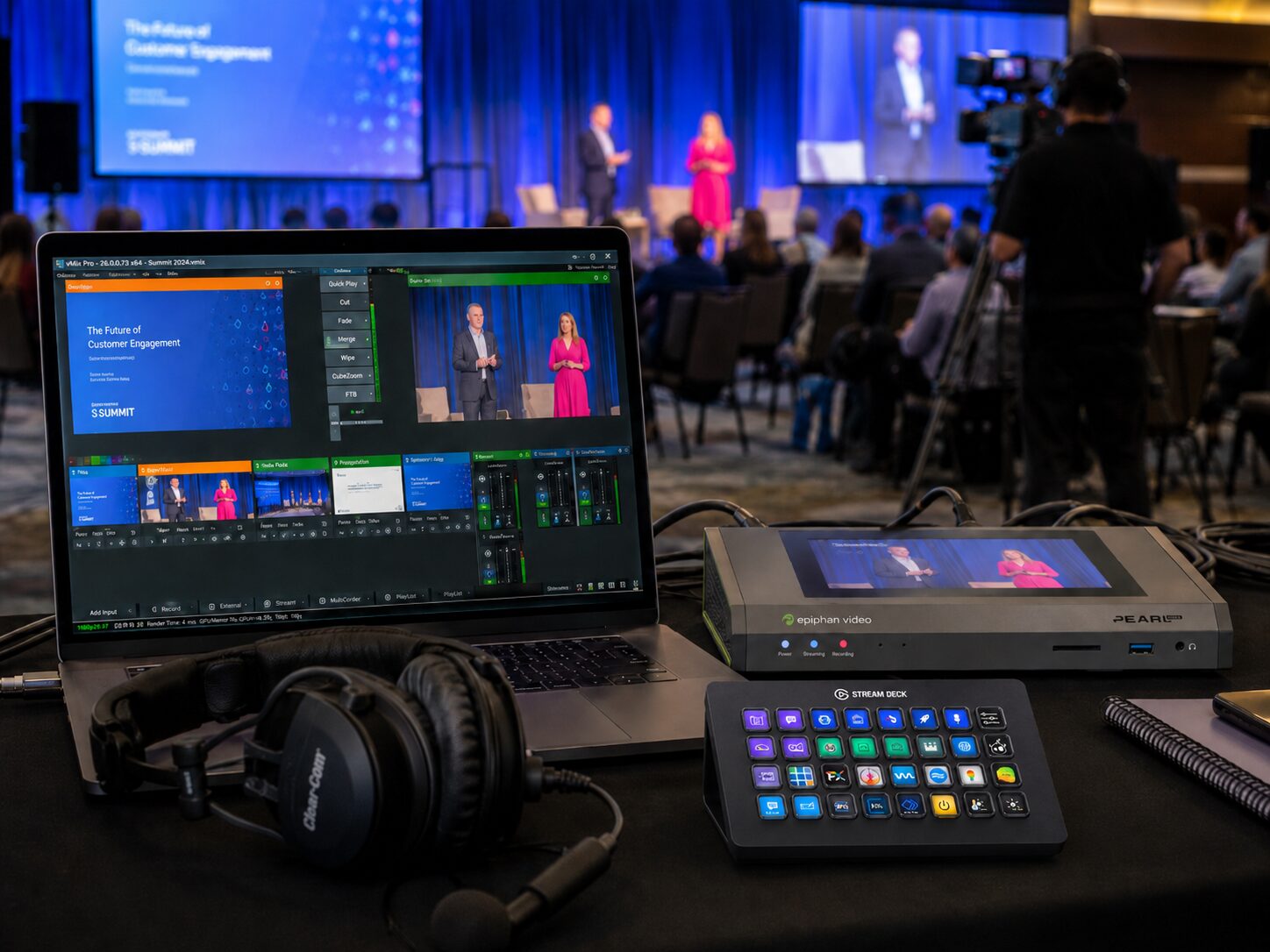
Best Backup Systems for Livestreams
When a keynote stream drops at the exact moment a product reveal goes live, nobody in the room cares that the primary encoder had looked stable all morning. They care that the audience vanished, the remote attendees missed the message, and the production team is now recovering in public. The best backup systems for livestreams are not a pile of spare gear at FOH. They are a planned redundancy chain built into signal flow, power, networking, switching, recording, and staffing before the first camera powers on.
For corporate conferences, executive webcasts, and hybrid events, backup design has to match the actual risk profile of the show. A single-camera town hall in a controlled office studio needs a different strategy than a multi-camera general session feeding an LED wall, in-room IMAG, confidence monitors, records, and a public stream. The goal is not to eliminate every possible failure. The goal is to prevent one failure from becoming a show-stopper.
What the Best Backup Systems for Livestreams Actually Cover
Most stream failures trace back to a few categories: internet loss, encoder failure, power interruption, bad signal handoff, operator error, or platform-side issues. Good redundancy planning addresses each one separately because one backup cannot solve all of them.
If your only backup is a second laptop, you do not have a backup system. You have a spare endpoint. That may help if a machine locks up, but it does nothing for a dead network path, a failed SDI converter, a bad audio feed, or a UPS that was never installed.
In practice, the strongest backup design starts with identifying the points where failure would immediately take you off air. Usually that means the outbound internet path, the live encoder, the program audio path, and the power feeding your critical rack or control position. Those get first priority because they affect every viewer at once.
Redundant Internet Is Usually the First Line of Defense
For most corporate livestreams, network redundancy matters more than camera redundancy. Viewers will tolerate a different angle or a temporary lower-third issue. They will not tolerate a stream that disappears.
A primary hardline internet circuit should be treated as the main transport path, not guest Wi-Fi or venue house wireless. The backup should be a separate path, ideally from a different carrier or delivery method. In many rooms that means bonded cellular, a dedicated secondary circuit, or both. The key detail is path diversity. If both “primary” and “backup” ultimately ride the same venue infrastructure, you may still have a single point of failure.
Encoder-level network failover can help, but only if it is configured and tested under load. Some productions also send simultaneous streams to a primary platform and a backup destination, then monitor both externally. That is especially useful for investor events, product launches, and executive communications where interruption is not acceptable.
When a platform is part of the workflow, know its limits. Zoom Webinars, Microsoft Teams, and webcast platforms all behave differently under packet loss, authentication issues, and reconnect events. A backup path should account for the platform, not just the hardware.
For production teams using software-based streaming, vMix is one example of a live production and streaming platform that can be part of a managed workflow when properly configured, monitored, and supported by reliable network paths.
Bonded Cellular and Transmission Backup
Bonded cellular is often one of the most practical backup options for corporate livestreams, especially when venue internet is shared, expensive, inconsistent, or difficult to verify before show day. Instead of relying on one connection, bonded transmission combines multiple data paths to create a more resilient outbound route.
Solutions such as LiveU and LiveU live streaming products are commonly used in professional live video workflows where connection resilience matters. LiveU’s product ecosystem includes field units, encoders, connectivity tools, cloud production tools, and monitoring options that can support contribution and distribution workflows.
Bonded cellular is not magic. It still depends on carrier coverage, RF conditions, congestion, and proper testing. But when used correctly, it gives the production team another path when a venue circuit becomes unreliable or unavailable.
Encoder Redundancy: Hot Backup Beats Spare-in-the-Case
The best encoder backup is already powered, patched, clocked, and ready to take over. A spare device sitting in a road case is useful, but it is not fast enough for many live situations.
For higher-stakes broadcasts, dual encoders fed from the same program output are common. One handles the live primary stream while the other is staged as a hot backup, either pushing to a secondary endpoint or ready for immediate cutover. This can be done with hardware encoders, dedicated streaming systems, or properly configured production workstations, but the principle stays the same: both systems need known-good signal, stable network access, and independent power protection.
Hardware encoders and recorders such as Epiphan Pearl Mini, Epiphan Pearl Nano, and other dedicated production devices can be part of a more controlled livestream workflow because they are designed around encoding, recording, and event production use cases.
There is a trade-off here. Full parallel encoding increases cost and setup time. For a lower-risk webcast, a spare preconfigured machine may be the right call. For a keynote with external press, investor visibility, or global internal audience, hot redundancy is usually justified.
Power Backup Is Boring Until It Saves the Show
A surprising number of failures are power-related, and they are often preventable. Critical livestream components should sit on properly sized UPS units. That typically includes encoders, network switches, routers, audio interfaces, and key control computers. Cameras may or may not be UPS-backed depending on their power architecture, but your core stream path absolutely should be.
The point of a UPS is not to run the event for an hour. It is to ride through a power blip, keep the network and encoder alive during generator transfer, or give the team enough time to execute an orderly recovery instead of a hard crash.
Brands such as APC by Schneider Electric and Schneider Electric UPS systems provide uninterruptible power supply options used to protect electronics from outages, power interruptions, and unstable power conditions.
Power redundancy also means separating critical devices across circuits when possible. If your entire stream chain, switcher, and audio rack live on one overloaded branch, you have created your own outage risk.
The Audio Backup Path Deserves More Respect
Video errors get attention. Audio failures end streams.
For many corporate events, the safest approach is a primary program mix plus a secondary isolated feed available to the stream path. That might be a backup matrix output, a second console bus, or an emergency playback-and-mic submix routed independently. If the main mix engine or output path misbehaves, the stream can stay alive with intelligible audio while the room mix is corrected.
This is also where recording matters. A local ISO or program record can preserve content even if the outbound stream has issues. For critical sessions, record at multiple points — for example, in the switcher path and again at the encoder or recording deck. That gives you recovery options for on-demand delivery, edit fixes, and compliance needs.
Dedicated recording hardware such as Blackmagic Design HyperDeck Studio can also support backup recording paths when a production needs independent records outside of the streaming platform.
Best Backup Systems for Livestreams Need Signal Path Redundancy
In complex rooms, failures often happen between devices, not inside them. A flaky SDI run, a failed converter, a bad HDMI handshake, or a misrouted DA can knock out the stream while all the major gear appears healthy.
That is why professional redundancy planning follows the signal path end to end. If camera shading, switching, room screens, records, and the livestream all depend on a single converter or router output, that device has become mission-critical. It may need a redundant pair, a secondary route, or at least a prepatched bypass.
The same is true for presentation playback. If the show depends on one machine for walk-in content, keynote slides, lower-thirds reference, and stream return confidence, failure will ripple. Corporate productions benefit from separate playback roles and defined fallback states. If the presenter laptop drops EDID negotiation five minutes before walk-on, the team should already know the alternate route.
For events with image magnification, LED walls, and livestreaming sharing the same visual backbone, system design matters even more. That is where advanced processing and routing strategy becomes part of redundancy planning, not just display engineering. On larger corporate shows, integrating livestream infrastructure with broader event systems through an experienced production team reduces the number of hidden failure points.
AV Land handles that kind of full-service corporate event production through event services and dedicated livestream services.
Staffing Is Part of the Backup System
Redundancy is not only hardware. It is also having the right operators watching the right things.
Someone should be monitoring the actual public-facing stream, not just the multiview. Someone should know the cutover procedure if the primary encoder fails. Someone should own communication with the client if a platform issue forces a change. On smaller shows, one person may cover multiple roles, but the responsibilities still need to be assigned.
This is where rehearsals pay off. A backup path that has never been exercised is a theory. Cut the primary internet during rehearsal. Force the failover. Switch to the backup encoder. Confirm audio continuity. Verify what remote viewers actually experience. The rehearsal will expose timing gaps, routing mistakes, and assumptions that looked fine on paper.
Matching Backup Level to Event Type
Not every webcast needs dual everything. A practical backup plan is proportional.
For a straightforward internal webcast, you might prioritize one primary encoder, one preconfigured spare, UPS protection, local record, and dual internet paths. For a flagship keynote or launch, you may justify parallel encoders, redundant switching paths, separate audio feeds, dedicated stream monitoring, and platform-level contingency plans. The right answer depends on audience size, event visibility, tolerance for interruption, and whether content can be replayed later.
What matters is intentional design. If the stream is business-critical, the backup system should be treated as part of the show build, not an add-on after the deck is approved and the room diagram is locked.
The strongest livestreams are not the ones that never encounter problems. They are the ones engineered so a problem does not become an outage. If you are planning a corporate event where failure is expensive, build the backup path first and let the rest of the show grow around it.
AV Land Livestream Backup Support
AV Land supports livestreaming, hybrid events, conference production, recording, and backup planning for corporate events across the Bay Area. Depending on the event, our workflow can include redundant internet paths, encoder backup, local records, audio backup planning, UPS-protected critical systems, stream monitoring, and technical direction.
For corporate teams, the goal is not only to go live. The goal is to stay live with clean audio, stable video, and a recovery plan that makes sense when the room is full and the show clock is running.
Need Backup Planning for a Corporate Livestream?
AV Land provides livestreaming, hybrid event support, conference recording, technical direction, and backup workflow planning for Bay Area corporate events.
Contact AV Land to discuss your next livestream, webcast, keynote, or hybrid event.
Phone: 415-799-1315
Email: info@av.land
Frequently Asked Questions
What are the best backup systems for livestreams?
The best backup systems for livestreams usually include redundant internet, backup encoders, UPS power protection, backup audio paths, local recording, signal path redundancy, and assigned operators who know the cutover plan.
Do corporate livestreams need backup internet?
Yes, if the livestream is important. A primary wired circuit plus a separate backup path, such as bonded cellular or another dedicated connection, can help prevent one network problem from taking the stream offline.
Is a spare encoder enough for livestream redundancy?
Not always. A spare encoder is helpful, but a hot backup encoder that is already powered, patched, tested, and ready for cutover is stronger for high-stakes corporate events.
Why is UPS power important for livestreaming?
UPS power helps keep critical devices such as encoders, network switches, routers, audio interfaces, and control computers online during short power interruptions or transfer events.
Can AV Land support livestream backup systems in the Bay Area?
Yes. AV Land supports livestream backup planning, redundant workflows, recording, hybrid events, technical direction, and corporate AV production across San Francisco, San Jose, Santa Clara, Mountain View, Palo Alto, Oakland, and nearby Bay Area cities.