



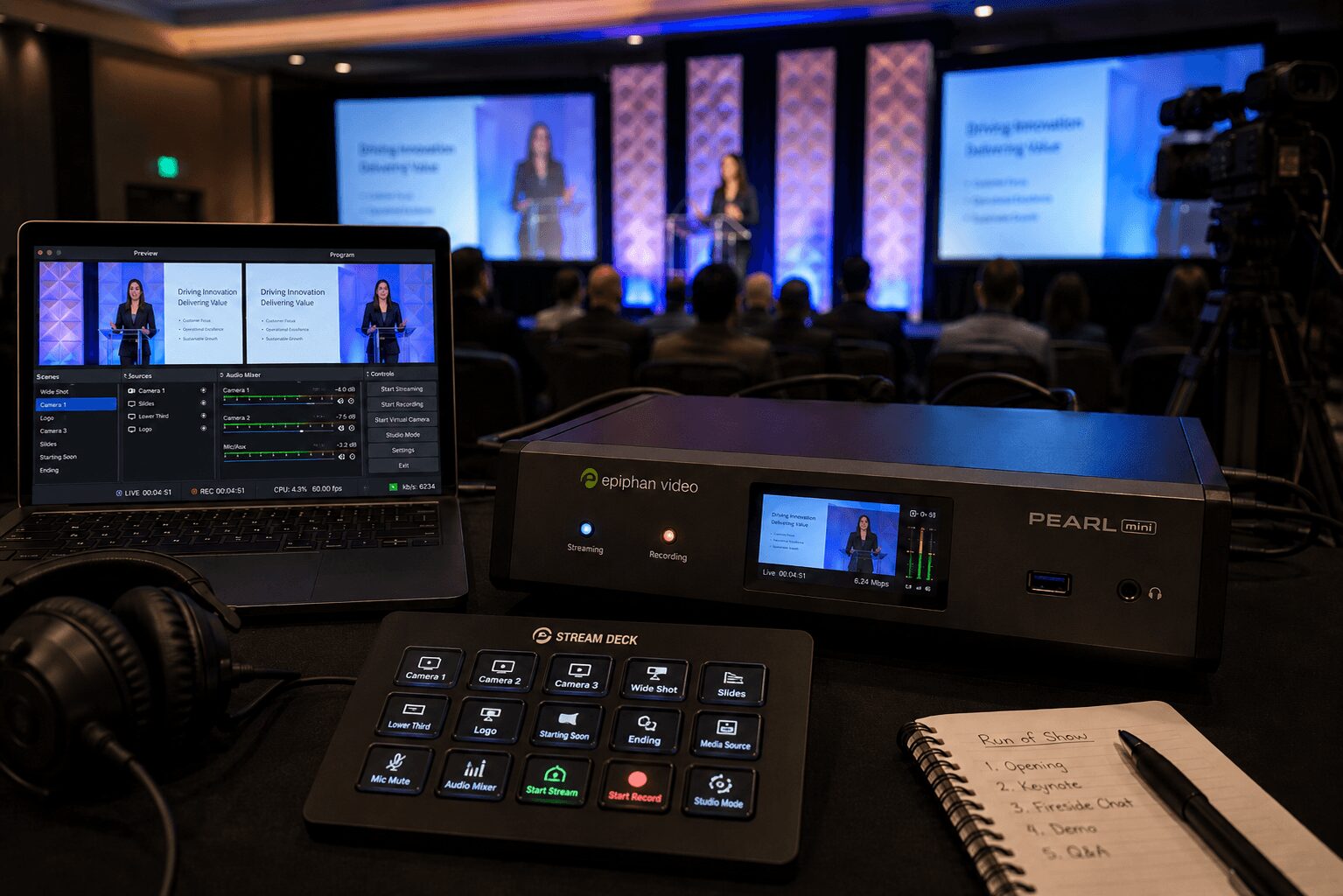
Pearl Mini Livestream Case Study
A Pearl Mini livestream case study is most useful when it goes past the spec sheet and looks at what actually happens on show day. On paper, Pearl Mini is a compact all-in-one system for switching, streaming, and recording. In a corporate environment, that sounds attractive. Fewer boxes, faster setup, and a smaller footprint all matter. But once you add executive presenters, branded graphics, remote viewers, confidence monitoring, backup paths, and a room full of people expecting no mistakes, the real question becomes simple: where does Pearl Mini fit, and where does it stop?
For corporate producers, event planners, and marketing teams, that answer matters more than feature lists. The wrong workflow can create failure points in graphics, audio routing, scaling, recording, or stream stability. The right workflow gives you clean signal flow, clear operator control, and enough redundancy to survive normal show-day problems.
Pearl Mini Livestream Case Study: The Event Setup
The event in this case was a mid-size corporate webcast with a live in-room audience and a remote viewing audience. The format included an opening keynote, a moderated fireside chat, and a short demo segment. The production goal was straightforward: switch between two cameras, presentation content, and branded lower thirds while sending a stable live stream and a clean archive recording.
The room itself was not unusually complex, but it had the kind of details that separate a workable stream from a dependable one. The client wanted presentation confidence on stage, program monitoring at front of house, isolated audio feeds for the room and the stream, and a recording that could be repurposed by the marketing team after the event. They also needed a setup that would not eat up too much backstage space.
In that context, Pearl Mini made sense as the core encoder and switcher for a lean show. Its all-in-one design reduced rack space and cabling compared with a more distributed system. Two cameras and a presentation feed were manageable. Basic graphics support was acceptable for simple lower thirds and branded holding slides. Local recording was also useful as part of the capture plan.
Where Pearl Mini Worked Well
The strongest part of the workflow was consolidation. Instead of building the stream path out of separate switcher, encoder, and recorder components, the production could centralize those functions in one unit. For smaller executive webcasts, internal town halls, or single-room hybrid sessions, that can be a real advantage. Less hardware often means fewer conversion points, fewer power supplies, and fewer opportunities for routing mistakes.
Operator efficiency was another benefit. With a modest show format, the technical director could manage source switching and stream monitoring without handing off to a larger crew. For clients trying to keep a webcast tight and controlled, that matters. If the run of show is disciplined and the visual design is simple, Pearl Mini can cover a lot of ground.
Encoding stability was solid when the network was properly planned. That point matters because teams sometimes give too much credit to the encoder and not enough to the network path feeding it. With dedicated bandwidth, a tested uplink, and clean audio embedded correctly, the stream held well. That part of the result had as much to do with engineering discipline as the hardware itself.
The system also fit well in rooms where space was constrained. In breakout environments, temporary control areas, or ballrooms with limited backstage real estate, a smaller footprint can simplify load-in and reduce setup time. That is a practical advantage, not a marketing one.
The Trade-Offs That Showed Up Fast
The limitations appeared as soon as the client asked for more production polish. The first pressure point was graphics flexibility. Pearl Mini can support basic live graphics, but it is not the right tool if you need complex animated packages, layered sponsor elements, multiple bugs, or fast last-minute revisions coming from a design team. Once branding becomes dynamic, the production often benefits from a dedicated graphics path or a larger switching environment.
The second issue was source and destination management. Corporate shows rarely stay as simple as the original brief. A “two-camera webcast” turns into a confidence feed for stage, a separate clean feed for overflow, a confidence return for speakers, a backup recording path, and a request for an isolated content capture. Pearl Mini can handle a defined set of tasks well, but it is not the box you choose when routing complexity starts growing in real time.
Audio was another area where discipline mattered. The stream mix and the room mix were not identical. That is common in corporate events, especially when playback, walk-up music, lavaliers, and presentation audio all need different treatment for in-room and online audiences. A compact all-in-one workflow can hide that complexity until rehearsal. If audio is not engineered intentionally, the stream suffers first.
There was also the redundancy question. This is the point where experienced corporate production teams become cautious. An all-in-one device is efficient, but by definition it centralizes risk. If your switch, stream, and record are all living in one chassis, you need to think carefully about backup strategy. A secondary encoder, independent recording, duplicate network paths, and clear failover procedures matter. For high-visibility executive communications, product launches, and investor-facing events, that is not optional.
What Changed in the Final Workflow
By show day, the best use of Pearl Mini was not as the entire production ecosystem. It was as one part of a broader signal plan.
The presentation system was treated separately so scaling and content handling stayed predictable. Audio was mixed with stream requirements in mind rather than simply taking a copy of the room feed. Recording was backed up outside the primary device. Monitoring was expanded so the operator could see stream health, source confidence, and program output without guessing. That shift turned Pearl Mini from a single point of dependence into a practical component inside a more resilient setup.
That is usually the right way to think about compact production hardware in corporate environments. The question is not whether the box works. The question is whether the show can tolerate the compromises that come with consolidation.
When Pearl Mini Is the Right Choice
A Pearl Mini workflow is a good fit for internal webcasts, small hybrid meetings, panel discussions, training sessions, and executive updates where the show format is stable and the signal count is controlled. If you have limited cameras, straightforward branding, a known streaming destination, and a proper network plan, it can be an efficient solution.
It also makes sense when speed matters. Some corporate events need to turn a conference room or ballroom into a temporary webcast position without building a large control room footprint. In those cases, compactness has real operational value.
For teams evaluating options, Epiphan’s product documentation gives a clear view of supported workflows and limitations at the hardware level through the official Pearl Mini product page. For hybrid events involving remote attendees or webinar delivery, Zoom Webinars and Microsoft Teams are common platforms that can shape audio routing, return confidence, and operator workflow.
When a Larger Production Stack Is the Better Call
If the event includes multiple screens, LED walls, layered graphics, playback cues, complex presenter support, multilingual feeds, or high-consequence executive messaging, a larger system usually makes more sense. That does not mean Pearl Mini is bad. It means the production requirements have outgrown the efficiency trade-off.
For shows that need more advanced live switching, ISO recording, or a larger control surface, tools such as Blackmagic ATEM Television Studio or software-based workflows such as vMix may be better suited as part of a larger production design. The right choice depends on camera count, graphics needs, routing complexity, recording requirements, and how critical the stream is to the event.
This is where full-service corporate event production becomes less about equipment choice and more about engineering. A proper livestream plan has to account for switching, scaling, audio distribution, recording, confidence monitoring, network redundancy, and operator roles. If those pieces are all being stretched to fit one device, the workflow is probably too tight.
For companies planning a webcast, keynote, or hybrid event with real production stakes, it helps to build the stream around the event rather than forcing the event into a compact hardware workflow. That is especially true when the audience includes customers, partners, investors, or internal leadership. A simple setup is good. A fragile one is not.
If you are comparing compact systems against a more scalable live production design, the decision usually comes down to risk tolerance, show complexity, and post-event deliverables. A polished broadcast-style result often needs more than a single box, even when that box is capable.
Teams looking at broader webcast support can review AV Land’s livestream services or evaluate larger event workflows through our event production services.
The Real Takeaway from This Pearl Mini Livestream Case Study
Pearl Mini did what it was supposed to do. It handled a lean corporate webcast efficiently, reduced hardware sprawl, and supported a clean stream when the surrounding signal flow was engineered correctly. But the case study also makes the limit clear: compact production gear works best when the event is tightly defined.
Once the show starts adding complexity, the hardware matters less than the system design around it. That is where experienced production planning earns its keep — not by chasing more gear, but by knowing exactly when a small footprint is smart and when it becomes the risk.
AV Land Pearl Mini Livestream Support
AV Land supports Pearl Mini livestream workflows, corporate webcasts, hybrid events, executive communications, conference sessions, livestream recording, backup planning, and show-day monitoring across the Bay Area.
Depending on the event, Pearl Mini may be used as a compact encoder, switcher, recorder, or part of a broader production system with dedicated audio, switching, graphics, monitoring, and redundancy. The goal is to build the stream around the event’s real risk level, not around one box.
Need Pearl Mini Livestream Support?
AV Land supports Bay Area corporate livestreams, executive webcasts, hybrid events, conference sessions, recording, backup planning, and technical direction.
Contact AV Land to discuss your next corporate webcast or hybrid event.
Phone: 415-799-1315
Email: info@av.land
Frequently Asked Questions
What is Pearl Mini used for in livestreaming?
Pearl Mini can be used for compact livestream workflows that require switching, streaming, and recording from a limited number of sources. It can be useful for small corporate webcasts, hybrid meetings, training sessions, and executive updates.
Can Pearl Mini replace a full production switcher?
Sometimes, but not always. Pearl Mini can work well for defined, smaller workflows. Larger shows with multiple cameras, complex graphics, LED walls, multiple destinations, or heavy routing needs may require a larger switcher and broader production system.
Is Pearl Mini good for corporate webcasts?
Yes, when the show format is controlled and the signal plan is designed correctly. It works best when camera count, graphics needs, audio routing, streaming destination, and recording requirements are clear before show day.
What are the risks of using one all-in-one device?
The main risk is centralizing too many critical functions in one chassis. If switching, streaming, and recording all depend on one device, backup planning becomes important. For high-stakes events, a secondary encoder, independent recording, and tested failover plan may be needed.
Does AV Land support Pearl Mini livestreaming in the Bay Area?
Yes. AV Land supports Pearl Mini livestream workflows, corporate webcasts, hybrid events, recording, backup planning, and technical direction across San Francisco, San Jose, Santa Clara, Mountain View, Palo Alto, Oakland, and nearby Bay Area cities.