



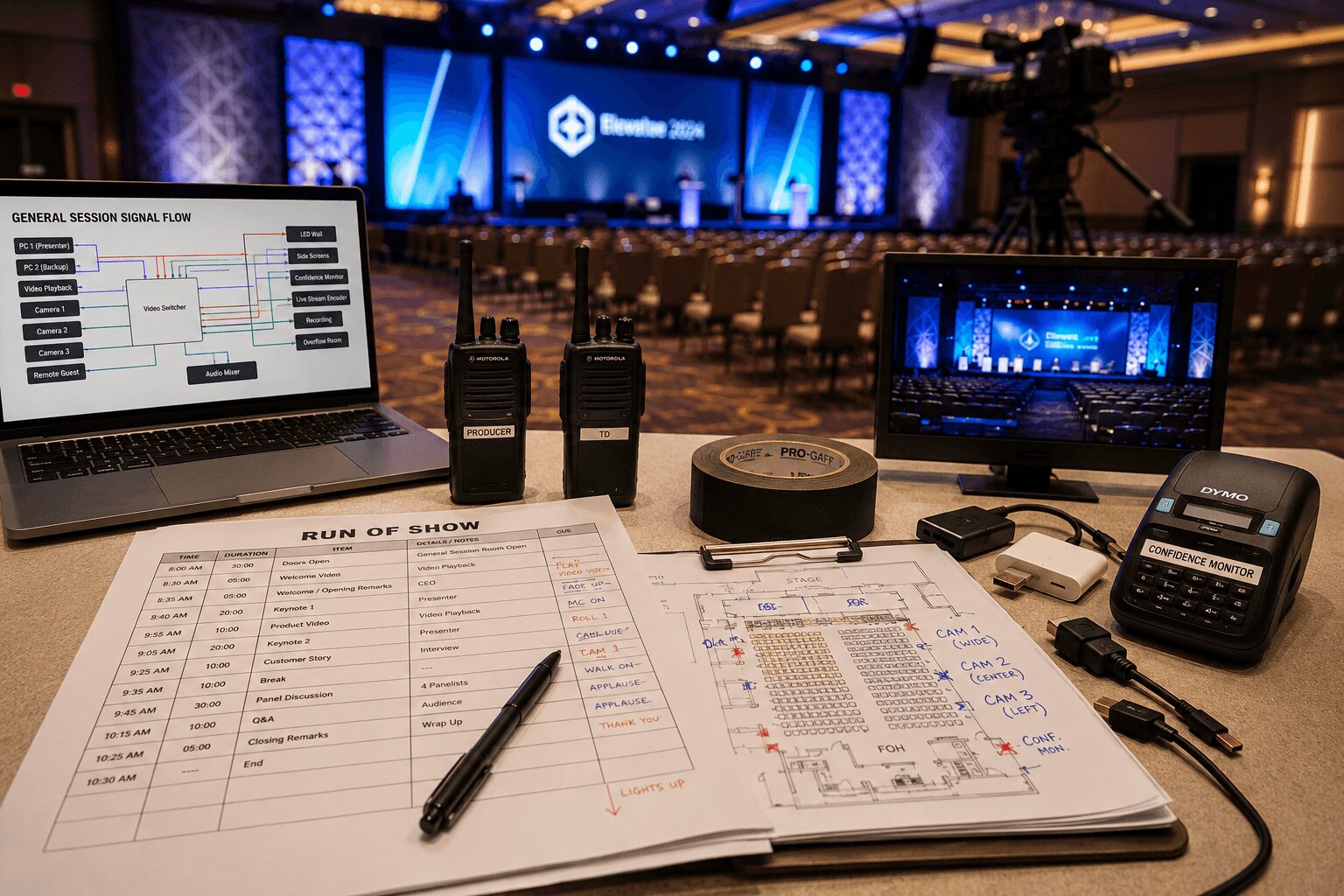
Corporate Event Production Checklist
A corporate event production checklist is only useful if it reflects what actually breaks in the field—not just the easy items like ordering chairs or confirming catering.
The real production risks usually live in signal flow, cue timing, network dependencies, room power, content handoff, communication, and what happens when a presenter arrives with the wrong laptop five minutes before doors open.
For conferences, executive meetings, product launches, analyst days, and hybrid events, production planning is really risk management. A useful checklist helps the team make technical decisions early, assign clear ownership, and catch expensive problems before rehearsal.
That becomes especially important when producing a corporate event in the Bay Area, where venues may have limited dock access, restricted setup windows, union requirements, shared house infrastructure, or strict internet and power policies.
Corporate event production checklist at a glance
Before getting into the details, every event should have clear answers for the following areas:
- Event format: Keynotes, panels, demos, audience Q&A, entertainment, remote guests, breaks, and transitions
- Venue: Load-in access, room dimensions, rigging, power, internet, FOH location, camera positions, and house AV responsibilities
- Content: Presentation deadlines, playback formats, aspect ratios, file naming, graphics, videos, fonts, and backup computers
- Audio: Microphone assignments, panel coverage, playback, audience questions, recording feeds, RF coordination, and stream mix
- Video: Screens, projection, LED walls, cameras, switching, confidence monitors, records, overflow rooms, and livestream destinations
- Lighting: Presenter visibility, camera exposure, scenic lighting, color temperature, product demonstrations, and room lighting
- Streaming: Platform, encoder, internet path, backup connection, remote contributors, moderation, captions, and recording
- Staffing: Producer, technical director, A1, V1, playback operator, camera operators, lighting, stage manager, and show caller
- Rehearsal: Presenter arrivals, cue-heavy transitions, video rolls, remote speakers, demos, walk-on music, and backup procedures
- Contingencies: Spare microphones, backup playback, redundant records, extra adapters, alternate internet, and emergency contacts
What a corporate event production checklist should cover
Many event checklists stay too general. They include broad categories such as audio, video, lighting, and livestreaming, but they do not force the team to make actual decisions.
A working production checklist should answer specific questions:
- What is the show format?
- Which content sources will be live?
- Who controls each source?
- What is the complete switching and signal path?
- Which systems have backups?
- Who calls each cue?
- How will the room transition from setup to rehearsal and show mode?
The checklist must cover several operational layers simultaneously: venue, staging, audio, video, lighting, content, staffing, and show management.
For a hybrid event, streaming and recording should be separate production categories—not items added at the bottom of the equipment list. A room can look and sound excellent in person while the online audience receives poor audio, incorrect slides, or no usable view of the presenter.
If the show includes keynotes, IMAG, presentation playback, walk-on music, remote speakers, product demonstrations, or an LED wall, each choice affects the technical design. The event may appear simple to stakeholders, but the system supporting it rarely is.
Pre-production checklist for corporate events
Define the show before selecting equipment
Start with the run of show—not the equipment list.
Confirm the session lengths, number of presenters, panel formats, live and prerecorded segments, audience Q&A, remote contributors, breaks, and any moments tied to a fixed broadcast or webcast time.
Pay particular attention to:
- Executive walk-ons and introductions
- Product reveals
- Video playback
- Live demonstrations
- Remote guest handoffs
- Award presentations
- Panel transitions
- Audience participation
Once the format is clear, the technical requirements become easier to scope.
A single-screen general session with basic presentation playback is one type of production. A multi-format keynote with confidence monitors, IMAG, a branded LED backdrop, remote speakers, and a livestream is something very different.
The equipment package changes substantially, but the difference in labor, communication, rehearsal time, and cueing is often even greater.
Assign ownership for every critical decision
Every important production task should have one person responsible for it.
That includes:
- Final run-of-show revisions
- Presenter communications
- Presentation collection
- Video playback approval
- Graphics and lower thirds
- Remote guest testing
- Venue coordination
- Internet approval
- Rehearsal scheduling
- Show calling
Shared responsibility often becomes no responsibility. The checklist should include names and deadlines—not just departments.
Lock the presentation and content workflow early
Corporate events regularly lose valuable rehearsal time because nobody owns content intake.
Decide in advance:
- Who receives the presentation files?
- What file formats are accepted?
- What is the naming convention?
- When is the final submission deadline?
- Who checks fonts, embedded videos, audio, and animations?
- Will playback use one computer or redundant computers?
- Who has authority to approve last-minute revisions?
If presenters will use their own laptops, note that early. The production team may need to plan for adapters, scaling, HDCP, EDID management, unusual resolutions, audio routing, and the time required to switch safely between devices.
“The presenter is bringing a laptop” is not a complete technical plan.
Map every input to every destination
For shows with multiple sources, build a signal-flow plan showing where every input begins and every output ends.
Inputs may include:
- Primary and backup presentation computers
- Video playback systems
- Cameras
- Remote caller feeds
- Document cameras
- Media servers
- Sponsor content
- Countdown and timer systems
Destinations may include:
- Projection screens
- LED processors
- Confidence monitors
- DSM monitors
- Livestream encoders
- Recording decks
- Overflow rooms
- Press feeds
- Backstage monitoring
On complex events, screen-management processors such as the Barco E2 or E3 can provide source management, seamless switching, screen control, and integrated backup workflows. You can also review the official Barco Event Master platform for its current screen-management capabilities.
Confirm venue limitations—not only room capacity
A venue capacity chart does not provide enough information to design a production.
The site survey should confirm:
- Dock and loading access
- Loading hours and parking restrictions
- Freight elevator dimensions
- Door dimensions
- Rigging points and approved riggers
- Available electrical service
- Internet ordering and IT approval
- Audio and video patch locations
- FOH dimensions and location
- Camera positions and sightlines
- Stage dimensions
- Ceiling and trim height
- Ambient light and window control
- House AV responsibilities
- Union or exclusive vendor requirements
If the venue supplies part of the AV system, clearly document where its responsibility ends and the production company’s responsibility begins.
Shared systems can work well, but only when signal handoffs, staffing, testing responsibilities, and show-day authority are explicit.
Audio production checklist
Plan audio for both the room and the recording
Audiences are often less forgiving of poor audio than imperfect visuals. If the CEO sounds distant, a lavalier microphone rubs against clothing, or the online audience cannot hear questions, the entire event quickly feels less professional.
The audio checklist should identify:
- Microphone type for every presenter
- Wireless frequency requirements
- Panel microphone coverage
- Podium and lectern requirements
- Audience Q&A method
- Walk-in and walk-out music
- Video playback audio
- Stage monitors or foldback
- Recording outputs
- Livestream audio feeds
- Remote contributor return audio
- Assistive listening or interpretation requirements
- Spare microphones and batteries
For hybrid productions, the room mix and livestream mix may need different treatment. Audience reactions, panel reinforcement, remote callers, playback, and microphone levels must all remain clear for people who are not physically inside the room.
Coordinate wireless systems
Wireless microphones should be coordinated before the show, especially in convention centers, hotels, or dense urban locations where many systems may be operating nearby.
Include frequency coordination, transmitter assignments, spare microphones, fresh batteries, microphone labeling, and quick-change procedures in the production plan.
Wireless systems usually work well—until interference or a failed transmitter makes the lack of preparation obvious.
Video production checklist
List every screen and video destination
Video planning begins with the outputs.
Confirm whether the production will feed:
- Main projection screens
- LED walls
- Side screens
- Confidence monitors
- Lobby or overflow displays
- Livestream program
- Press feeds
- Local records
- Backstage monitors
For every destination, identify its required resolution, frame rate, aspect ratio, signal type, and backup path.
Define inputs and switching responsibilities
Next, identify every video source and the person responsible for operating it.
A checklist should not stop after counting inputs and outputs. It should also explain:
- Who switches the show?
- Who advances presentations?
- Who operates video playback?
- Who calls camera shots?
- Who approves content before it reaches the screen?
- How are cues communicated?
- What happens if the primary presentation computer fails?
Confirm LED wall content specifications
For LED wall productions, confirm the actual pixel dimensions before the design team creates final content.
Provide designers with:
- Canvas pixel dimensions
- Aspect ratio
- Safe zones
- Frame rate
- Accepted file formats
- Playback codec requirements
- Brightness and contrast guidance
- Areas reserved for IMAG or presentation windows
Last-minute content resizing is possible, but it should not consume the limited time available for technical rehearsal.
Lighting checklist for corporate events
Light for the camera as well as the audience
A common production mistake is designing stage lighting only for the audience in the room.
If the event will be recorded, streamed, or displayed on IMAG screens, the lighting system must also support camera exposure.
The lighting plan should consider:
- Consistent presenter front light
- Controlled color temperature
- Separation between presenters and the background
- Walk-and-talk coverage
- Panel seating positions
- Podium and lectern positions
- Product demonstration areas
- Audience Q&A lighting
- Scenic and branded lighting
- Changes between presentation formats
There is always a balance. A dramatic stage may look impressive in the room but create difficult skin tones or exposure changes on camera. Flat broadcast lighting may produce a clean image but make the stage feel lifeless.
The right approach depends on the event’s priorities, scenic design, camera plan, and intended viewing experience.
Hybrid event and livestream checklist
Hybrid events add another layer of possible failure because they depend on software configuration, network performance, return feeds, remote contributors, and platform permissions.
The checklist should specify:
- Streaming or webinar platform
- Primary encoder
- Backup recording
- Program resolution and bitrate
- Graphics and lower thirds
- Remote guest workflow
- Moderation and Q&A process
- Captioning requirements
- Return video for presenters
- Return audio and mix-minus
- Audience engagement tools
- Backup internet path
- Who starts and ends the webcast
- Who monitors the audience experience
Platforms such as Zoom and Microsoft Teams Town Hall can support hybrid and large-audience events, but the production team still needs to own the routing, cueing, contributor testing, and technical monitoring.
Do not assume the venue internet is production-ready
Confirm hardline availability, dedicated bandwidth, upload speed under load, network isolation, firewall restrictions, port requirements, and IT approval.
A speed test alone does not guarantee that a network is suitable for a critical webcast. The team should also verify connection stability, network sharing, routing restrictions, and what technical support will be available during the event.
If the webcast is important, plan for more than one internet path whenever the venue and budget allow it.
Plan communication with remote contributors
Remote presenters need more than a meeting link.
Before they go live, confirm:
- Who contacts them?
- When should they join?
- Can they hear the room?
- Can they see the active presentation?
- Can they see the moderator?
- Who gives them a standby cue?
- What happens if their connection fails?
- Is there a phone or alternate connection available?
The remote participant should never be left guessing whether they are live.
Staffing and show-management checklist
Use names—not only job titles
A checklist without ownership is a wish list.
Every major responsibility should have a named lead, which may include:
- Producer or project manager
- Technical director
- Video lead or V1
- Audio lead or A1
- Lighting director
- Playback or graphics operator
- Camera director
- Camera operators
- Streaming engineer
- Stage manager
- Show caller
- Content manager
This becomes critical during rehearsal, when presentations change, speakers run long, and multiple departments need immediate decisions.
Build rehearsal around risk
Do not schedule rehearsal based only on convenience. Prioritize the parts of the show with the highest technical or timing risk.
These commonly include:
- Executive presenters
- Live product demonstrations
- Remote speakers
- Video playback cues
- Walk-on and walk-off music
- Award presentations
- Panel transitions
- Audience Q&A
- Segments containing several simultaneous cues
If there is time for only one run-through, rehearse transitions and cue-heavy moments rather than listening to every presentation from beginning to end.
Redundancy and backup checklist
Not every piece of equipment requires a complete duplicate. The systems capable of stopping or damaging the show deserve the most attention.
Consider redundancy for:
- Primary presentation computers
- Video playback files
- Show-control files
- Critical switching paths
- Livestream encoders
- Program records
- Presentation records
- Internet connectivity
- Wireless microphones
- Power for critical control systems
- Adapters and signal converters
Redundancy does not mean having an unopened spare device in the truck. A useful backup is connected, configured, tested, and ready to take over without stopping the event.
Final corporate event checklist: 48 to 72 hours before load-in
Complete a final production review two to three days before load-in.
- Confirm the latest run of show
- Verify final presentation status
- Confirm presenter arrival times
- Approve videos and graphics
- Confirm crew calls and parking
- Verify dock and venue access
- Confirm stage and room layouts
- Verify internet service and IT contacts
- Confirm production communications
- Verify power drops
- Review microphone assignments
- Confirm camera positions
- Test remote presenters
- Confirm recording requirements
- Check backup systems
- Distribute emergency contacts
- Review the complete signal path
Trace the system from every stage input to every destination: room displays, confidence monitors, livestream feeds, records, and remote participants.
If an important detail is still vague at this stage, it will probably become a show-day problem. Resolve unsupported laptops, missing content, unclear responsibilities, and unrealistic rehearsal expectations before the crew arrives.
Why production checklists matter
Reliability is not a style choice. It is the result of a clear scope, disciplined preparation, experienced staffing, and technical systems designed to remain stable under pressure.
When the room fills and the countdown reaches zero, nobody cares how many planning documents were created. They care whether each cue lands, every screen behaves correctly, and every word is heard the first time.
A strong production checklist helps make that happen.
Need help planning a corporate event?
AV Land supports corporate conferences, executive meetings, product launches, analyst days, livestreams, hybrid events, camera production, audio, lighting, screen management, and on-site technical direction throughout the San Francisco Bay Area.
Bringing video, audio, streaming, and show management under one technical team helps reduce communication gaps between vendors and creates clearer ownership from pre-production through show day.
Tell us about your event, venue, audience, and production goals to begin building the right technical plan.
Frequently asked questions
When should corporate event production planning begin?
Planning should begin as soon as the venue and event format are reasonably clear. Larger productions involving LED walls, rigging, multiple cameras, livestreaming, remote presenters, or custom content often require considerably more planning than a simple meeting with one screen and a few microphones.
What information does an AV production company need to provide a quote?
The production company will typically need the event date, venue, setup and show times, audience size, room layout, run of show, presentation format, number of presenters, microphone requirements, screen requirements, camera coverage, streaming needs, recording deliverables, rehearsal schedule, and available budget range.
Do corporate events need a rehearsal?
Most technically produced events benefit from rehearsal. At minimum, the team should test presentations, videos, microphone assignments, remote speakers, demonstrations, stage entrances, and cue-heavy transitions.
Should presenters use their own laptops?
It is usually more reliable to collect presentations and run them from production-controlled computers. When presenters must use their own devices, the team should allow additional time for adapters, display settings, audio, resolution, HDCP, and switching tests.
What equipment should have a backup?
The highest-priority backups usually include presentation playback, critical show files, program recording, livestream encoding, internet connectivity, wireless microphones, and systems whose failure could stop the event.
What is the difference between an in-room audio mix and a livestream mix?
The in-room mix reinforces voices and playback for people inside the venue. The livestream mix must also create a complete listening experience for remote viewers, who do not naturally hear audience reaction, room sound, or unamplified speakers.