



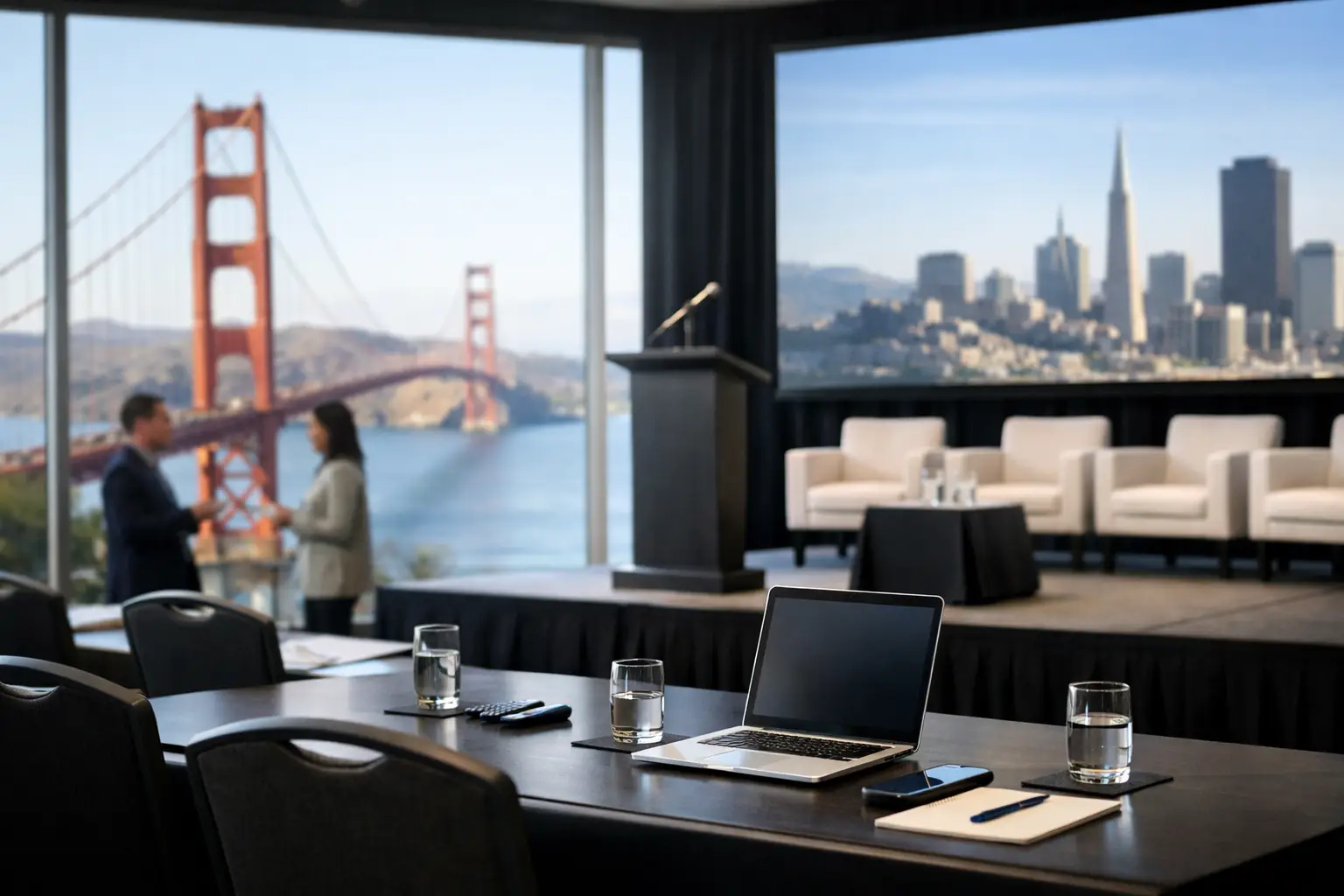
San Francisco Conference Staging Guide for Teams
A San Francisco conference staging guide has to account for more than the stage itself. A keynote can have strong content, polished presenters, and a premium venue, then lose credibility because the rear of the room cannot read the slides, camera framing ignores the LED wall, or a last-minute source change has no clean path through the system. Corporate staging is a live production system. It should be designed, tested, and operated as one.
For conferences, product launches, executive meetings, and hybrid programs, the staging plan must support the room, the audience, the presenters, and every content destination at once. That includes in-room screens, confidence monitors, recording feeds, remote attendees, press feeds, and overflow spaces. The decisions made during planning determine whether show day feels controlled or improvised.
Start With the Room, Not the Equipment List
San Francisco venues vary widely in ceiling height, dock access, rigging rules, network availability, room depth, and load-in windows. A ballroom with low ceilings may favor ground-supported LED and carefully positioned lighting. A large hotel general session may need flown projection, delay audio, and camera positions that preserve center aisles. A converted industrial space can offer visual impact while creating power distribution, acoustics, and cable-routing challenges.
Before specifying screens, projectors, LED walls, or staging dimensions, establish the audience geometry. Where is the furthest occupied seat? What viewing angle will people have from side sections? Will banquet rounds, classroom seating, or theater rows affect aisle locations and camera paths? Is the program built around a lectern, a moderated discussion, a product demo, or a high-energy keynote?
A stage that appears proportionate in an empty room can become visually undersized once it is framed by a large audience and a wide presentation canvas. Conversely, an oversized stage can make a small executive audience feel distant. The right answer depends on room width, ceiling clearance, screen size, presenter blocking, and camera requirements, not a generic stage package.
Build Sightlines Around the Actual Content
Presentation content drives display design. Financial detail, product UI, code, and data-heavy slides require more pixel density and closer viewing than large-format brand visuals. If the audience needs to read fine text, a center screen alone may not be sufficient. Image magnification cameras, side displays, or a larger LED canvas may be required.
For a wide LED wall, confirm that the native canvas and slide design agree before rehearsals. A 16:9 deck placed inside an ultrawide screen can leave unused space or force awkward scaling. That space can be used intentionally for speaker identifiers, timers, live captions, supporting graphics, or remote guest windows, but it needs to be designed and programmed into the show flow.
Confidence monitors deserve the same attention. Presenters need clear timing, readable notes, return video for remote conversations, and the ability to see what is live to the audience. A confidence display placed too low, too far off-axis, or too close to the lectern can alter eye line and make an otherwise polished presenter look disengaged on camera.
Design Video Signal Flow Before Load-In
The production system should be documented as a signal path, not assembled as a collection of devices. Every source needs a defined route to the program display, confidence monitors, recording system, livestream encoder, and any auxiliary destinations. That starts with inputs: presentation laptops, playback systems, remote callers, graphics, cameras, walk-in content, and emergency backup sources.
For a multi-screen conference, switchers and presentation processors must manage different screen formats and outputs without forcing compromises on the main program feed. Barco E2 and E3 systems are often appropriate when the show requires layered content, multiple destinations, pixel-space management, screen looks, and rapid changes between speaker formats. They are not necessary for every meeting, but they become valuable when a show has more than one display environment to control.
A clean technical plan identifies what happens when an executive laptop arrives with an unfamiliar resolution, a video has embedded audio, or a presenter must switch from slides to a live product demo. Format conversion, scaling, EDID management, playback backups, and labeled inputs are routine details that prevent visible failure.
Redundancy Must Match the Event Risk
Not every component needs a duplicate, but every critical failure point needs a response plan. The level of redundancy should reflect the cost of interruption and the complexity of the program.
For a high-stakes corporate keynote, that can include dual playback systems, redundant presentation outputs, backup microphones, isolated power for production control, spare display processing paths, and a secondary internet connection for hybrid delivery. A show calling system should also define who has authority to stop, hold, or reroute content if a source fails.
Redundancy is not simply buying two of everything. A second device that has not been tested in the full signal chain is only potential backup. During rehearsal, the team should verify the handoff process: which input takes over, whether audio follows correctly, how the confidence feed behaves, and what the audience sees during the transition.
Treat Audio as a Staging Decision
Staging affects intelligibility. The position of PA, stage monitors, LED walls, scenic surfaces, and lecterns changes how the room sounds and how much gain is available before feedback. Corporate audiences may tolerate a brief slide delay. They will not tolerate an executive keynote they cannot understand.
The audio plan should account for presenter microphone choice, panel count, playback, remote guest audio, walk-in music, assistive-listening requirements, and recording feeds. Headworn microphones can provide consistent level for active presenters, while handheld wireless microphones may be better for moderated discussions and audience Q&A. Lavaliers are discreet but require disciplined placement and can be less forgiving when presenters turn away from the audience.
Remote participants create a separate challenge. Their audio must be mix-minus protected so they do not hear an echo of themselves, and the room needs a defined method for managing interruptions, latency, and handoffs. If a remote executive is featured on the main screen, their audio, lighting, camera framing, and return feed should be rehearsed as carefully as an in-room speaker.
Plan Camera, Lighting, and IMAG Together
Once cameras are part of the program, staging choices become broadcast choices. Camera platforms, centerline shots, side angles, and audience cutaways should be planned before seating is finalized. A camera operator positioned behind a rear table may lose the shot every time attendees stand. A poorly located tripod can block egress or create an avoidable safety issue.
Lighting needs to serve both the room and the lens. General ballroom lighting rarely provides the exposure, color consistency, or separation needed for a camera-ready keynote. Key lights should cover lecterns, discussion areas, and demonstration zones without creating harsh shadows or blinding presenters. LED wall brightness must also be balanced against camera exposure. If the wall is too bright, faces can appear dark. If it is too dim, the display loses impact in the room.
For hybrid and recorded events, establish the program feed early. Decide whether remote viewers receive the same visual mix as the room, a camera-forward feed, or a dedicated broadcast mix with lower thirds and remote speaker layouts. These are different products. A single feed can work for a straightforward keynote, but a content-heavy hybrid program often benefits from separate in-room and online compositions.
Rehearsal Is the First Real Show
A production schedule should reserve time for technical rehearsal, presenter rehearsal, and show-flow review. These are not interchangeable. Technical rehearsal validates systems. Presenter rehearsal validates content, pacing, walk-ons, microphone technique, and confidence monitor use. Show-flow review validates the people making decisions under pressure.
Build a cue sheet that identifies session start times, walk-in looks, playback rolls, presenter names, microphone assignments, slide operators, camera cues, remote guest connections, and transition ownership. Include timing for executive arrivals, awards, panel resets, and any moments that require stagehands or furniture changes.
The strongest conference crews run the show from clear communications and assigned responsibilities. Technical direction, show calling, graphics operation, audio mixing, video switching, lighting control, and stage management need defined handoffs. When a speaker changes a slide order or a panel begins early, the team should know who receives that information and who acts on it.
Use a San Francisco Conference Staging Guide to Protect Show Day
Venue coordination is part of production readiness. Confirm dock hours, freight elevator dimensions, union or venue labor requirements, rigging approvals, power locations, fire-lane restrictions, internet access, and the deadline for submitting floor plans. In San Francisco, these details can materially affect crew call times, equipment selection, and budget.
Also plan for the small operational items that are easy to overlook: cable ramps where attendees cross pathways, secure storage for executive laptops, spare adapters, a dedicated presenter check-in area, and a quiet location for remote speaker testing. These details do not appear in a stage rendering, but they affect the pace and reliability of the event.
AV Land handles full-service corporate event production for teams that need the staging, LED, audio, cameras, livestreaming, and on-site technical direction coordinated under one production plan. For complex programs, the advantage is not only access to professional equipment. It is having operators who understand the signal flow, the rehearsal process, and the consequences of changing one part of a live system.
The best staging plan gives presenters confidence without drawing attention to the machinery behind them. When the room, content, technical crew, and backup paths are aligned before doors open, the production team can focus on the moments that matter instead of recovering from avoidable ones.