



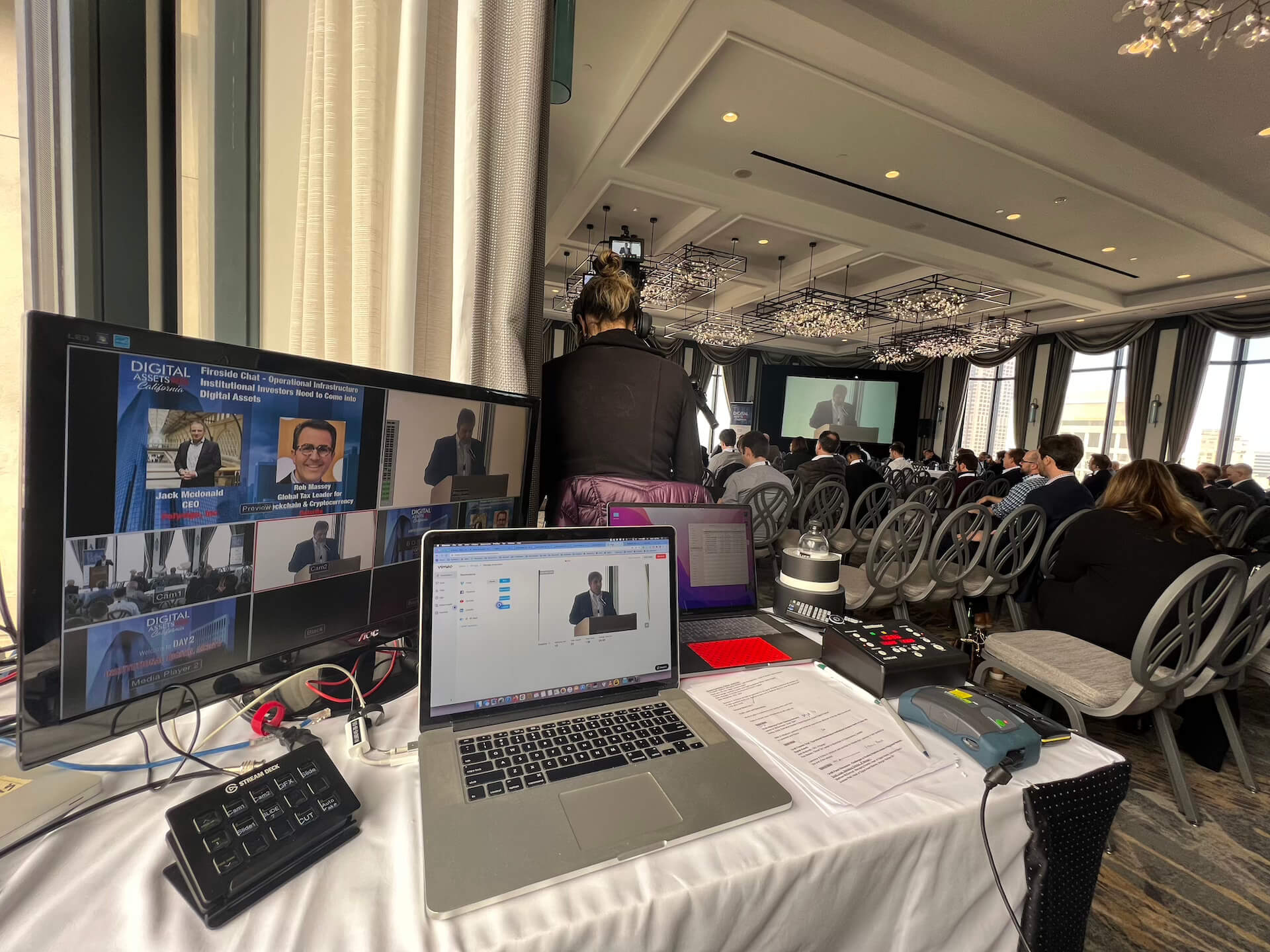
Conference Audio Visual Support That Holds Up
A conference can have the right venue, the right audience, and a strong agenda – and still fall apart the moment audio drops, a confidence monitor freezes, or a remote presenter cannot get on screen. That is why conference audio visual support is not a background service. It is part of the event itself.
For corporate conferences, especially keynotes, breakout-heavy agendas, and hybrid programs, conference AV support is what turns a run of show into something the audience can actually follow. The difference is rarely the gear alone. It comes from prep, system design, experienced operators, and the ability to keep the show moving when live conditions change.
What conference audio visual support actually covers
A lot of teams use the term broadly, but in practice it includes several production layers that have to work together in real time. Audio has to be clear in the room, on recordings, and on the livestream production. Video has to scale across projectors, LED walls, presentation screens, foldback displays, and streaming outputs. Lighting has to support the room, the cameras, and the brand look. Show control has to tie timing, cues, playback, and presenter flow together.
That gets more technical once the event grows past a basic ballroom setup. A general session with multiple presenters, walk-on music, remote guests, presentation switching, camera feeds, and sponsor content is not a simple plug-and-play package. It is a live production environment.
The strongest support teams treat the conference as a system, not a stack of rented equipment. They account for signal flow, backup paths, operator positions, communication, power, stage sightlines, confidence monitoring, and load-in realities before the audience ever arrives.
Why the stakes are higher for corporate conferences
Corporate events tend to carry less tolerance for technical improvisation than other live formats. A missed cue at a product launch can affect press coverage. A bad stream can waste paid media, executive time, and audience acquisition spend. An unreadable presentation can make a polished keynote feel amateur in seconds.
That is especially true in the Bay Area, where many conferences involve product announcements, investor-facing presentations, developer events, executive communications, and hybrid audiences expecting broadcast-level quality. These are not events where the AV team can figure it out on the fly.
Support has to match the format. A single-room leadership summit needs something different from a multi-track user conference. A heavily branded keynote with layered screen content may require advanced screen management and live compositing. A hybrid event may need a separate show feed built for online viewers rather than simply sending the in-room program to the stream.
Good AV support starts before show day
The work that protects a conference usually happens well before doors open. Planning meetings, show flow review, asset collection, speaker management, staging design, and infrastructure checks all reduce the chance of failure later.
One of the most common mistakes is treating AV as a late-stage vendor decision. By that point, the event layout may already create problems. Maybe the room depth makes screens hard to read. Maybe the stage orientation limits camera positions. Maybe the number of playback sources exceeds what a basic switcher setup can handle. These are solvable issues, but they are cheaper and cleaner to solve earlier.
Experienced conference audio visual support includes pre-production discipline. That means confirming signal formats, slide specs, playback responsibilities, microphone plans, show cueing, remote speaker workflows, and internet requirements. It also means asking the less glamorous questions that save shows: who advances slides, where presenters enter, what happens if a laptop fails, and how many independent outputs the event actually needs.
The difference between equipment and execution
Clients often ask about gear first, and the equipment does matter. High-end events benefit from reliable video processing systems, properly deployed wireless systems, quality displays, professional multi-camera video production, and control systems that can support complex cueing. But equipment only performs as well as the crew designing and operating it.
A strong operator sees problems before the audience does. They catch a mismatched output resolution before content hits the screen. They hear RF trouble before a microphone drops. They know when to build a redundant playback path and when the show can stay lean. That judgment is what separates professional conference support from generic AV coverage.
This matters even more when the visual environment gets complicated. Large-format LED walls, multi-screen setups, live camera IMAG, and mixed-content keynotes require more than standard switching. They require routing discipline, pixel-accurate scaling, and an operator team that understands what the screen system is supposed to do at every moment of the show.
For that reason, many corporate productions rely on dedicated video processing, technical direction, and show-calling rather than rolling everything into one overloaded operator position. It is a smarter way to manage risk.
What to look for in a conference AV partner
The right partner is not just the team with inventory. It is the team that can own the production logic of the event. That starts with clear technical planning and continues through rehearsal, show operation, and strike.
Ask how they handle redundancy. In a corporate conference environment, backup should not be an afterthought. Critical playback, streaming paths, presentation machines, and key audio elements often need failover plans. Not every event needs full duplication across every system, but every important show needs intentional risk management.
Ask who will actually be onsite. Senior planning with junior execution is a common weak point in live events. If the show is technically demanding, the operating crew should include people who are comfortable with cue-heavy corporate programming, executive presenters, and last-minute changes.
Ask how they approach hybrid. A conference stream is not just a camera pointed at a stage. Online viewers need clean audio, appropriate graphics, stable switching, and pacing that works on screen. Sometimes that means separate program decisions for the virtual audience. If the support team cannot speak clearly about that difference, they may not be built for hybrid production.
Common failure points and how experienced teams prevent them
Most conference AV problems are predictable. RF coordination gets overlooked in dense RF environments. Presentation content arrives in inconsistent formats. Room audio is tuned for speech at the lectern but not for panel discussions. Remote presenters join with unmanaged devices and poor connectivity. Livestream audio is taken from the wrong point in the mix.
The solution is not panic response. It is structure. That means RF planning, content review, rehearsal, proper gain structure, dedicated streaming audio mixing, and realistic show staffing. It also means having technical direction onsite so someone is watching the whole picture instead of one isolated department.
For larger events, communication systems matter as much as screens and speakers. The ability for stage management, show callers, camera operators, playback, audio, and video to stay aligned is what keeps transitions tight. Audiences may never see intercom packs or backstage confidence monitors, but they absolutely notice when those systems are missing.
Conference audio visual support for hybrid and streamed events
Once a conference adds a live audience plus a remote audience, the production standard changes. Now the event has two experiences to support, and they are not identical.
The in-room audience cares about sightlines, speech intelligibility, screen brightness, and energy in the room. The online audience cares about framing, graphics legibility, smooth transitions, and consistent audio. Trying to satisfy both with the simplest possible setup usually compromises one of them.
That is why hybrid support often includes hybrid event production, separate streaming encodes, graphics integration, confidence return feeds, and technical oversight that extends beyond the ballroom. If the event includes executive messaging, customer-facing content, or sponsor deliverables, those details are not optional. They are part of the production requirement.
In markets like San Francisco, San Jose, and Silicon Valley, many conference clients also need systems that can accommodate product demos, high-resolution presentation content, or remote speakers from multiple time zones. Those needs push the event farther into live broadcast territory, even when it is still called a conference.
Why in-house execution matters
When an AV company can handle core production functions in-house, coordination usually improves. Video processing, camera systems, livestreaming, display deployment, and technical direction all affect one another. Splitting them across too many disconnected vendors can slow decisions and muddy accountability.
That does not mean every event needs the largest possible build. It means the support structure should fit the complexity of the show. A focused, experienced production team with the right systems and operators will outperform a bigger but less coordinated setup every time.
That is the standard AV Land is built around for corporate events: technically sound systems, experienced crews, and show execution that holds under pressure. Because when the room is full, the speakers are live, and the stream is rolling, reliability is not a feature. It is the job.
If you are planning a conference, the best time to evaluate AV is before the agenda locks and before the venue assumptions become expensive. The earlier the production plan gets real, the easier it is to build a show that stays solid when it counts.