Executive Webcast Production San Francisco
A CEO webcast can look simple from the viewer’s screen: one executive, a branded background, a presentation, and a live Q&A. In the room, executive webcast production San Francisco teams rely on is a far more disciplined operation. A missed lower third, an unreadable slide, a drifting camera color match, or a stream failure during earnings-sensitive messaging can distract from the message immediately.
For corporate communications, product announcements, leadership updates, investor-facing programs, and hybrid town halls, the production standard should be closer to a live broadcast than a conference room video call. That means defined roles, tested signal paths, camera blocking, audio isolation, presentation management, and contingency plans that are understood before the executive walks on set.
What Executive Webcasts Require Beyond a Basic Livestream
An executive webcast is not simply a camera pointed at a podium. It is a controlled communications environment where visual authority, intelligibility, timing, and discretion matter. The production has to support leaders who may have limited rehearsal time while protecting the experience for remote employees, customers, partners, or analysts.
The technical plan starts with the format. A short leadership update may need a single primary camera, a secondary angle, confidence monitors, a branded LED wall or projection surface, and a clean streaming path. A global town hall or product launch usually needs more: multi-camera coverage, playback, remote presenter integration, moderated Q&A, show graphics, audience microphones, and recording outputs for post-event use.
The difference is not how much equipment is in the room. It is whether every component has a purpose, an operator, and a backup plan where failure would be unacceptable.
Build the Show Around the Executive, Not the Gear
Senior speakers should not have to think about where to stand, which lens is live, or whether the slide advance reached the webcast. Their job is to deliver the message. The production team’s job is to remove technical friction before it reaches the stage.
Camera Framing Must Match the Message
For a formal executive address, a primary camera should deliver a stable, flattering medium shot at eye level. A second camera can provide a profile or tighter angle for transitions, emphasis, and protection during slide changes. For interviews, fireside conversations, and panel-style broadcasts, each speaker needs intentional framing and consistent exposure across the set.
Camera placement also affects the executive’s delivery. If the camera is too far off axis, the speaker appears to address the room rather than the remote audience. If a teleprompter is appropriate, it needs to be positioned and rehearsed so the delivery remains natural. The right choice depends on the speaker, the script, and whether the event is live, live-to-tape, or pre-recorded with a scheduled release.
Audio Is the First Reliability Test
Viewers will tolerate a less-than-perfect camera angle longer than they will tolerate poor audio. Executive webcasts require clean speech reinforcement in the room and an isolated broadcast mix for the stream and recording. Those are often different mixes.
A lavalier microphone may work well for a keynote, while a headset can be the safer choice for an active presenter. Handheld microphones can suit moderated Q&A or panel transitions. Whatever the format, frequency coordination, backup microphones, gain structure, and monitoring need to be handled by an audio operator who is listening to the actual broadcast feed, not only the room sound.
Presentation Content Needs Its Own Workflow
Slides, videos, demos, and lower thirds are all show content. Treating them as an afterthought is how an executive ends up waiting for a deck to load on a public feed. Presentation playback should be rehearsed at native resolution, with font, animation, video audio, and aspect-ratio issues resolved before show time.
For larger programs, a dedicated playback and graphics workflow separates presentation control from switching. That allows the technical director to concentrate on the live program while another operator confirms that the next asset is ready. It also gives the producer a clear route for last-minute executive changes without disrupting the entire show.
Redundancy Has to Be Designed, Not Assumed
Redundancy is often used loosely. A second laptop is not a complete redundancy plan if both laptops rely on the same network, power source, operator, or untested file set. The right level of protection depends on the consequence of failure, the audience size, and the program’s ability to pause or recover.
For a high-stakes webcast, the production plan should examine each critical path: internet connectivity, streaming encoder, power, presentation playback, microphones, cameras, and program recording. A wired primary connection with an independent backup connection is generally more defensible than relying on venue Wi-Fi. Local program recording is equally important, even when the stream is stable. It protects the content if a platform issue affects playback or distribution.
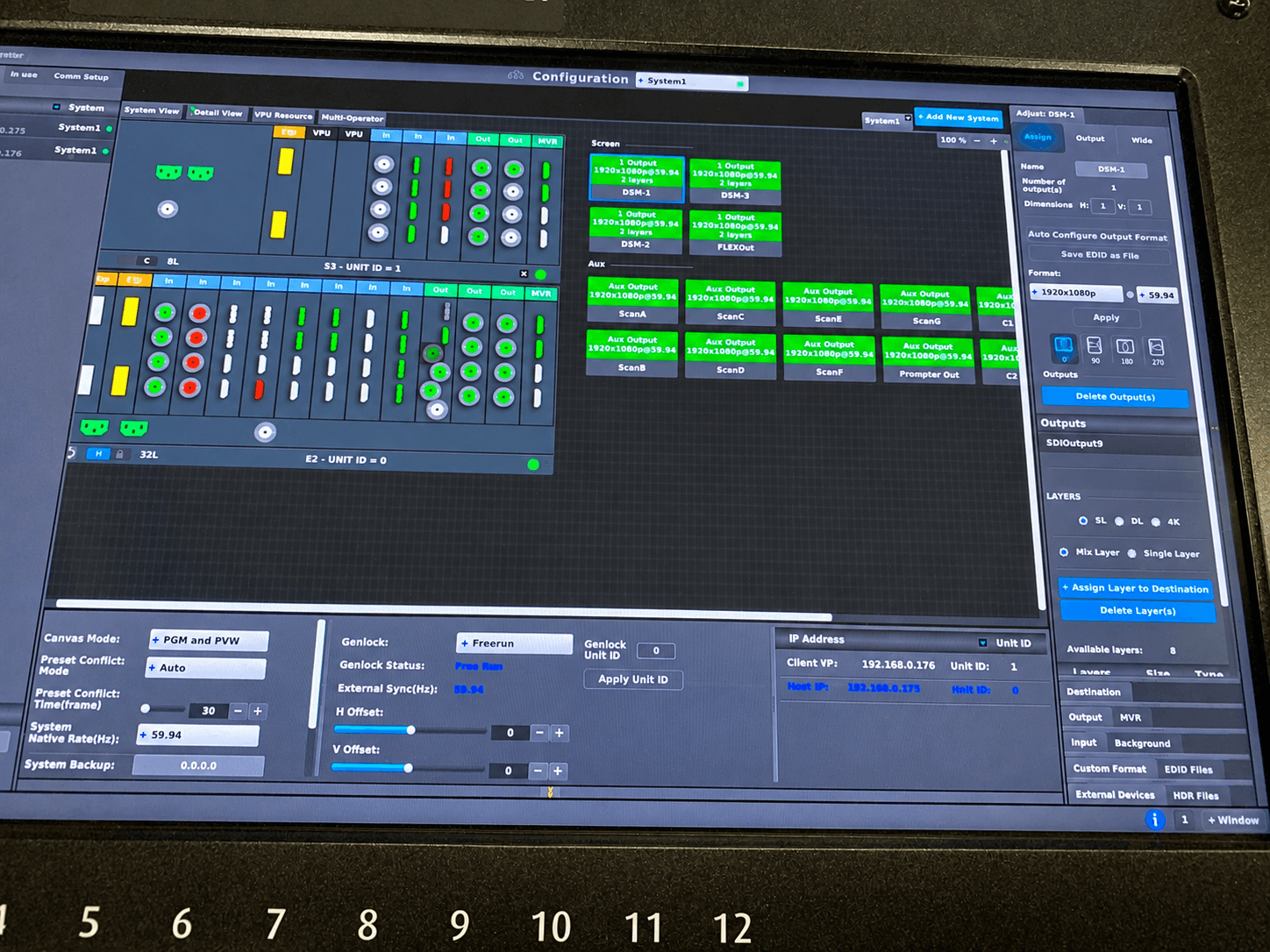
The switching environment matters as well. Barco E2 and E3 processing can support complex screen layouts, live camera image magnification, presentation sources, confidence outputs, and LED wall configurations in a managed signal workflow. That capability is especially valuable when the in-room visual system and the webcast output require different compositions.
The Control Room Runs the Webcast
An executive webcast succeeds when the room operates on a clear command structure. The producer owns timing and speaker flow. The technical director calls and executes visual changes. Audio manages the broadcast mix. Camera operators maintain framing. Playback, graphics, streaming, and stage management each have defined responsibilities based on the show’s complexity.
A pre-show communications plan prevents confusion. Everyone should know the cue language, the rehearsal schedule, the show clock, and who can approve changes once the program is underway. A private intercom system is not a luxury on a multi-camera corporate production. It is how the team makes adjustments without adding pressure to the speakers or distracting the audience.
A practical executive webcast rundown should account for the opening hold, walk-on music if used, camera presets, title graphics, slide transitions, video playback, Q&A handoffs, closing remarks, and stream end. It should also identify what happens if a remote guest drops, a speaker arrives late, or a presentation file changes minutes before air.
Room Design Changes the Broadcast Result
San Francisco offices, hotel ballrooms, conference centers, and studio spaces all present different constraints. Glass walls, low ceilings, mixed lighting, reflective surfaces, and noisy HVAC systems can create problems that are easy to underestimate during a site walk.
Lighting should shape the speaker for camera while preserving a professional in-room environment. A properly lit executive looks credible and present without appearing overproduced. LED walls can create strong branded backdrops and presentation surfaces, but they require camera-aware brightness, refresh settings, and color calibration. Projection can be the better choice in some rooms, particularly when ambient light is controllable and the audience needs a large, comfortable viewing area.
The set should also account for wardrobe, eyelines, walking paths, audience sightlines, and cable management. Small operational choices have visible consequences once the program is live.
Rehearsal Is Where Risk Becomes Manageable
The best time to find a problem is before the executive enters the room. A real rehearsal tests more than microphone levels and slides. It confirms speaker pacing, camera marks, remote contributor latency, confidence monitor visibility, video playback, Q&A timing, and the approval process for on-screen graphics.
Not every program gets a full rehearsal. Leadership schedules can be tight, and sometimes the first complete run happens only minutes before air. In those cases, the production team needs a simplified format, experienced operators, and a prioritized technical check. The goal is not perfection for its own sake. It is to protect the parts of the broadcast that cannot fail: speech intelligibility, content visibility, stable streaming, and controlled transitions.
AV Land handles corporate webcast systems as live productions, with in-house capability across cameras, audio, lighting, LED walls, video processing, streaming, and technical direction. That matters when a program grows from a straightforward leadership message into a multi-source hybrid broadcast with little notice.
FAQ
How far in advance should an executive webcast be planned?
For a straightforward webcast, two to four weeks allows time for site review, crew scheduling, platform testing, graphics preparation, and a meaningful rehearsal. Larger product launches, all-hands meetings, and multi-location broadcasts should be planned earlier, especially if they require custom stage design, LED walls, remote presenters, or complex approval workflows.
Is a single camera enough for an executive webcast?
It can be enough for a brief, tightly controlled message. A second camera is usually worthwhile for longer presentations, interviews, Q&A, or any program with slides and movement. It gives the director a clean alternative during transitions and makes the result feel deliberately produced rather than static.
Should the webcast be live or recorded first?
Live is appropriate when immediacy, audience interaction, or a scheduled corporate moment matters. Pre-recording offers more control over executive delivery, editing, and approvals. A hybrid approach can also work: record key segments in advance, then deliver live introductions, Q&A, or announcements during the scheduled broadcast.
What should be recorded after the stream ends?
Keep a high-quality program recording, isolated camera recordings when available, presentation files, graphics, and clean audio tracks. Those assets make it easier to create executive clips, internal recaps, social cuts, captions, and corrected versions if a platform issue affects the live stream.
A successful executive webcast does not call attention to its production. It gives leadership a controlled environment to communicate with authority, while the technical team manages the details behind the cameras. When the message has consequences, plan the show early and request a production quote with the program format, venue, audience, and broadcast requirements.