



How to Prepare for Livestream Failure
A keynote goes live, the CEO starts speaking, and the stream drops 90 seconds into the opening. That is usually not a single-point failure. It is the result of a system that was never designed to fail gracefully. If you want to know how to prepare for livestream failure at corporate events, the real answer starts long before show call. It starts with signal flow, redundancy, testing, and clear decisions about what happens when something breaks.
Corporate livestreams fail in predictable ways. Internet circuits flap. Encoders lock up. A laptop feeding slides changes resolution without warning. Audio buses get reassigned. A remote presenter joins on the wrong device. The teams that recover fastest are not guessing in the moment. They already know which failure modes matter, which ones are acceptable, and what the backup path is for each one.
How to Prepare for Livestream Failure at Corporate Events
The first mistake is treating livestream redundancy as a single backup encoder or a second internet line. Real protection is layered. You need a primary path, a secondary path, and a plan for what the audience sees while the production team restores the show.
At a minimum, that means defining your critical chain. For most corporate events, the critical chain includes cameras, graphics playback, switcher, audio mix, encoder, network path, streaming platform, and monitoring. If any one of those fails, does the stream continue, degrade, or go dark? That answer should be known before gear is loaded in.
This is also where many events get overbuilt in the wrong place. Spending heavily on camera packages while leaving the stream dependent on one encoder and venue Wi-Fi is not a serious resilience plan. The backup strategy should follow business risk, not just production value. A global product launch, investor webcast, or executive town hall needs a different tolerance for disruption than an internal team meeting.
Start With Failure Modes, Not Equipment Lists
A useful show plan does not begin with brand names. It begins with what can actually go wrong. In corporate production, the biggest categories are network failure, hardware failure, operator error, power loss, platform-side issues, and content-source failure.
Network failure is obvious, but it is not just full internet loss. Bandwidth contention, unstable upstream performance, DNS issues, and captive network policies inside conference venues can all interrupt a stream while local systems appear normal. That is why a dedicated hardline with confirmed upload capacity matters more than a speed test screenshot from the day before.
Hardware failure is broader than the encoder. A failed SDI converter, a bad HDMI handshake, or a switcher output assignment error can take the stream offline just as effectively. The more adapters and format conversions in the path, the more potential breakpoints you create.
Operator error deserves the same attention as technical failure. The strongest systems still fail when the crew is rushed, under-monitored, or working from unclear show files. Clean labeling, locked output settings, and assigned responsibilities matter because live events rarely fail from one dramatic catastrophe. They fail from small preventable errors that line up at the wrong moment.
Build Redundancy Where It Changes the Outcome
Not every component needs an identical backup. The goal is not duplication for its own sake. The goal is preserving the audience experience.
For internet, the strongest approach is path diversity. Two connections from the same venue network stack may not protect you from the same outage. A dedicated wired primary plus an independent bonded cellular or separate ISP-backed secondary is far more useful than two ports on the same house switch. For high-stakes events, this should be discussed with the venue and network provider early, not during load-in.
For encoding, a hot backup encoder is often worth more than many planners realize. If the primary encoding machine freezes or the software session becomes unstable, switching to a second encoder that is already authenticated and fed can save the stream in seconds. Platforms and encoders such as vMix and Wirecast support live production and streaming workflows that many teams rely on for production resilience.
Streaming platforms also have their own technical requirements. For example, YouTube’s live encoder settings outline how resolution, frame rate, bitrate, and encoder configuration affect live stream reliability. Those settings should be confirmed before show day, not guessed during rehearsal.
Audio deserves its own backup thinking. A stream with compromised video can sometimes continue. A stream with bad or missing audio is usually unusable. That means isolated program feeds, clean gain structure, and if the event is critical enough, a redundant audio path into the stream chain. Even simple measures like a backup playback device for walk-in music and stingers prevent avoidable dead air during resets.
Power is another area where trade-offs matter. UPS support for encoders, networking, and core control systems can bridge short power events and give operators time to execute an orderly recovery. You may not need battery backup on every monitor at FOH, but protecting stream-critical devices is usually worth it.
Treat Monitoring Like Part of the Show, Not an Extra
A surprising number of failed streams were technically broken for several minutes before anyone confirmed it. That happens when teams monitor only the local multiview and not the actual public-facing output.
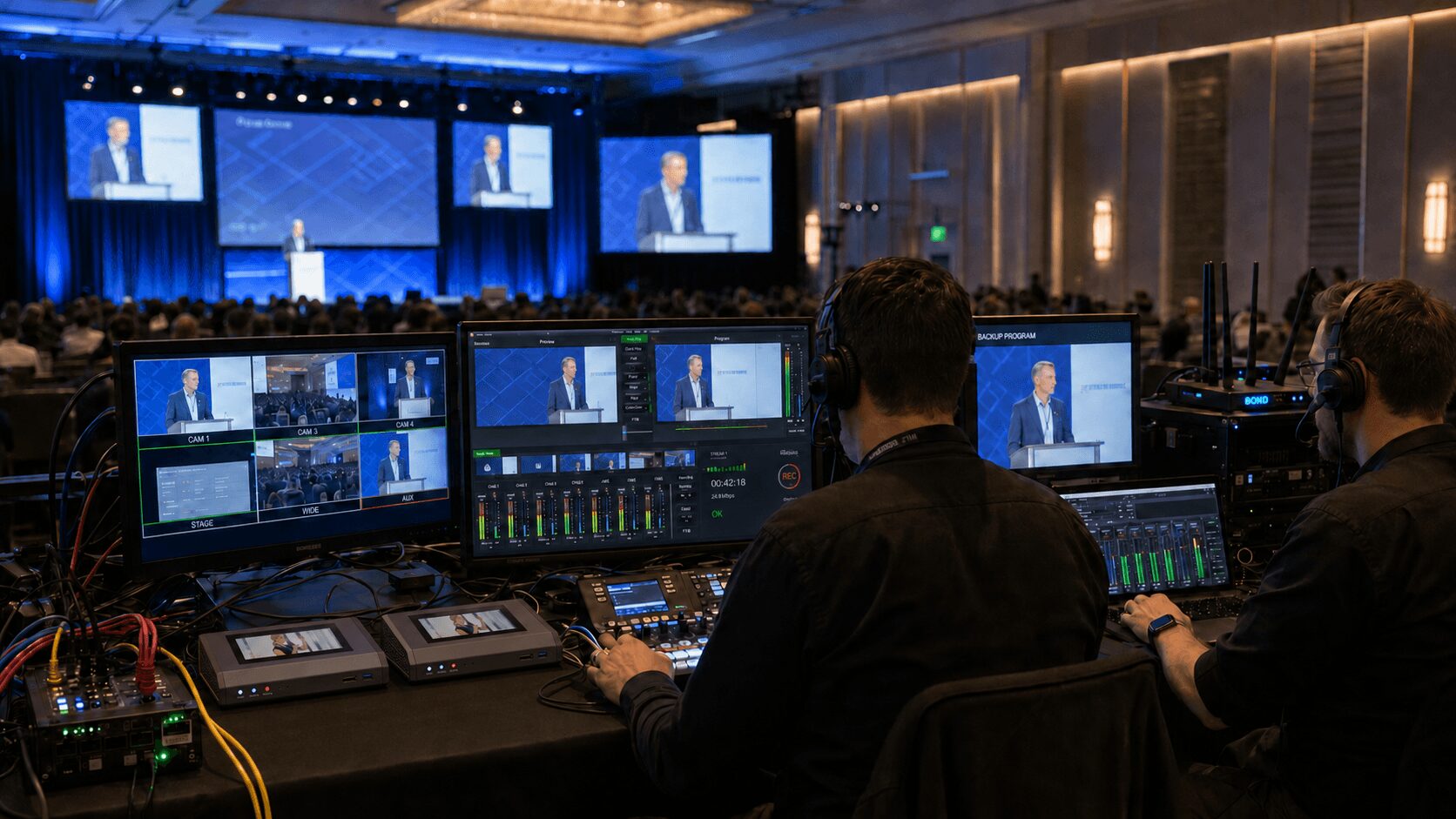
You need confidence monitoring at multiple points. Monitor the switched program before encoding. Monitor the encoder status itself. Then monitor the outbound stream the way an end viewer would see and hear it, ideally on a separate network path. If the local output looks good but the destination platform is buffering or muted, your crew needs to know immediately.
This is where experienced livestream crews separate themselves from general AV labor. They are not just watching pictures. They are watching latency, platform health, audio meters, return confidence, dropped frames, and sync. AVIXA’s Audiovisual Systems Performance Verification standard provides useful context around verification, documentation, and performance expectations in professional AV systems, and those principles apply directly to hybrid and streamed corporate events.
Rehearsal Should Include Breakage
Most rehearsals are content rehearsals. Very few are failure rehearsals. That is a mistake.
If you are serious about knowing how to prepare for livestream failure at corporate events, schedule time to test the recovery plan, not just the run of show. Kill the primary internet path and confirm failover. Restart the primary encoder and bring the backup live. Test what happens when the presentation laptop disconnects. Verify what viewers see if a remote speaker drops from the call.
These tests do two things. First, they confirm whether the technical design actually works. Second, they train the crew to recover without panic. That is critical because recovery speed is rarely limited by hardware alone. It is limited by decision-making under pressure.
A good rehearsal also forces the client team to make editorial decisions in advance. If the stream drops during a keynote, do you hold the room and reestablish the stream, or continue in-room and restore online viewers as fast as possible? If a remote guest cannot connect, who has authority to reorder the segment? Those are production decisions, not just technical ones.
Have a Viewer-Facing Fallback Plan
The audience should never be the first to discover you are improvising.
For some events, the right fallback is a holding slate with music and a message that the livestream will resume shortly. For others, especially executive communications, it may be better to cut to a branded standby screen with no music and restore as quietly as possible. In panel formats, a temporary cut to full-screen slides may buy the team time to troubleshoot a camera or routing problem without presenting visible chaos.
This is one reason integrated production matters. When switching, graphics, audio, playback, and streaming are planned together, recovery options multiply. A full-service team can reroute around a failure because the systems were designed together, not stitched together from isolated vendors. That is the difference between managing a fault and simply reacting to one. For organizations planning a higher-stakes webcast or hybrid event, AV Land’s livestream services and event services are built around that kind of coordinated execution.
Match the Backup Plan to the Event Type
Not every corporate event needs the same architecture. A quarterly all-hands may accept a brief interruption if the recording is preserved and posted quickly afterward. A product launch with press, partners, and investors usually cannot.
That means budget conversations should be tied to consequence. If ten seconds of outage would create real reputational or financial damage, build for near-immediate failover. If a short disruption is tolerable, you may choose a simpler system with strong recording backups and a clear recovery script.
The same is true for venues. In San Francisco, San Jose, and across Silicon Valley, many event spaces advertise strong internet. Some deliver it consistently. Some do not under show conditions with media, attendees, and internal venue traffic sharing infrastructure. If livestream reliability matters, validate the network under realistic load and bring an independent contingency.
Remote Presenters Add Another Failure Layer
Remote presenters can introduce their own risks, including bad local internet, poor microphones, wrong camera settings, laptop notifications, echo, or last-minute platform confusion. If the event includes remote speakers, the technical plan should define how they join, how they are monitored, how they hear the room, and what happens if they disconnect.
Platforms such as Zoom Webinars and Microsoft Teams can support remote participation, but the platform alone is not the production plan. Audio routing, return confidence, presenter testing, backup dial-in options, and operator responsibilities still need to be designed into the show.
The Best Backup Is a Crew That Has Seen It Before
Technology matters, but livestream resilience is mostly an execution problem. The right gear in unpracticed hands still produces long outages. The right crew will often save a show before the client even realizes there was a problem.
That comes from knowing where the weak points usually live: EDID problems on presentation sources, unstable USB capture workflows, bad venue networking assumptions, muted bus sends, unsupported frame rates, and platform configuration errors that only appear once you go live. These are not theoretical issues. They are routine failure points in corporate production.
If you want fewer surprises, build the stream like a mission-critical system. Map the signal flow. Remove unnecessary conversions. Add redundancy where it changes the audience outcome. Monitor the real output. Rehearse the failure, not just the script. Then staff the show with people who can recover fast when live production stops being polite and starts behaving like live production.
Because the question is not whether something will go wrong. The question is whether anyone watching will notice.