How to Mic Panelists for Corporate Events
A panel can have strong speakers, sharp moderation, and a well-built stage, then still lose the room because one participant is faint, noisy, or missing from the livestream. Knowing how to mic panelists is less about putting a transmitter on every person and more about designing an audio system that works across the room, the recording, and the broadcast feed.
For corporate conferences, executive discussions, and product-launch panels, the goal is consistent, intelligible speech with no visible technical distraction. That requires early decisions about microphone type, RF coordination, routing, monitoring, and backup paths. The right choice depends on panel size, stage design, program format, audience expectations, and whether the event is being recorded or streamed.
Start With the Panel Format, Not the Microphone
The microphone plan should follow the way the panel will actually run. A seated, 45-minute leadership conversation needs a different approach than a fast-moving product discussion with audience Q&A, walk-on guests, and remote contributors.
Start by confirming how many people will be on stage at one time, whether speakers remain seated, whether they will hold notes or demo products, and whether the moderator will move through the audience. Also identify every destination for audio: the front-of-house PA, confidence recording, camera scratch tracks, press feed, livestream, and any remote meeting platform. Each destination affects routing and mix decisions.
A room-only mix can tolerate more variation than a livestream. In the room, an audience may still understand a speaker whose lavalier has shifted slightly. Online viewers hear the same issue as inconsistent volume, clothing noise, and room reflections. If video is part of the deliverable, panel audio should be treated as a broadcast source from the beginning.
How to Mic Panelists: Choose the Right Format
For most corporate panels, discreet lavaliers or headset microphones are the most practical options. Both keep hands free and maintain a clean stage look, but they solve different problems.
A properly placed lavalier works well for seated executives who speak at a predictable level and do not turn far away from the audience. It is visually subtle and familiar in keynote environments. The trade-off is lower gain before feedback than a close headset, along with greater exposure to clothing contact, necklace noise, and changes in level when a speaker leans back.
Headset microphones provide the most consistent speech level because the capsule remains close to the mouth. They are often the better choice for energetic moderators, presenters who turn toward a large LED wall, or speakers who need stronger reinforcement in a challenging room. Some executive teams prefer the lower-profile appearance of a lavalier, so the production team should balance presentation preferences against the acoustic reality of the venue.
Handheld wireless microphones can work for short panels, awards-style conversations, or sessions with frequent guest changes. They offer excellent gain before feedback and are easier to swap between speakers. But they depend on disciplined mic technique. A speaker who rests the handheld in their lap, points it away while thinking, or passes it between people will create level swings that no engineer can fully correct.
Tabletop gooseneck microphones are appropriate when the panel is seated at a conference table and the visual language calls for a formal discussion. They should be planned carefully. Open table microphones can quickly raise room noise, comb filtering, and feedback risk, especially with multiple PA loudspeakers and video playback on stage.
Design the RF Plan Before Load-In
Wireless reliability starts before cases are opened. In dense corporate environments, particularly in San Francisco and Silicon Valley, the RF spectrum may already be crowded by neighboring events, installed systems, broadcast activity, and office infrastructure. A frequency plan based on last month’s show file is not a frequency plan.
Scan the venue on site, coordinate frequencies across all wireless systems, and leave workable separation between channels. Include lavaliers, handhelds, audience Q&A mics, intercom, in-ear monitoring, and any client-provided wireless equipment in the conversation. A panel with six transmitters can become a much larger RF deployment once show communications and support systems are counted.
Use properly distributed antennas and place them intentionally. Antennas buried behind an LED wall, blocked by scenic elements, or positioned too far from the stage can turn a clean RF scan into intermittent dropouts during the program. Directional antennas, sensible placement, and monitored receiver telemetry give the audio team time to react before a marginal link becomes an on-stage failure.
Every critical panel channel should have a labeled backup plan. That may mean a prepared spare transmitter on the correct coordinated frequency, a matched spare capsule, a wired podium microphone within reach, or a handheld ready with the audio operator. The best backup is one that can be deployed without stopping the session to troubleshoot.
Placement Determines More Than the Model Number
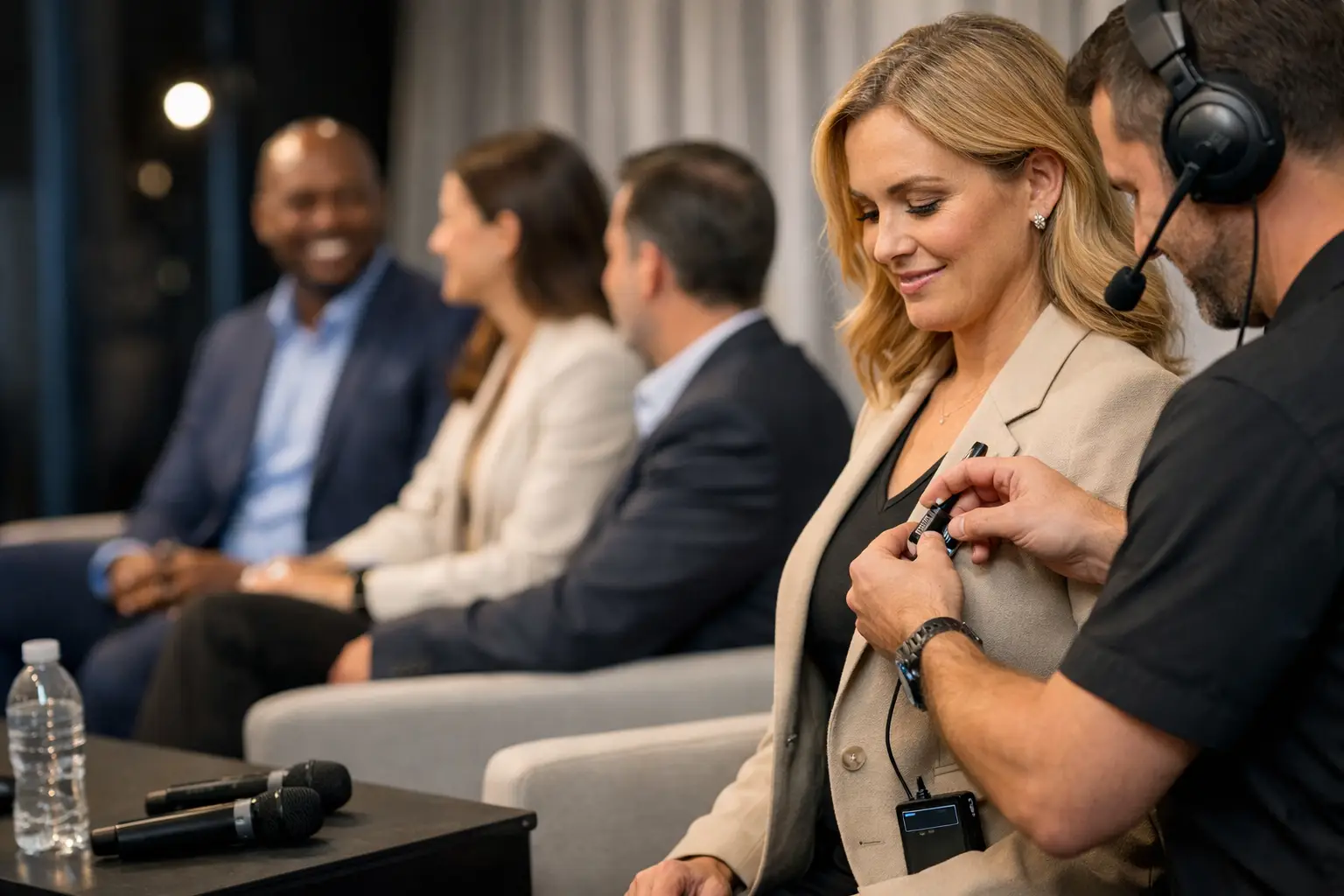
A premium lavalier cannot overcome poor placement. The capsule should be secured at a consistent distance from the speaker’s mouth, generally around the upper chest, while avoiding loose fabric, jackets that rub, jewelry, lanyards, and long hair. Placement must be checked while the speaker sits, turns, and settles into the chair, not only while standing at soundcheck.
Ask panelists whether they will wear a jacket, remove it, or change wardrobe before the session. A transmitter clipped to a belt is usually straightforward, but dresses, fitted clothing, and garments without pockets require advance planning. This is not a detail to discover two minutes before walk-on. A professional crew brings appropriate mounting options and discusses placement discreetly with talent or executive assistants.
Headsets require similar care. The boom should sit near the corner of the mouth, not directly in front of it, where plosives can overload the capsule. Secure the earset so it will not shift when the presenter looks toward another panelist or adjusts glasses.
Build Separate Mixes for the Room and the Stream
A panel mix for the PA is not automatically a good mix for a webcast. The room mix may need less low end, different EQ, and less compression to preserve natural sound through the loudspeaker system. A livestream or recording mix often benefits from more controlled dynamics, tighter cleanup between speakers, and deliberate management of audience questions.
Route every panel microphone to isolated channels and maintain separate mix buses for front of house, broadcast, recording, and press feeds when the production scope requires them. Avoid relying on one post-fader mix for every destination. An adjustment made to solve a room issue should not unexpectedly change the program feed being captured by cameras or sent to remote viewers.
For hybrid events, establish a mix-minus path for remote participants so they receive the full conversation without their own delayed return audio. Confirm how remote questions enter the system and who has authority to open that channel. A remote guest appearing unexpectedly loud, delayed, or absent is usually a routing and monitoring problem, not a platform problem.
Soundcheck the Conversation, Not Just Each Channel
Line checking proves that a microphone passes signal. It does not prove that a panel will sound controlled once everyone begins talking over one another. During rehearsal, have the moderator introduce each speaker, ask follow-up questions, and invite an interruption or two. This reveals level differences, capsule placement issues, seating noise, and likely feedback points.
The moderator deserves special attention. Their microphone often carries the session, moves the discussion forward, and covers transitions when a panelist needs a moment. Give it clean gain, a reliable backup, and a position in the mix that supports intelligibility without overpowering the other voices.
If audience Q&A is planned, rehearse it as well. Determine whether a roaming handheld, catchbox, floor microphone, or moderated question system is appropriate. For high-stakes executive panels, the safest option is often a trained mic runner with a wireless handheld. It keeps questions audible for both the room and remote viewers while limiting uncontrolled open microphones.
Monitor Through the Entire Program
Once the panel begins, the audio engineer should watch receiver RF and battery telemetry, not just the console meters. A clean meter does not reveal a transmitter nearing battery failure or a wireless receiver encountering interference. Maintain headphones or a dedicated broadcast monitor to hear what remote viewers and recording feeds are receiving.
The show caller, audio engineer, camera director, and streaming operator should know how an audio failure will be communicated and resolved. If a lavalier drops out, the response might be to bring up a nearby backup mic, cue a mic runner, and use a camera angle that does not emphasize the handoff. That coordination is part of full-service corporate event production, not an afterthought.
For Bay Area conferences where panels feed both an in-room audience and a global webcast, AV Land plans microphone systems around the entire signal path: stage capture, RF management, console routing, recording, and livestream monitoring. The outcome should feel simple to the panelists because the complexity has been handled before they take their seats.
A well-miked panel does not call attention to the audio team. Every speaker is heard at the right level, every question lands, and the conversation stays on schedule. That is the standard worth planning for.