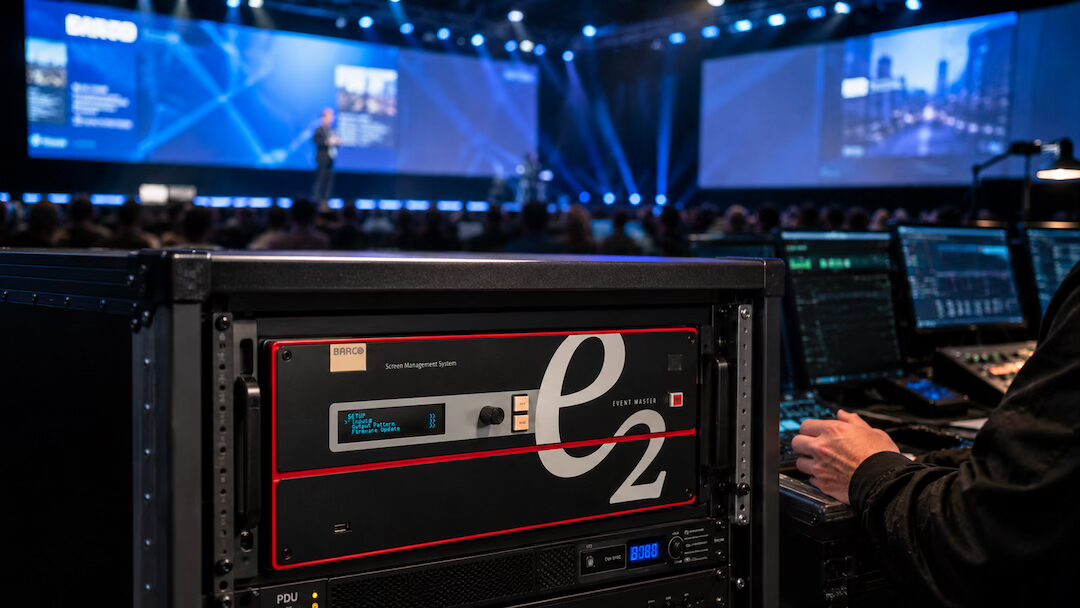
Barco E2 Operator for General Sessions and Corporate Events
When a corporate general session has one chance to land, the Barco E2 operator is not just the person switching looks on screen. They are managing the visual logic of the show in real time — speaker confidence monitors, widescreen blend, side screens, walk-in content, playback layers, backup inputs, IMAG windows, and the transitions that make a live event feel controlled instead of fragile. If you are hiring a Barco E2 operator for general sessions, executive presentations, or corporate events, you are really hiring someone to protect timing, screen confidence, and signal integrity under pressure.
For conferences, product launches, corporate general sessions, and high-visibility keynote segments, that role matters most when the show is doing more than simple slide playback. The minute you add LED walls, multiple screen destinations, live camera, remote presenters, walk-up laptops, show open playback, or streaming outputs, the video system stops being a basic switcher problem. It becomes a canvas management and signal flow problem. That is exactly where the E2 earns its place.
For Bay Area corporate events that require advanced screen management, AV Land also supports Barco E2 rental and operation in the Bay Area as part of larger event production workflows.
What a Barco E2 Operator for General Sessions Actually Does
A good E2 operator starts long before doors. They review the show flow, screen layout, source list, output destinations, resolutions, pixel spaces, confidence requirements, and failover plan. They are not just waiting for content to arrive. They are asking what the room is supposed to do at each cue and building the system around that.
In a corporate general session environment, the operator is often responsible for mapping multiple visual states across the show. That can include a full-screen branded opener on the center LED wall, slides with IMAG on side screens during executive remarks, a split-screen panel layout for moderated discussion, a full-width product demo canvas, sponsor content, remote speaker layouts, and a clean confidence output for presenters. If those states are not programmed cleanly, the show slows down on site.
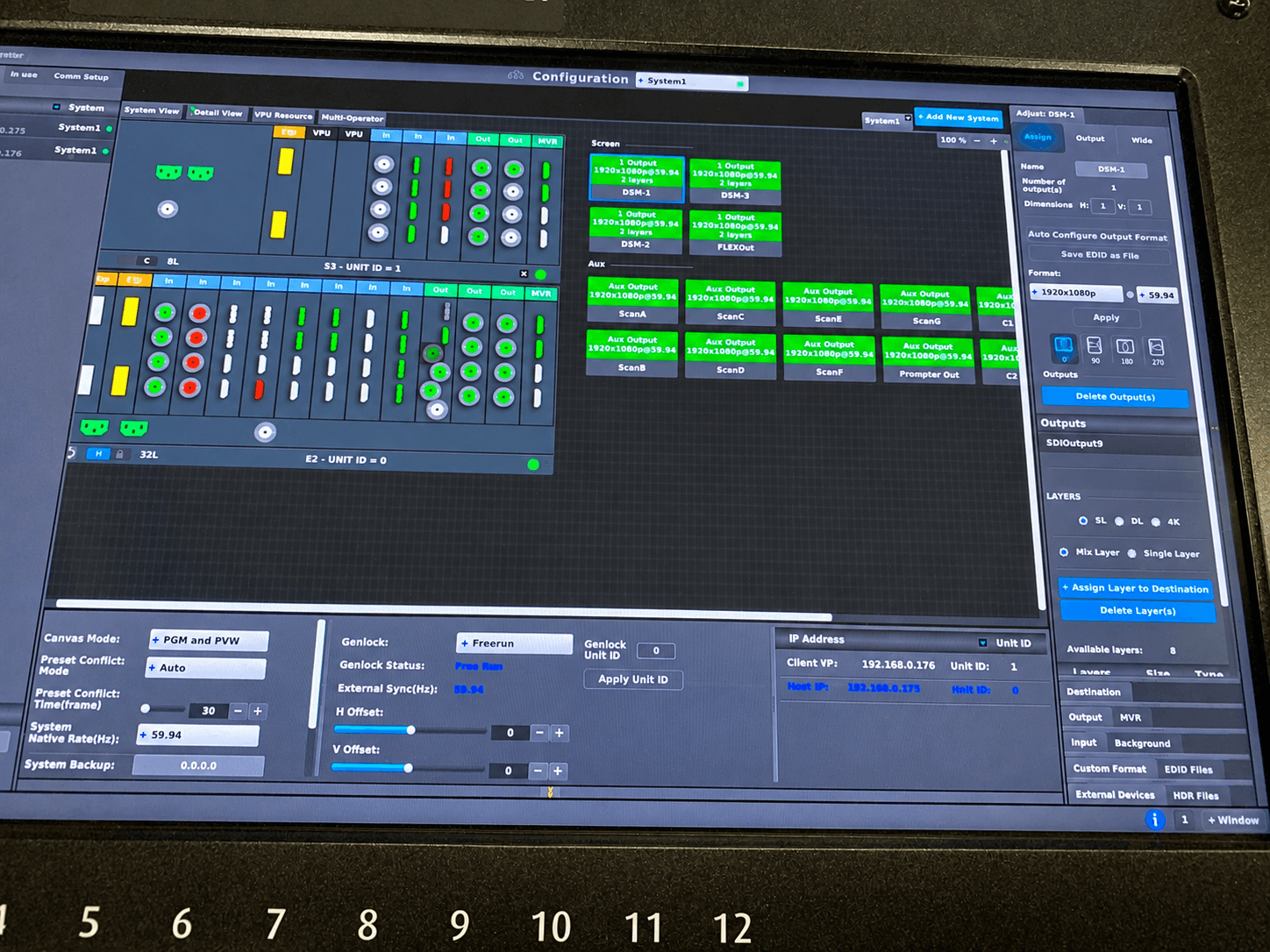
The E2 also sits at the center of source management. Presentation computers, playback machines, camera feeds, web conferencing returns, confidence feeds, and backup systems all need to be routed, scaled, and placed correctly. Barco’s Event Master platform is built for that kind of environment. Its strength is not flashy transitions. Its strength is disciplined control over complex multi-screen systems.
Why General Sessions Push the System Harder Than People Expect
A general session may look simple from the audience. A stage, a speaker, a screen, and a few videos. But corporate event production usually carries a lot behind the scenes.
The center screen may be a custom LED wall with a non-standard pixel count. Side screens may need independent outputs. The livestream program may need a different feed than the in-room audience sees. Presenters may need notes, timer, next slide, return video, or remote guest confidence. A product team may arrive with a demo laptop at the last minute in the wrong output format. None of that is unusual.
This is where operator experience matters more than gear alone. An E2 is powerful, but it does not solve bad planning. The operator needs to understand EDID behavior, frame sync implications, scaling quality, output timing, layer allocation, and what happens when a source drops in the middle of a walk-on video. In a corporate general session, there is no room to troubleshoot that at the lectern.
The Difference Between an E2 Tech and an E2 Show Operator
Not every operator is built for general session work. Some are solid engineers who can configure the frame and make signals pass. That is valuable. But a general session operator also needs show sense.
They need to read a rundown, coordinate with playback, graphics, camera, and streaming, and know when to simplify a cue sequence because the room is moving faster than rehearsed. They need to understand that a one-frame glitch on a main wall during an executive announcement is not a minor technical issue. It is a visible failure.
That difference shows up in rehearsals. An experienced E2 operator will flag problems early. Maybe the presenter view is missing timer data. Maybe the side screens are delayed relative to center because of downstream processing. Maybe the remote guest return feed needs a cleaner layout. These are not theoretical details. They affect speaker performance and audience trust.
Where the Barco E2 Fits in a Corporate Event System
In most corporate environments, the E2 sits between the source layer and the display layer. Inputs come from presentation machines, media servers, cameras, switchers, and conferencing platforms. Outputs go to projectors, LED processors, DSMs, confidence monitors, record feeds, overflow rooms, and sometimes streaming destinations.
That means the operator has to think beyond one screen. They are building a controlled ecosystem where every destination gets the right version of the show. The audience may see a polished widescreen composition while the backstage team gets discrete confidence outputs and engineering gets a clean diagnostic path.
If the event also includes broadcast-style capture or hybrid delivery, the E2 has to work cleanly with the rest of the system. That usually means coordination with video switching, playback, livestream encoding, and comms. For larger corporate productions, that is why E2 operation often sits inside a broader event workflow rather than as a standalone rental. If you are planning a general session, conference, or executive event with multiple technical layers, full-service corporate event production tends to reduce handoff issues between departments.
Common Corporate Event Scenarios Where an E2 Operator Earns Their Keep
The obvious one is a multi-screen general session with different image treatment on each destination. Maybe the center LED wall carries a wide canvas while side screens show cropped IMAG and support content. That is routine for the E2, but only if the file prep and output strategy are right.
Another common case is mixed-source shows. Slides from one machine, walk-in and stingers from playback, live camera from the switcher, a product demo laptop, a sponsor video, and a remote guest feed all need to coexist. The E2 operator manages how those sources appear, where they land, and what backup path exists if one fails.
Then there is executive confidence. This gets overlooked until rehearsal. A speaker may need timer, notes, next slide, current slide, confidence return, or moderated discussion prompts. If that confidence path is unstable or poorly laid out, the presenter feels it immediately.
Finally, there is the last-minute change problem. Corporate events change on site. A deck gets revised. A sponsor video gets added. A panelist joins remotely. A product team wants one more demo output. The operator who can absorb that without destabilizing the system is the operator you want on the show.
What to Ask Before You Book a Barco E2 Operator
Start with real show questions, not just availability. Ask what types of general session systems they usually support. Ask whether they build and test show files in advance. Ask how they handle backup inputs, alternate output maps, screen destination changes, and presentation confidence.
It also helps to ask what they need from your team. Good operators will ask for screen specs, native pixel dimensions, source formats, content delivery deadlines, and a current run of show. If they are not asking those questions, they may be treating the E2 like a generic scaler instead of the core of the video system.
For events with hybrid or webcast components, you should also ask how they coordinate with streaming and switching teams. A general session room and a livestream often need different visual priorities. If your event includes a live audience and an online audience, production planning has to account for both from the beginning. That is especially true when integrating platforms like Zoom or Teams into the show flow. Technical references from AVIXA standards can also be useful when evaluating professional signal and system design practices.
Operator Skill Matters, But Prep Matters Just as Much
The best E2 operator in the room cannot fix missing content strategy or undefined screen behavior five minutes before doors. General session success depends on prep.
That means getting the LED processor specs early, confirming all output raster requirements, testing presentation machines at show resolution, and locking playback formats before rehearsal. It also means deciding what happens during failure conditions. If the main presentation machine drops, does the backup take over through the same input format? If a remote guest freezes, what visual state replaces them? If an executive asks for confidence notes at the last minute, is there a graphics path to support that without rebuilding the show file?
Experienced teams build those answers into the workflow. That is one reason many Bay Area corporate productions prefer an integrated technical team instead of piecing together rentals and operators from different vendors. The fewer unknowns between playback, switching, livestream, and screen management, the less likely a general session is to drift into avoidable risk. If your event also needs a coordinated webcast or hybrid layer, livestream production should be planned alongside the room system, not added after the fact.
When an E2 Is the Right Choice — and When It May Be More Than You Need
Not every corporate presentation needs a Barco E2. If the show is a single 16:9 screen with one presentation laptop and minimal switching, a simpler system may be the smarter call. There is no value in overbuilding a room just to say premium gear was used.
But once the screen canvas is custom, the destinations multiply, or the show needs real contingency planning, the E2 becomes the practical choice. It gives the production team control where simpler systems start to run out of options. For high-visibility corporate events, that control is usually worth more than the hardware line item.
The right operator makes that control usable. They turn a powerful box into a predictable show system, and predictability is what corporate event production runs on. When the room opens, nobody in the audience should be thinking about processors, raster management, or source timing. They should just see a show that starts clean, stays stable, and supports the message without distraction.
That is the standard to hold. If your general session or corporate event carries real stakes, treat the E2 position like a show-critical role, not an add-on at the end of the staffing list.