



Corporate Keynote AV Planning Guide
A keynote can be perfectly written, well rehearsed, and backed by a strong brand story – then lose the room because the walk-in video stutters, the confidence monitor is late, or the CEO’s lav drops out during the opening line. That is why a corporate keynote AV planning guide should start with one reality: keynote production is not about having gear on site. It is about building a show system that survives live pressure.
For corporate event planners, production managers, and marketing teams, the biggest AV mistakes usually happen before load-in. The issue is rarely one dramatic failure. It is more often a chain of small planning gaps – unclear show flow, mismatched screen specs, no backup playback path, poor RF coordination, or a livestream plan that was treated as an add-on instead of part of the signal flow.
Start the corporate keynote AV planning guide with show intent
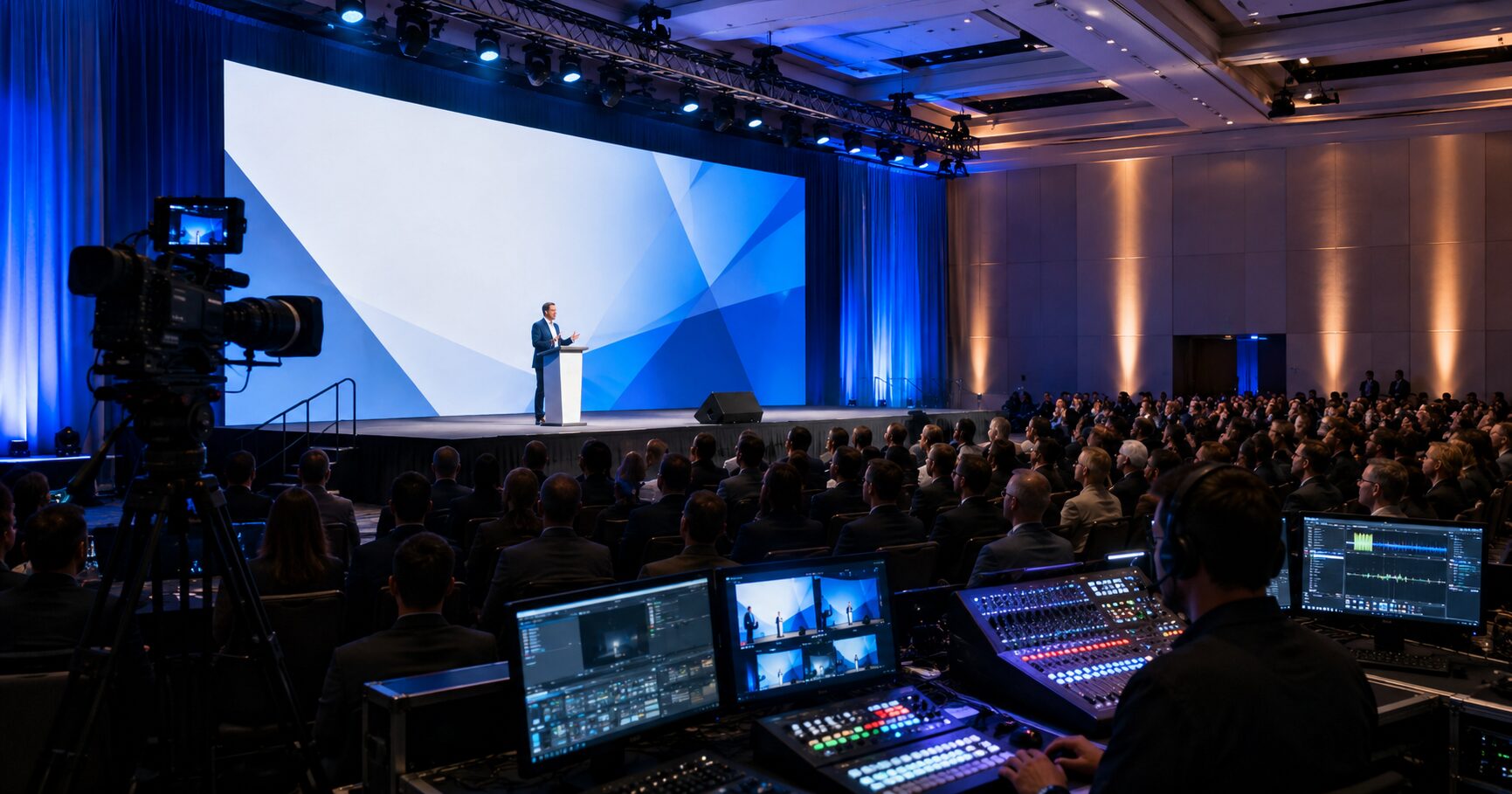
Before anyone talks about projectors, LED walls, switchers, or microphones, define what the keynote has to do. A general session for 300 internal attendees has a different technical shape than a product launch with remote viewers, walk-on music, IMAG, executive confidence monitors, and live demo content. If the room needs to carry brand impact, executive confidence, and broadcast-grade capture at the same time, the system design has to reflect all three.
This is where experienced corporate production teams save time. They ask for the run of show, presenter format, content aspect ratio, staging layout, room dimensions, camera needs, and whether the event is room-first or stream-first. That last point matters. A keynote built primarily for the in-room audience will prioritize screen brightness, speech intelligibility, and sightlines. A keynote built for hybrid delivery may need more attention on camera shading, playback timing, return feeds, graphics integration, and webcast audio mixing.
Screen system decisions affect everything downstream
The display choice is one of the earliest decisions and one of the hardest to fix late. Projection can still be the right call in some ballrooms, especially when budget, throw distance, and room conditions make it practical. But many corporate keynotes now favor LED because it holds up better under show lighting, gives cleaner camera images, and avoids some of the ambient light compromises that projection introduces.
That said, LED is not automatically the better choice. Pixel pitch, wall resolution, processing, scenic integration, and camera framing all matter. A high-impact wide wall can look excellent in the room and still create problems if the content was built for a different canvas or the processor mapping was rushed. When the keynote includes layered playback, presenter IMAG windows, lower thirds, or animated backgrounds, the processing path needs to be planned early. This is where systems like the Barco E2 and E3 earn their place, especially on shows with multiple destinations and complex screen management. Barco event master platform is widely used for exactly this kind of corporate screen workflow.
If your team is still deciding between projection and LED, or if the show requires multi-screen treatment, that conversation should happen before final content is built. Otherwise, the graphics team ends up designing to assumptions instead of real output specs.
Audio planning is less forgiving than video
Audiences will tolerate a brief visual glitch more easily than muddy speech. Keynotes live or die on vocal clarity, gain before feedback, and mic reliability. Executive presenters often prefer lavaliers because they want their hands free, but not every presenter moves the same way, wears the same wardrobe, or projects the same volume. A headset can outperform a lav in difficult rooms, yet some clients reject it on appearance alone. That is a trade-off, not a universal rule.
The audio plan should account for presenter count, panel segments, walk-up moments, Q&A, playback audio, remote contributors, confidence foldback, and recording feeds. Wireless coordination matters more in dense RF environments, especially in large Bay Area venues where neighboring events and in-house systems may already be active. If the keynote includes media playback, stingers, walk-in music, and show caller comms, the console setup should be organized for live control rather than patched together at doors.
A strong keynote audio design also includes backup thinking. Spare wireless channels, redundant playback outputs, UPS protection for critical control positions, and clear comms between A1, stage manager, playback, and video are what keep a clean show moving when something unexpected happens.
The keynote playback system needs redundancy, not hope
A surprising number of keynote failures trace back to playback. The file plays in rehearsal, so everyone assumes it is fine. Then a presenter sends a revised deck late, a video is encoded incorrectly, fonts shift, embedded audio routes wrong, or the machine output does not match the processor setup.
For keynote work, playback should be treated as a show department. That means known machine specs, tested adapters, fixed output resolutions, duplicate playback paths where appropriate, and a clear ownership line for slides and video revisions. If there are multiple presentation laptops, decide who advances what, where confidence is sourced, and how show cueing is called.
On more complex events, separate roles matter. Graphics playback, show calling, live switching, and streaming should not all sit on one overloaded operator station. It may seem efficient on paper, but it creates risk fast. Corporate audiences notice hesitation, black frames, and late cues immediately.
Livestream and in-room production should be designed together
Hybrid keynotes still get underplanned because teams think of streaming as a capture layer instead of a parallel audience experience. If the webcast matters, it needs its own audio priorities, graphics package, return monitoring, and bandwidth plan. A stream mix built as an afterthought often sounds thin, misses room energy, or struggles when presenters trigger local-only content.
The good approach is to design the room and stream together. Decide whether the webcast receives the program feed, a dedicated switched show, or a custom mix with unique graphics. Confirm how remote attendees will interact, what latency is acceptable, and whether the platform is public, gated, or internal. Platform choice affects technical planning too. Zoom, Teams, and custom streaming workflows all have different operational limits and monitoring needs. AVIXA has useful guidance on live event standards and workflows for teams evaluating production scope.
If your keynote includes livestreaming, the technical producer should know early whether the stream is mission-critical, lightly attended, or tied to sales and investor communications. That changes redundancy, staffing, and testing.
Rehearsal is where the real keynote gets built
A schedule with no real rehearsal is just a risk transfer document. The show may still happen, but the pressure gets pushed onto the operators, presenters, and stage team. For executive keynotes, rehearsal should cover mic fit, confidence monitor placement, walk paths, video rolls, slide cues, lighting looks, and timing transitions. If there is a fireside chat or product demo, rehearse the physical movement and source switching too.
This is also the time to solve practical issues that never show up on a gear list. Can the presenter actually read the downstage confidence monitor under lights? Does the teleprompter placement force a bad eyeline? Is the walk-on music too aggressive for the room? Does the CEO want a handheld backup available on stage left? These are live show questions, and they matter.
Experienced teams build notes from rehearsal directly into the cue stack and signal flow. That keeps the final show tighter and reduces surprises when the room fills.
A useful corporate keynote AV planning guide includes staffing, not just equipment
Buyers sometimes focus on line items for displays, speakers, and cameras while underestimating operator roles. For a straightforward keynote, lean staffing may be fine. For a complex general session with LED, live cameras, playback, executive presenters, and webcast distribution, staffing is part of the system.
Technical direction, A1, playback, video shading, switching, graphics, lighting, stage management, and streaming ops each protect a different part of the show. Some roles can be combined on smaller productions, but combining too much creates blind spots. If one person is shading cameras, troubleshooting playback, and watching stream health, something will get missed.
This is where full-service corporate event production becomes valuable. When one production partner handles signal flow, screen management, audio, cameras, streaming, and technical direction under one plan, the handoffs get cleaner. For teams building a keynote with multiple moving parts, AV Land’s event services page outlines that scope clearly: https://av.land/event-services/. If the keynote includes a hybrid or broadcast component, the livestream production workflow matters just as much: https://av.land/livestream-services/.
The venue will shape the plan more than the renderings do
Ballroom diagrams and stage renderings are useful, but venue realities usually win. Rigging limits, power distribution, loading access, in-house rules, ceiling height, ambient light, union requirements, and backstage space all affect the production approach. A room that looks simple on paper can become technically expensive if cable runs are long, projector positions are restricted, or control has to be split across multiple areas.
That is why site visits still matter, especially for first-time venues and executive-facing shows. Even a well-documented venue can hide practical problems that only show up when you trace camera positions, monitor sightlines, backstage paths, and comms coverage.
The best keynote plans are rarely the flashiest. They are the ones where every output has a purpose, every cue has an owner, and every critical path has a backup. If your event team is planning a keynote with real stakes, build the AV plan around signal flow and operating discipline early. The audience will never see that work, which is exactly the point.