



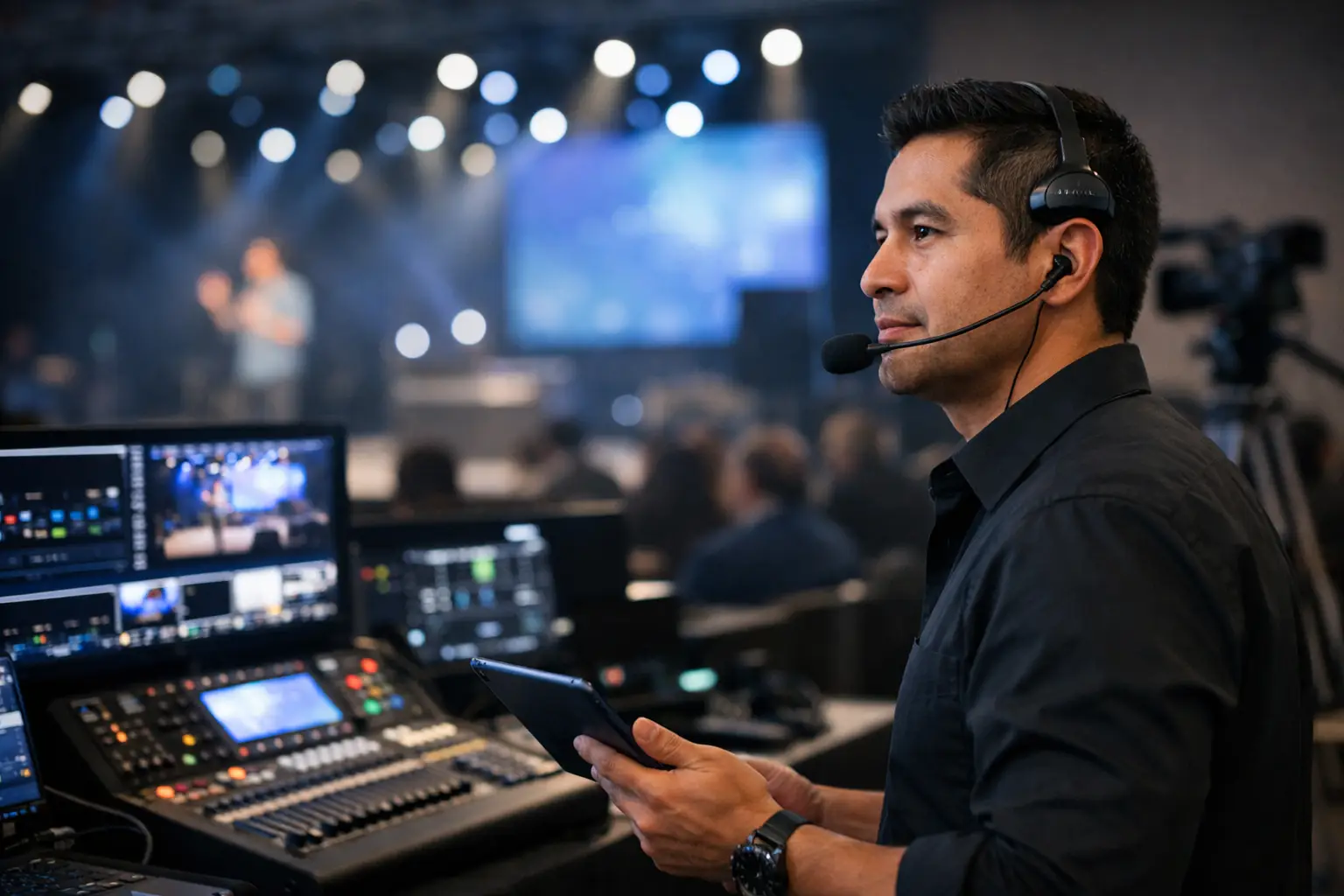
What a San Jose Event Technical Director Does
A San Jose event technical director helps turn a corporate program into one coordinated production system rather than a collection of screens, cameras, computers, processors, and cables.
When a keynote includes executive walk-ons, presentation playback, camera IMAG, LED walls, confidence monitors, remote presenters, graphics, and livestreaming, technical direction helps make sure the correct content reaches the correct destination at the correct moment.
For San Jose conferences, product launches, executive meetings, corporate webcasts, and hybrid events, that work begins well before the first presenter walks onstage.
It includes understanding the program, designing signal flow, coordinating technical departments, testing critical paths, supporting rehearsal, and making controlled decisions when something changes during the show.
What Does a San Jose Event Technical Director Do?
The exact definition of technical director varies between production companies and event formats.
On some corporate events, the TD primarily owns video switching and screen-management execution. On others, the technical director has broader responsibility for coordinating video, cameras, playback, displays, streaming, and other technical departments alongside the producer and show caller.
That is why the title alone is not enough.
The important question is:
What is this technical director responsible for on this particular show?
Depending on the production, those responsibilities may include:
- Reviewing the run of show
- Developing or reviewing signal flow
- Planning presentation and playback sources
- Coordinating LED, projection, and confidence-monitor destinations
- Programming or overseeing screen-management systems
- Coordinating camera and IMAG requirements
- Managing livestream and recording feeds
- Supporting remote-presenter workflows
- Planning backup and recovery paths
- Working with the show caller during rehearsal and show
- Helping technical departments resolve problems without disrupting the audience experience
A Technical Director Needs to Understand the Whole System
A corporate presenter laptop is not simply connected to a screen.
Depending on the event, that source may affect:
- Main LED wall
- Side screens
- Confidence monitors
- Camera program
- Livestream program
- Recording
- Overflow rooms
The technical lead needs to understand where the signal originates, how it is routed and processed, which destinations receive it, and what happens if the primary path fails.
That system-level understanding is important because a quick fix in one part of the system can create another problem somewhere else.
For example, changing the format of a presentation computer may solve an issue at one display while disrupting a processor input, confidence-monitor path, or capture device.
A good technical plan accounts for those dependencies before show day.
Signal Flow Is One of the Most Important Parts of the Production Plan
The run of show explains what needs to happen.
The signal plan explains how the technical system will make it happen.
Before load-in, the production team should understand:
- Where presentation sources enter the system
- Where playback originates
- How cameras reach the switcher
- How program feeds reach displays
- What feeds confidence monitors
- What the livestream encoder receives
- What is being recorded
- Which paths are primary
- Which paths are backups
A larger corporate general session may include camera feeds entering a production switcher, presentation and playback sources feeding a Barco E2 or Encore3 screen-management workflow, multiple outputs feeding LED walls and confidence monitors, and separate feeds going to livestreaming and recording systems.
Barco’s Event Master platform currently includes E2 and Encore3 systems used for professional screen-management applications. Barco’s Encore3 documentation provides current technical information for the platform.
The exact equipment matters less than whether the complete signal path has been designed and tested.
Good Source Naming Matters
Clear labeling reduces unnecessary questions during a cue-heavy show.
Instead of generic labels such as:
- Laptop
- Playback
- Camera
a system may use names such as:
- SL-01 Main Deck
- SL-02 Backup Deck
- PB-A Show Playback
- CAM-1 Center
- CAM-2 Stage Left
The same names should appear consistently where practical across the signal plan, multiview, run of show, patch documentation, and operator notes.
Technical Direction Is Not the Same as Show Calling
Technical direction and show calling work closely together, but they are different responsibilities.
The show caller typically coordinates the timing of the overall program:
- Presenter entrances
- Walk-on music
- Lighting cues
- Video playback
- Graphics
- Stage movement
- Camera or screen transitions
The technical director prepares the relevant technical system so those cues can be executed correctly.
For example, the show caller may say:
“Standby video, lights, and walk-on music.”
“GO.”
The TD and department operators should already understand what that cue means inside their systems.
The show caller should not need to describe every layer, routing decision, source, or output during the live show.
What Happens When the System Is Not Ready?
If the correct source is not confirmed, a remote contributor is unstable, or an important destination is not ready, the TD needs to communicate that clearly.
Depending on the production structure, the show caller or producer may then decide whether to hold, use a fallback, change the sequence, or continue.
This is why clear communications and defined decision-making authority matter as much as the equipment itself.
Redundancy Should Match the Consequence of Failure
Not every corporate event needs duplicate versions of every device.
A small internal breakout has different requirements from a company-wide CEO keynote, investor presentation, product launch, or public livestream.
The technical director should identify the paths where failure would significantly affect the event.
Those may include:
- Primary presentation source
- Video playback
- Screen-management processing
- Main program output
- Critical camera coverage
- Streaming encoder
- Internet connectivity
- Power
- Recording
- Communications
The appropriate recovery strategy may be a hot backup, a spare source already connected, a second network path, a prebuilt fallback screen state, or another tested recovery procedure.
The key word is tested.
A spare device sitting in a case is not the same thing as a working backup.
Rehearsal Is Where the Technical Plan Meets the Real Show
Equipment can pass individual testing and still expose problems when the entire production begins operating together.
A technical rehearsal may reveal:
- A presentation video with no audio
- A presenter advancing faster than expected
- An incorrect confidence-monitor feed
- A camera position that conflicts with the screen layout
- A remote presenter hearing their own return
- A walk-on that takes longer than the run of show allows
- A graphics cue that arrives too late
- A backup path that is not actually ready
The TD should use rehearsal to validate actual operating conditions rather than simply confirming that equipment is powered on.
Hybrid Events Need an Online Rehearsal Too
The ballroom program and the livestream program are not necessarily the same thing.
An in-room attendee can see the entire stage while a remote attendee may need tighter camera shots, presentation integration, graphics, and dedicated holding content.
For hybrid productions, verify:
- Online program video
- Stream audio
- Presentation capture
- Remote presenter return
- Mix-minus
- Holding slides
- Backup connectivity
- Local recording
The remote audience experience should be intentionally produced rather than treated as a copy of the ballroom screen.
The Right Technical Director Asks Questions Before Recommending Equipment
Corporate planners do not need to design the signal flow themselves.
But the answers they provide early can significantly affect crew size, equipment requirements, schedule, and budget.
A technical director should ask questions such as:
- What type of event is this?
- How many attendees are expected?
- Is the audience in-person, remote, or both?
- How many presentation sources are expected?
- Will there be video playback?
- Are cameras required for IMAG?
- Is the event being streamed or recorded?
- Are there remote presenters?
- Does each display need the same content?
- Are confidence monitors required?
- Which moments are considered mission critical?
The answers help determine the correct technical architecture.
San Jose Venue Conditions Can Change the Technical Plan
Local venue details should be reviewed before equipment is finalized.
Depending on the San Jose venue, relevant considerations may include:
- Ballroom dimensions
- Rigging restrictions
- Loading access
- Power availability
- Internet and network access
- Cable paths
- FOH location
- Camera sightlines
- Stage depth
- Venue or labor rules
A technically impressive equipment list can still be the wrong design if the venue conditions have not been considered.
Why Experienced Corporate Production Crews Matter
The best technical direction often looks calm from the client side because the difficult decisions were made earlier.
Experienced crews have already dealt with situations such as:
- Last-minute executive deck changes
- Updated video files
- Presentation-computer problems
- LED processor changes
- Multi-camera panels
- Remote-speaker issues
- Network instability
- Schedule changes during the live program
The goal is not to pretend those issues never happen.
The goal is to keep them from becoming audience-facing failures.
AV Land approaches corporate event production by planning the workflow, assigning the appropriate operators, testing the complete system, rehearsing critical sequences, and keeping practical recovery options available.
When Should You Bring a Technical Director Into the Project?
For a technically complex corporate event, the technical lead should ideally be involved before the major production decisions are locked.
Early involvement gives the production team time to review:
- Room layout
- Screen design
- Presentation workflow
- Camera positions
- Streaming requirements
- Content formats
- Networking
- Crew structure
- Backup strategy
It is much easier to design a recoverable system during preproduction than to add recovery after everything has already been ordered.
Need a San Jose Event Technical Director?
AV Land provides technical direction and corporate event production support in San Jose, Silicon Valley, and throughout the San Francisco Bay Area.
Our work includes corporate general sessions, conferences, executive presentations, product launches, camera production, screen management, livestreaming, hybrid events, and technically complex programs.
Contact AV Land to discuss the technical requirements for your next event.
San Jose Event Technical Director FAQ
What does an event technical director do?
The responsibilities vary by production, but an event technical director commonly helps coordinate technical workflows involving video, screen management, cameras, playback, displays, streaming, recording, and signal routing. The TD works closely with producers, show callers, and department operators to execute the program reliably.
Is a technical director the same as a show caller?
No. The roles can overlap on smaller productions, but a show caller typically coordinates overall program cues while the technical director manages or oversees the relevant technical execution. Larger or more complex events often benefit from separating those responsibilities.
When does a corporate event need a technical director?
A dedicated technical director becomes increasingly useful as an event adds multiple screens, cameras, presentation sources, playback, livestreaming, remote presenters, custom screen layouts, or other interconnected technical systems.
Does the technical director operate the Barco E2?
Sometimes. On one production, the technical director may also be the E2 or Encore3 operator. On a larger show, a dedicated screen-management operator may handle that system while the TD maintains broader technical oversight. The crew structure should match the complexity of the event.
How early should the technical director be involved?
For a complex corporate event, involving the technical lead during preproduction allows signal flow, screen design, cameras, network requirements, crew roles, and backup plans to be considered before major production decisions are finalized.
Does AV Land provide technical directors in San Jose?
Yes. AV Land provides technical direction and event-production support for corporate events in San Jose, Silicon Valley, the greater San Francisco Bay Area, and other locations depending on the production.