



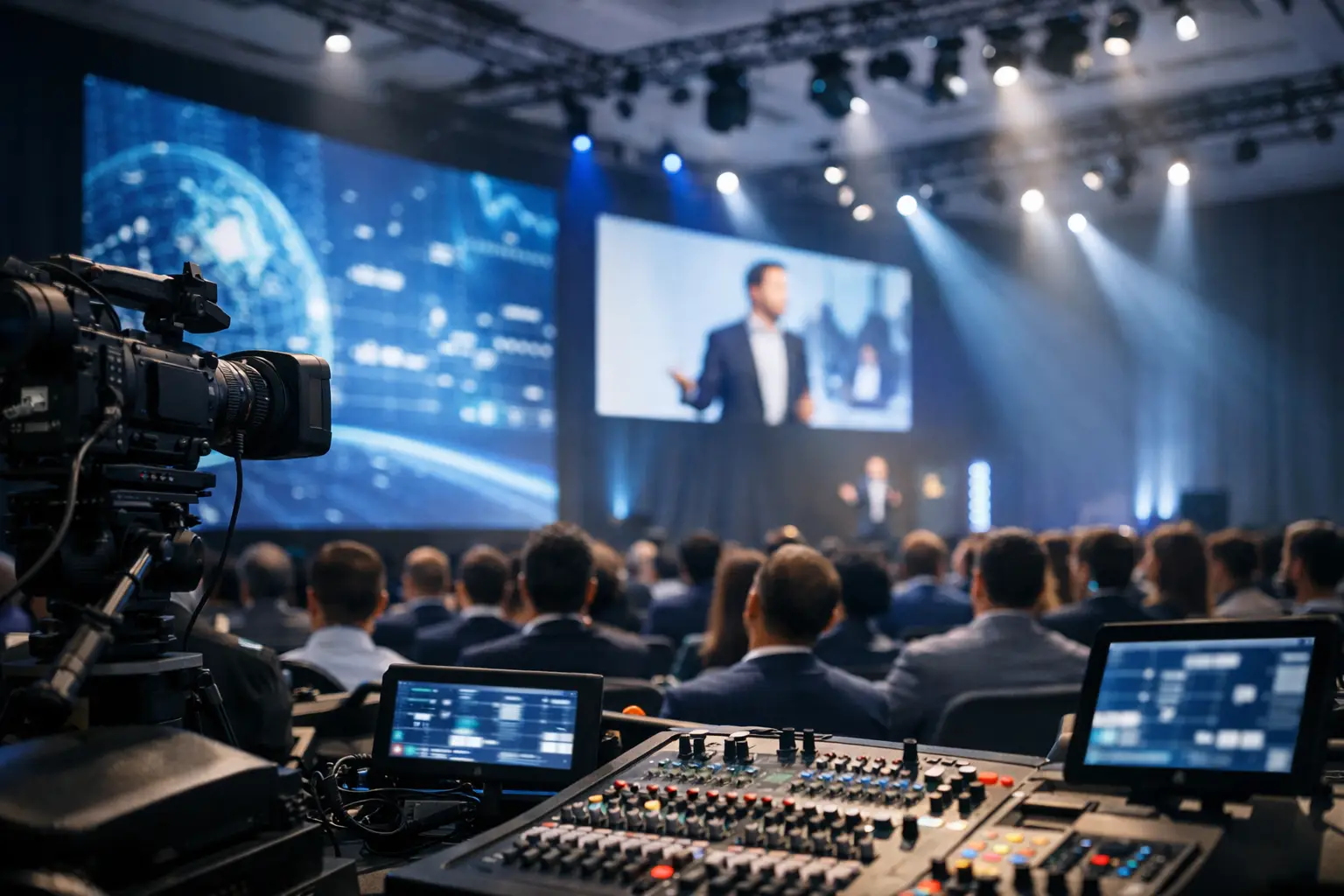
Corporate Event AV Trends That Matter in 2026
A keynote can have an exceptional speaker, a strong deck, and months of planning behind it, then still lose momentum because a confidence monitor is wrong, a remote presenter cannot hear the moderator, or a switch to playback exposes an untested signal path.
The corporate event AV trends shaping 2026 are not simply about larger LED walls, more cameras, or buying the newest processor. The bigger shift is toward production systems that are more intentional, more connected, easier to recover, and designed around how the audience actually experiences the event.
For conferences, product launches, executive webcasts, all-hands meetings, and technical summits, audiences increasingly expect a polished experience whether they are in the ballroom, joining remotely, or watching recorded content later.
Here are the trends that matter most from a production perspective in 2026.
Corporate Event AV Trends in 2026: What Actually Matters
- Signal-flow-first production planning
- LED walls designed as complete presentation systems
- More complex screen mapping and destination-specific content
- Hybrid events designed intentionally for remote viewers
- More deliberate multi-camera production
- AI used for practical production and content workflows
- AV and IT systems becoming more connected
- Interoperability becoming more important
- Redundancy planned earlier
- Content management becoming a production discipline
- Venue networking treated as part of AV infrastructure
- Greater focus on operational simplicity and measurable results
1. Production Planning Is Moving From Equipment-First to Signal-Flow-First
One of the most useful changes in corporate production is a shift away from beginning every conversation with equipment.
The better starting questions are:
- What does the audience need to see?
- What does the presenter need to see?
- Which destinations receive each source?
- What is being streamed or recorded?
- Which moments cannot tolerate interruption?
- What happens if the primary source fails?
A screen, camera, playback computer, and streaming platform only become a production system when the paths between them are intentionally designed.
This matters more as corporate programs combine executive keynotes, panels, live demos, sponsor content, remote contributors, IMAG, recording, and livestreaming.
Each additional requirement creates more sources, destinations, dependencies, and possible failure points.
The answer is not always more equipment. Often it is clearer routing, better labeling, better communication, and operators who understand the complete system.
2. LED Walls Are Being Treated as Presentation Systems, Not Just Backdrops
LED continues to be a major part of corporate event design, but the conversation is becoming more sophisticated than simply choosing the largest wall or smallest pixel pitch available.
The correct LED configuration depends on:
- Audience viewing distance
- Room dimensions
- Camera distance
- Content resolution
- Stage depth
- Ambient lighting
- Aspect ratio
- Speaker positioning
- Budget
A very fine pixel pitch may make sense for a small executive studio or close-viewing activation. A ballroom general session may benefit more from the correct physical dimensions, brightness, sightlines, and content strategy.
The key question should be: How will this screen actually be used?
Custom Canvases Require Custom Content Planning
Wide-format LED canvases can create a strong visual environment, but they also introduce content challenges.
If the wall is built around a custom aspect ratio and the CEO arrives with a standard 16:9 PowerPoint deck, the production team needs an intentional way to present that content.
Options may include:
- Centering the presentation inside branded side areas
- Combining slides with IMAG
- Using multiple visual zones
- Creating dedicated scenic backgrounds
- Reformatting important content before show day
The LED wall and the content cannot be planned independently.
3. Screen Mapping Is Becoming More Sophisticated
Corporate programs increasingly involve more than one display destination.
A typical production may include:
- Main LED canvas
- Side projection or LED screens
- Downstage confidence monitors
- Speaker timers
- Teleprompters
- Lobby displays
- Overflow-room feeds
- Livestream program
- Recording feeds
Those destinations do not necessarily need identical content.
A presenter may need slides, notes, and timing information on confidence monitors while the room sees a full-width branded composition and the livestream receives cameras, graphics, and presentation content in a separate layout.
This is where professional screen-management platforms become important.
Systems such as Barco E2 and Encore3 allow operators to build and recall complex multi-screen looks instead of treating every display as a simple mirrored output.
Barco’s current Encore3 platform continues that direction with native 4K processing, a boundless canvas architecture, modular I/O, and scalable system resources. Barco Encore3
The trade-off is that more destinations and more custom layouts require more preproduction, programming, rehearsal, and content discipline.
More capability does not automatically create a better show.
4. Hybrid Events Are Being Designed for Two Different Audiences
Hybrid events are no longer well served by simply pointing a camera at the stage.
The in-room audience and the online audience experience the same program differently.
The ballroom audience can see:
- The full stage
- Body language
- Audience reaction
- Large-format presentation content
A remote viewer may be watching on a 13-inch laptop.
That viewer benefits from:
- Tighter camera framing
- Readable graphics
- Clean presentation integration
- Clear program audio
- Intentional transitions
- Online-specific holding content
That is why a strong hybrid production often treats the stream as its own program rather than simply duplicating what appears on the ballroom screens.
Current 2026 industry research also shows that hybrid and virtual formats remain part of many event programs rather than disappearing after the return of in-person events.
5. Multi-Camera Coverage Is Becoming More Intentional
Adding cameras is easy. Designing the correct camera plan is more important.
A keynote may benefit from:
- A centered long-lens presenter camera
- An angled camera for depth
- A wide stage camera
- An audience or reaction position
A panel has different requirements.
A product demonstration may need an additional camera dedicated to the demo surface or device.
The camera plan should follow the content rather than using the same positions on every event.
There is also increasing value in thinking about post-event content during the live production.
If the company intends to turn sessions into social clips, training material, internal communications, or marketing videos, clean camera ISO recordings and isolated program elements can dramatically improve what is possible afterward.
6. AI Is Becoming a Practical Tool Instead of a Production Buzzword
AI is one of the obvious technology discussions in 2026, but the useful question is no longer simply whether an event team is using AI.
The better question is: What problem is it solving?
Practical event-production applications can include:
- Automated captioning
- Transcription
- Session summaries
- Content tagging
- Post-event clip identification
- Audio cleanup
- Camera tracking in appropriate environments
- Production-document assistance
Industry research from Cvent describes a similar shift in 2026: organizations are moving from experimenting with AI toward proving where it produces useful, measurable results.
AI should assist a controlled production workflow rather than replace basic production discipline.
Automated audio processing cannot compensate for poor microphone placement. Automatic captions do not eliminate the need to verify names and technical terminology. Camera automation is not appropriate for every show.
7. AV and IT Are Continuing to Converge
Corporate AV systems increasingly depend on network infrastructure.
That includes:
- Streaming
- Video conferencing
- Remote contribution
- Cloud workflows
- AV-over-IP
- Networked audio
- Device control
- Content transfer
This means production teams need to communicate earlier with venue IT departments and corporate IT teams.
Firewall rules, VLANs, network authentication, bandwidth allocation, multicast configuration, and security policies can become production issues.
AVIXA identifies continued AV/IT convergence as one of the important industry directions in 2026.
The practical impact for live events is simple: network planning can no longer wait until an encoder is plugged in during setup.
8. Interoperability Matters More
Corporate events frequently involve multiple communication platforms and endpoints.
A company may use Microsoft Teams internally while an outside speaker joins through Zoom, another remote contributor uses a browser-based platform, and production needs to deliver separate clean feeds into the broadcast system.
AVIXA identifies meeting interoperability as a significant 2026 trend because users increasingly expect systems and platforms to work together with less friction.
For live production, that does not mean assuming everything will connect automatically.
It means testing the actual workflow before the event.
Verify:
- Audio paths
- Mix-minus
- Video return
- Presentation sharing
- Guest permissions
- Backup communication
9. Audio Remains One of the Most Important Parts of the Audience Experience
Audiences may accept a modest scenic design.
They are much less forgiving of speech they cannot understand.
Corporate programs continue to combine:
- Local presenters
- Remote contributors
- Panels
- Playback
- Audience microphones
- Interpretation
- Livestream feeds
The priority remains speech intelligibility.
That requires appropriate microphone selection, placement, RF coordination, gain structure, playback routing, monitor mixes, stream mixes, and communication between audio and the rest of the production team.
Remote contributors introduce additional requirements such as mix-minus routing and correctly managed returns.
A participant hearing their own delayed voice can derail an otherwise well-produced conversation within seconds.
10. Redundancy Is Moving Earlier in the Production Conversation
For high-visibility productions, redundancy should not be an afterthought added once the main system is finished.
The first step is identifying what actually needs protection.
That might include:
- Main presentation source
- Playback
- Critical processor inputs
- Program output
- Streaming encoder
- Internet path
- Power
- Recording
Not every event requires redundant versions of every component.
A small internal meeting carries different consequences than a global product launch.
The more important distinction is between owning spare equipment and having a recoverable production system.
A backup is only useful when its power, signal path, configuration, and switching procedure have actually been tested.
For streaming specifically, see our guide to preparing for livestream failures.
11. Content Operations Are Becoming Part of Production
Corporate productions now routinely receive:
- Multiple PowerPoint decks
- Keynote files
- Executive videos
- Sponsor content
- Motion graphics
- Product demonstrations
- Walk-in loops
- Last-minute revisions
The technical challenge is often no longer playback itself.
It is version control.
A useful content workflow includes:
- Submission deadlines
- File specifications
- A clear master content location
- Version tracking
- Playback testing
- Approval ownership
Video files should be checked for resolution, frame rate, audio, and duration.
Presentation decks should be tested on the actual show computer, especially when they contain custom fonts, embedded videos, animations, or unusual aspect ratios.
On complex shows, separating presentation/playback responsibilities from screen management and technical direction can also improve reliability.
12. The Venue Network Is Now Part of the AV System
A venue’s guest Wi-Fi should not automatically be treated as a production network.
Livestreaming and remote contribution should use tested network paths with known performance and a clear understanding of how the venue infrastructure is configured.
Testing should go beyond running a single speed test.
The production team should understand:
- Available upload bandwidth
- Network stability
- Latency
- Packet loss
- Firewall restrictions
- Authentication requirements
- Backup connectivity
When possible, test the actual encoder and destination platform rather than assuming a fast speed-test result means the complete workflow is ready.
The Biggest 2026 AV Trend Is Better Operational Design
The most durable trend in corporate AV is not one specific product.
It is operational maturity.
LED walls, cameras, streaming platforms, AI tools, networked systems, and modern screen processors can all improve an event.
But their value depends on how the production is designed and operated.
A strong production still comes back to:
- A clear run of show
- A verified signal plan
- Consistent labeling
- Proper content management
- Realistic redundancy
- Technical rehearsal
- Clear communication
- Operators who understand the system
Our technical rehearsal planning guide covers how rehearsal can expose weak points before attendees enter the room.
When planning your next conference, keynote, executive webcast, or product launch, begin with the moments that cannot fail.
Then build the AV system around those moments.
Need Help Planning AV for a Corporate Event?
AV Land supports conferences, general sessions, executive presentations, product launches, livestreams, hybrid programs, cameras, screen management, and technical production throughout the San Francisco Bay Area and beyond.
Contact AV Land to discuss your next event.
Corporate Event AV Trends FAQ
What are the biggest corporate event AV trends in 2026?
Important trends include more intentional LED and screen design, hybrid production built for separate audiences, practical AI use, AV/IT convergence, interoperability, better network planning, increased content management, and earlier redundancy planning.
Are hybrid events still relevant in 2026?
Yes. Hybrid and virtual components remain part of many corporate event programs, particularly when organizations need to connect distributed employees, customers, partners, or remote presenters.
Is AI replacing event production operators?
AI is currently more useful as an assistance layer for tasks such as captioning, transcription, content processing, camera tracking in appropriate applications, and post-event workflows. Critical live production decisions still require planning, supervision, and experienced operators.
Are LED walls always better than projection?
No. The best display system depends on the room, audience size, content, viewing distance, lighting, camera requirements, installation constraints, and budget. LED has significant advantages in many applications, but projection remains appropriate for others.
Why is networking becoming more important in AV production?
More production systems now depend on network connectivity for streaming, remote presenters, conferencing, AV-over-IP, cloud services, device control, and content transfer. Network infrastructure therefore needs to be considered during technical planning rather than at the end of setup.
What should be redundant at a corporate event?
Redundancy should protect the failures that would seriously affect the event. Depending on the production, that might include presentation playback, video processing, critical signal paths, encoders, internet connectivity, power, or recording. Not every event requires duplicate versions of every device.