



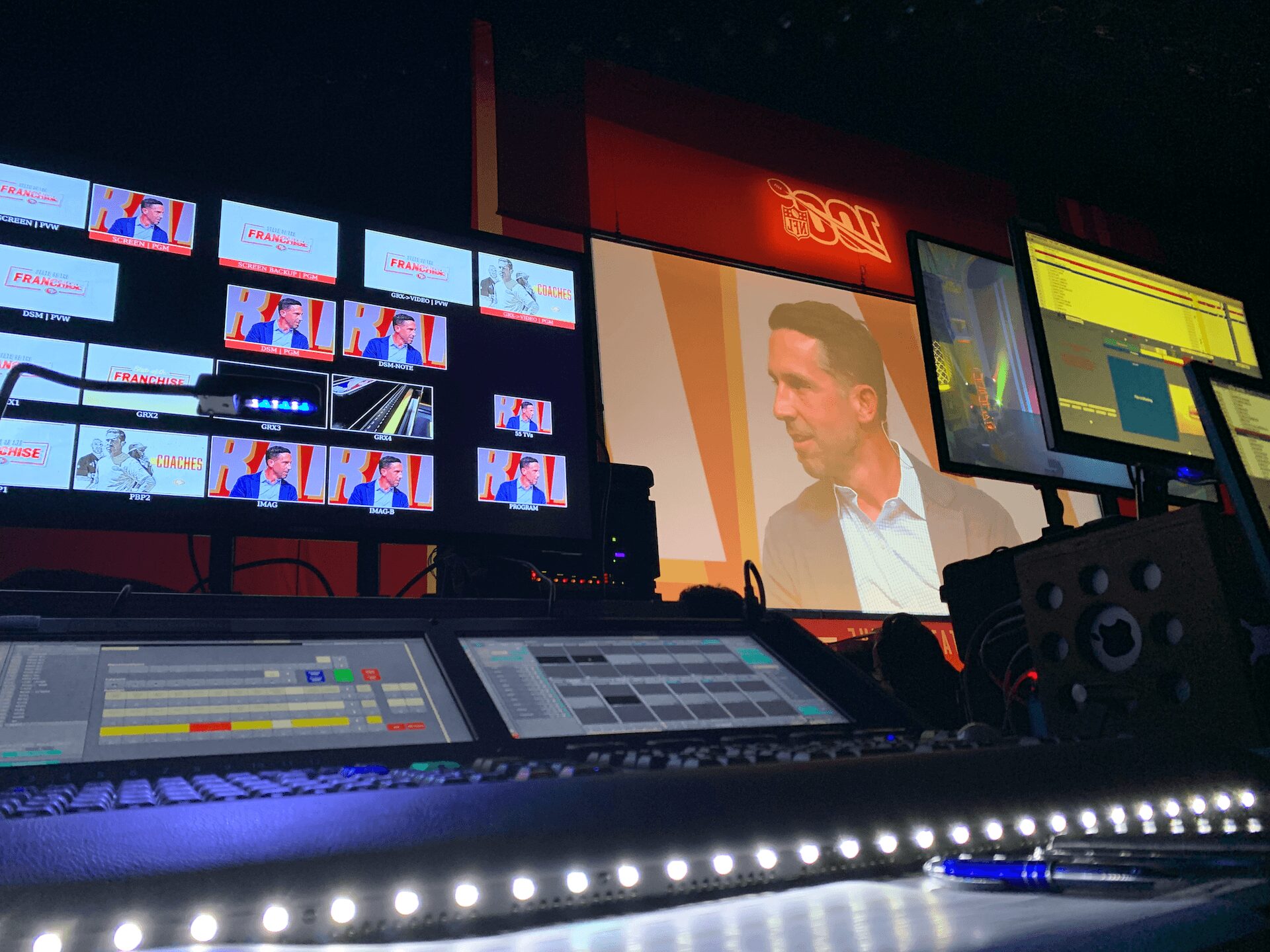
How We Use Barco E2 in Corporate Events
When a general session has to feed a center screen, two side screens, a confidence monitor package, a webcast, and a press feed at the same time, the video system either holds the show together or becomes the problem. That is exactly why how we use Barco E2 in corporate event production matters. In high-stakes corporate shows, the processor is not just a box in the rack. It is the control point for screen management, scaling, layering, switching logic, and contingency planning.
For conferences, keynotes, product launches, and hybrid events, we use the Barco E2 when the show has outgrown basic switchers and single-destination workflows. It gives us the canvas space, input flexibility, and output control needed to build complex screen systems without forcing compromises upstream. That becomes especially important when executive presenters, broadcast-style content, live cameras, remote callers, and show graphics all need to coexist cleanly.
How we use Barco E2 in corporate event production
At the practical level, the E2 lets us treat the event as a complete image ecosystem instead of a stack of disconnected signals. We can map multiple inputs across a large screen canvas, create independent outputs for different display destinations, and keep image quality consistent even when source resolutions vary.
In a corporate environment, that usually means supporting a few very specific demands at once. The room may need native widescreen playback on the main display, branded side-screen layouts, a dedicated confidence feed for presenters, and separate clean outputs for livestream and recording. A simpler processor can switch sources. The E2 can structure the whole signal architecture around the show.
That distinction matters when content is changing quickly. If a keynote alternates between PowerPoint, a walk-on video, two live cameras, a remote guest, and a product demo laptop, we need transitions and source management that feel controlled, not improvised. The E2 gives us room to build those show states in advance.
Where the E2 earns its place
We do not put an E2 on every event. For a straightforward single-screen meeting, it may be more processor than the job requires. But once an event includes multi-screen destinations, custom pixel spaces, high-resolution LED, or layered screen compositions, the E2 starts making technical and operational sense.
One common use case is a wide general session screen with multiple content zones. A client may want a central presentation area, live IMAG windows, persistent branding, and lower-third graphics that stay independent from the main content feed. The E2 handles that kind of layout far more cleanly than trying to patch together separate devices and workarounds.
Another is hybrid production. Corporate teams often need the in-room audience and the online audience to receive different visual experiences. The room might want bold, simplified display treatment while the livestream needs cleaner framing, remote guest integration, and bug-free lower thirds. With the right system design, the E2 helps us create the display outputs needed for the venue while keeping downstream feeds organized for the broadcast side of the show.
Signal flow first, not gear first
The biggest mistake in video system design is choosing equipment before defining outputs, resolutions, and show priorities. Our approach starts with the signal flow. We identify every source, every destination, the native resolution of each display surface, whether the event needs screen management or broadcast treatment, and what happens if a critical source fails.
That workflow is why the E2 is valuable. It is not there to impress anyone in the control room. It is there because the event requires a processor that can support a defined operational plan.
If the main display is projection, side screens are a different format, and the webcast wants a separate clean feed, the E2 lets us build outputs that match those destinations instead of forcing one compromised version everywhere. If the show includes LED, that becomes even more important. Pixel-accurate scaling and proper canvas management affect how polished the room looks on site and on camera.
Barco’s own documentation is useful here because it reflects how the platform is built around large-format screen control and event presentation systems.
Managing multi-screen rooms without patchwork fixes
Corporate shows rarely stay simple once rehearsal starts. Slides get revised, a sponsor logo appears late, a remote speaker joins from a nonstandard resolution, or a keynote team decides they want camera support on side screens only. If the system is brittle, those requests create risk.
With the E2, we can usually absorb those changes inside a structured routing and layer plan. That does not mean every request is free or easy. It means the processor gives us the flexibility to make controlled adjustments without rebuilding the entire show path.
This is one reason we often pair E2 workflows with full-service corporate event production planning rather than treating video processing as an isolated rental item. When one team is managing screens, switching, playback, camera integration, and show control together, decisions happen faster and with fewer surprises.
Why redundancy matters in live corporate production
Most buyers ask about image quality first. Experienced production managers ask about failure points.
That is the right question. In corporate events, a perfect look is only valuable if the system survives pressure. We use the Barco E2 as part of a larger reliability strategy that includes source backup planning, disciplined routing, tested output destinations, and clear operator roles. The processor itself is powerful, but reliability comes from the whole system around it.
For example, if a presenter laptop is critical, we do not assume the switch is the backup plan. We structure alternate source paths. If a webcast needs an isolated program feed, we define that output deliberately rather than splitting signals at the last minute. If LED processors, projection, confidence monitors, and livestream encoders all need clean handoffs, we verify each one in rehearsal conditions.
That is where experienced operation matters as much as equipment selection. A sophisticated processor can still be used badly. The value comes from building clean presets, labeling sources properly, understanding timing and scaling behavior, and anticipating where content changes will affect downstream outputs.
AVIXA has published useful material over the years on standards and system design in professional AV, and that broader framework aligns with how we approach complex event builds.
Trade-offs clients should know
The E2 is not magic, and there are trade-offs. It adds capability, but it also adds system design responsibility. You need proper prep, proper file delivery standards, and operators who understand how to build a show file around the event rather than around generic templates.
It also does not replace every other part of the chain. If playback is poorly managed, if camera shading is inconsistent, or if the event has no defined content workflow, the processor cannot fix those planning gaps. It can only make a good system more capable.
Budget is another real consideration. Not every corporate event needs an E2-class processor. The right answer depends on screen count, resolution demands, compositing requirements, and how much independence each output needs. We will recommend a simpler path when the show supports it. But when the event includes executive visibility, sponsor commitments, livestream deliverables, and custom display formats, underbuilding the video system usually costs more later.
How E2 fits into the rest of the show
In practice, the E2 works best as part of an integrated video department. We typically build it into larger systems that may also include multi-camera live production, screen playback, LED processing, confidence monitoring, and streaming outputs. That is where its strengths show up clearly. It becomes the bridge between content sources and the very different ways those signals need to appear across the event.
For teams planning a more involved general session or keynote, this is usually the moment where video processing stops being a line item and starts being a design decision. The processor affects what creative layouts are possible, how safely content can be changed, and how many destinations can be supported without adding fragile workarounds.
If your event includes a main room, breakout overflow, live cameras, and webcast distribution, it helps to plan the processor strategy alongside livestreaming and show direction from the beginning. That keeps the signal architecture coherent and reduces last-minute compromises.
What clients usually notice
Most clients do not walk into a ballroom and say, “Great video processor.” They notice that the center screen looks right, side screens match, transitions are clean, presenters are comfortable, and the broadcast feed does not feel like an afterthought. That outcome is exactly the point.
The best use of Barco E2 in corporate event production is not flashy. It is controlled, scalable, and dependable under live-show pressure. When the room is complex and the expectations are high, that kind of infrastructure makes the difference between getting through the show and actually running it well.
If you are planning a conference, keynote, or hybrid event with multiple screens and no room for signal-chain improvisation, the smartest move is to define the video architecture early. The processor choice gets much easier once the show itself is clearly designed.