



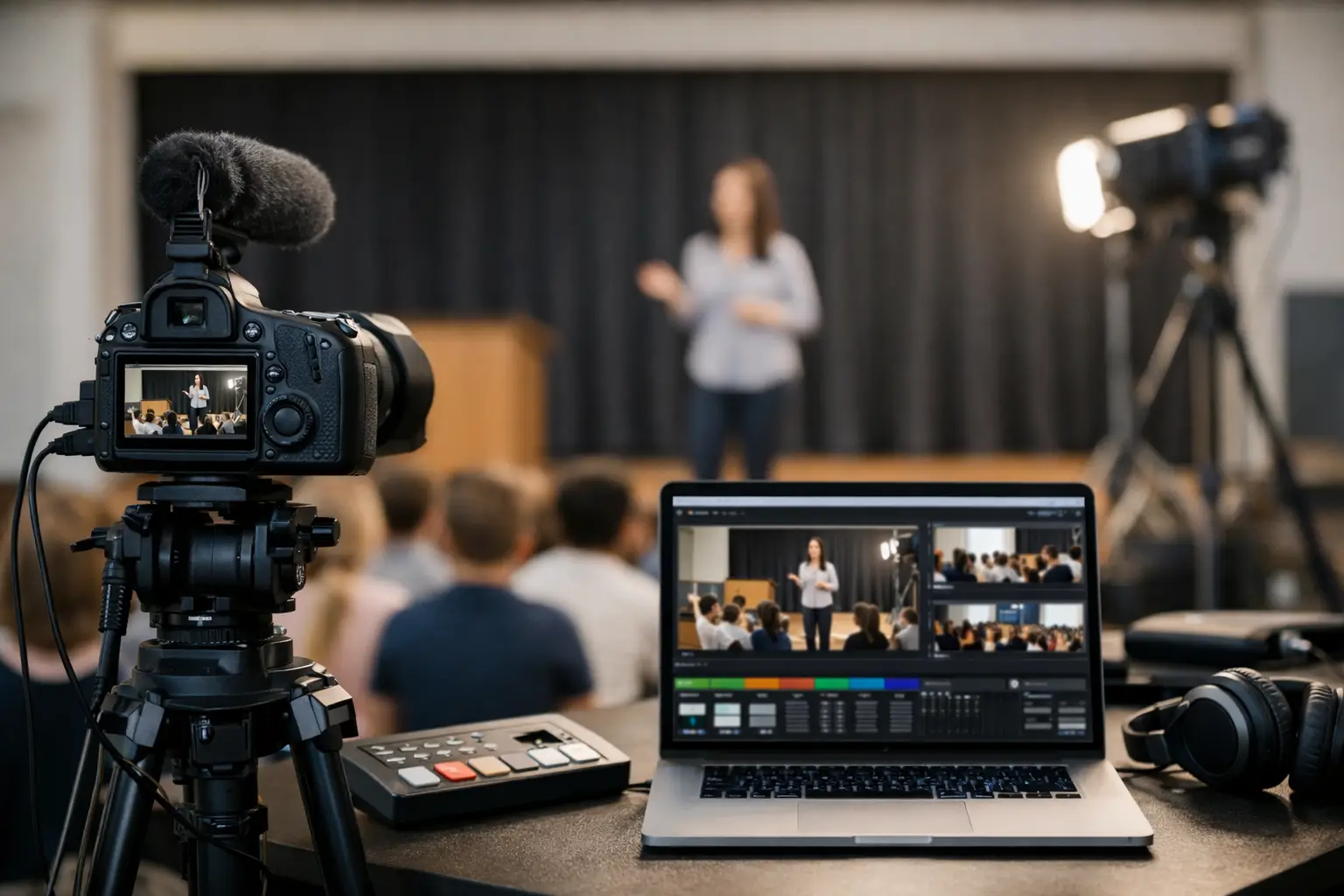
Why Schools Need Professional Livestreaming
A graduation starts on time whether the stream is ready or not. The superintendent steps to the podium, parents open a link from three states away, and the school gets one chance to deliver a clean signal with clear audio. That is the practical reason why schools need professional livestreaming. When the audience includes families, staff, donors, board members, and remote community stakeholders, a basic webcam setup is not the same thing as a broadcast.
Schools now stream far more than commencement. District board meetings, guest lectures, performances, athletics, fundraising events, admissions presentations, and crisis communications all reach people who cannot be in the room. In each case, the stream becomes part public record, part brand impression, and part access tool. If it fails, the damage is immediate and visible.
Why schools need professional livestreaming for high-stakes events
The biggest misconception is that livestreaming is just a camera pointed at a stage. In practice, the result depends on audio capture, switching, graphics, encoding, bandwidth management, recording, monitoring, and backup planning. Schools often discover this the hard way when a volunteer-run stream looks acceptable in rehearsal and falls apart once the room fills with people and RF conditions change.
Audio is usually the first issue. Viewers will tolerate a less cinematic image for a short time, but they leave quickly when speech is thin, distorted, or buried in room echo. School events make this harder than it looks because presenters move, choirs create wide dynamic range, and gymnasiums or multipurpose rooms are rarely ideal acoustic spaces. A professional production team plans microphone coverage and mix-minus feeds for the stream, not just for the in-room PA.
Camera coverage is the second problem. A single static wide shot may document the event, but it does not serve the audience well. Ceremonies and public meetings benefit from multiple angles, close-ups of speakers, reaction shots, and clean transitions. That requires a proper switcher workflow and operators who can follow the program in real time. Platforms like Zoom, Teams, and YouTube can distribute a stream, but they do not replace live production. Zoom and Microsoft Teams are useful endpoints, not production plans.
Reliability is where professional livestreaming earns its cost. Schools often have little tolerance for failure because the audience is broad and emotionally invested. A board meeting that drops audio can create compliance concerns. A commencement with buffering and frozen video frustrates families who may have no other way to watch. Professional crews build redundancy into the signal path with backup encoders, recordings, internet strategies, and monitored outputs. That is standard production discipline, not an extra.
Professional livestreaming protects the school’s reputation
Every streamed event reflects on the institution. For K-12 districts, it shapes public trust. For colleges and independent schools, it also affects admissions, fundraising, and alumni engagement. Viewers may not know why a stream feels polished, but they notice when lower-thirds are correct, slides are readable, and transitions are smooth. They also notice dead air, clipping microphones, and cameras blocked by people standing up in front of a tripod.
This is one reason why schools need professional livestreaming even when the event itself seems straightforward. Public-facing school events carry reputational weight. A clean stream says the institution is organized and prepared. A poor stream suggests the opposite, even if the issue was simply an overloaded laptop or a bad HDMI handoff.
For schools that already produce more formal events, the standards are rising. If the district hosts a leadership summit, a major announcement, or a donor-facing program, the production expectations look closer to a corporate webcast than a casual livestream. That means the same disciplines apply: camera shading, confidence monitoring, playback management, show calling, and redundant records.
The technical gap between simple streaming and real production
The gap is not about buying more gear. It is about knowing how the pieces behave together under pressure.
A professional livestream starts with signal flow. Cameras feed a switcher. Presentation content is scaled correctly so slides are legible both in room and on stream. Audio is split and mixed for separate audiences. Program output goes to both the streaming encoder and isolated recording paths. Each step is monitored. If a laptop changes resolution, a presenter unmutes the wrong device, or a network line degrades, the crew catches it before the audience does.
Schools often run into presentation issues here. Lecture slides designed for projection do not always read well on mobile screens. A lower-third can cover a data point. A room feed that sounds fine in speakers may be unusable online without proper processing. Professional teams solve these problems before show time through testing, rehearsal, and routing discipline.
There is also the issue of platform choice. Public events might work best on YouTube or Vimeo. Interactive sessions may belong on Zoom Webinar or Teams Town Hall. Some schools need registration, moderation, and post-event analytics. Others need a private stream for parents or trustees. The right answer depends on audience size, privacy needs, and whether the event requires Q and A, captioning, or moderated chat.
For organizations planning more advanced productions, AVIXA offers a useful baseline on live event and AV standards, while vMix provides a clear view of how modern live switching and streaming workflows are structured. Those references are helpful, but execution still matters more than software features.
Where schools most often underestimate the risk
Commencement is the obvious example, but not the only one. Board meetings and public hearings are often treated as simple because they are recurring events. In reality, they are exactly the kind of streams that need consistency. The room may change. Speakers may sit too far from microphones. Public comment adds unpredictability. If the recording becomes part of the official record, quality and reliability matter even more.
Athletics and performances have their own challenges. Fast movement, varying light, music licensing considerations, and crowd noise all complicate the show. A school musical, for example, needs much more than a camera at the back of the room. Without proper audio capture and shot planning, remote viewers lose most of the experience.
Then there are leadership communications. A head of school update, district announcement, or fundraising event may be smaller than graduation, but the message is often more sensitive. Those are the moments where confidence monitors, return feeds, speaker coaching, and backup records make a real difference.
Why schools need professional livestreaming instead of relying on in-house staff alone
Plenty of schools have capable internal IT or communications teams. That does not mean every live event should be built and run in-house.
The trade-off is bandwidth, not talent. Internal teams already manage networks, classroom technology, help desk requests, and day-to-day communications. Adding a high-stakes live show on top of that can stretch even a strong team too far. Professional livestream crews bring focused event experience, dedicated operators, and a workflow designed for live risk management.
This is especially true when the event includes multiple cameras, presentation playback, projection, room audio, overflow rooms, or a hybrid audience. At that point, the stream is part of a larger show system. It benefits from the same production approach used for executive webcasts, conferences, and keynote programs.
For schools that need a partner for that level of execution, AV Land’s livestream services and event services reflect the kind of planning required for multi-camera programs, managed signal flow, and show-critical redundancy.
What professional livestreaming should include
Schools do not always need a large crew or a full broadcast package. It depends on the event. A board meeting may need a compact but reliable setup with managed audio and recording. A commencement may need multiple camera positions, graphics, confidence monitoring, and a backup internet path. A donor event may need polished IMAG, playback, and a branded webcast feed.
What matters is that the production scope matches the consequences of failure. At minimum, professional livestreaming should address camera coverage, clean audio for stream and room, platform delivery, local recording, operator monitoring, and contingency planning. For higher-profile events, it should also include rehearsal support, graphics, playback control, and coordination with venue AV, lighting, and presentation teams.
That is the part many buyers miss. The stream is not a standalone box. It is the final output of dozens of technical decisions made upstream.
Schools are under pressure to be more accessible, more transparent, and more connected to remote audiences than they were a few years ago. Livestreaming is now part of how institutions communicate. When the event matters, the production standard should match that reality. The audience may only see a video player on a screen, but behind it, they are counting on a show that holds together from first cue to final applause.