



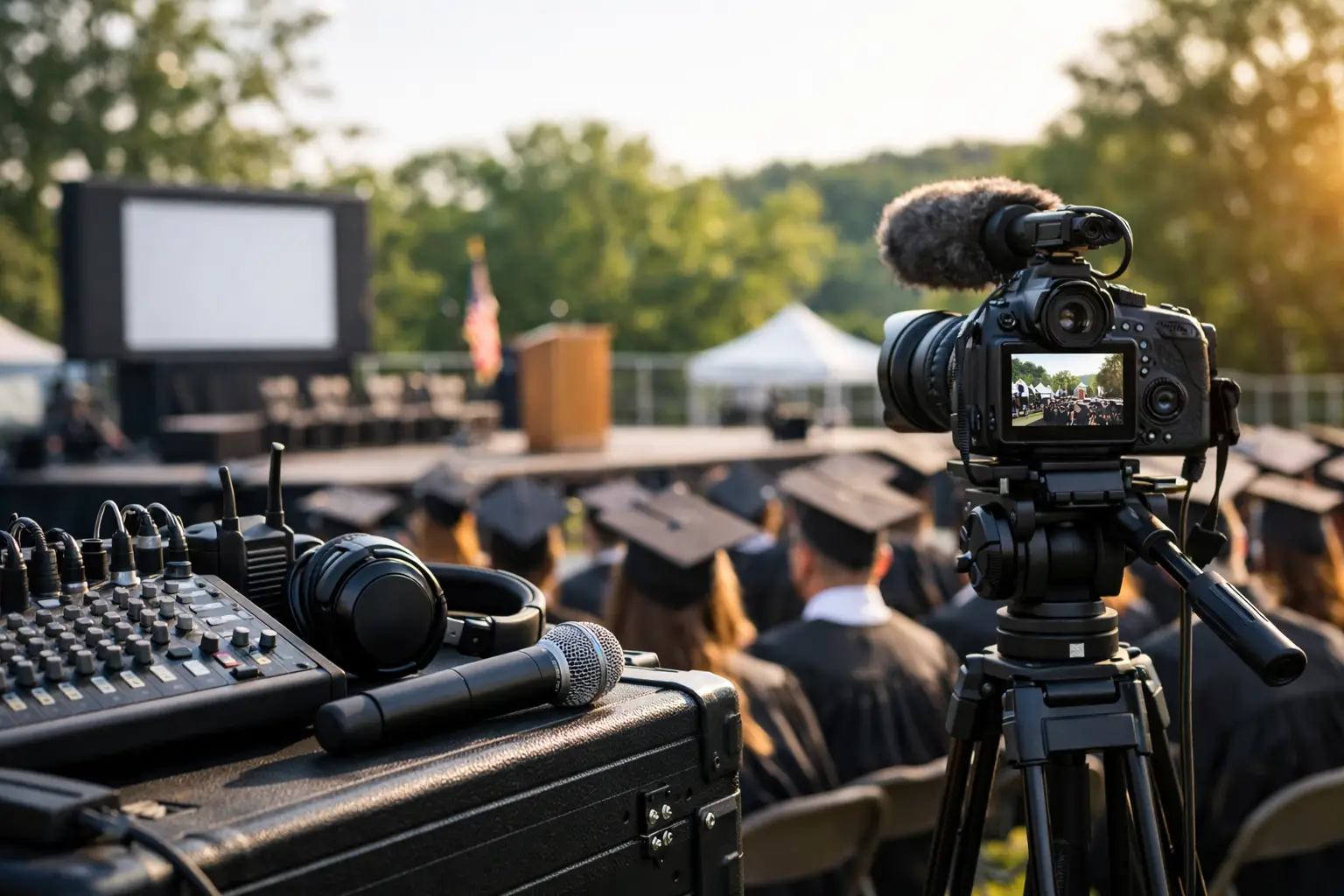
Outdoor Graduation AV Checklist
A graduation ceremony can look simple on paper – stage, podium, speakers, and a run of show. Outdoors, it is not simple. Wind changes mic performance, daylight fights your screens, power is rarely where you need it, and a crowd spread across a lawn or quad will expose every weak point in your audio system. That is why an outdoor graduation AV checklist matters before anyone starts loading gear.
For schools, colleges, and organizations producing commencement-style events, the technical plan has to do more than make the program audible. It needs to protect speech intelligibility, keep video and confidence feeds stable, cover overflow areas, and hold up if weather or utility power becomes a problem. If you are planning a large-format ceremony, this is the checklist that keeps the show from becoming a recovery exercise.
What an outdoor graduation AV checklist should cover
The most useful outdoor graduation AV checklist is built around risk, not just inventory. Anyone can make a list of speakers, microphones, and cameras. The better question is whether each system has enough coverage, enough control, and enough backup to handle a live crowd in an open environment.
Start with the site itself. A concrete courtyard behaves differently than an athletic field. A stadium with installed power and press positions is different from a campus lawn where every cable path has to be built from scratch. Audience size, seating width, stage location, ADA requirements, and camera sightlines all affect the technical design.
Then look at the event format. A short commencement with one lectern mic and walk-up music has a very different profile than a multi-hour program with a choir, student speakers, IMAG screens, and a livestream for remote families. The more moving parts you add, the more the checklist needs to focus on signal flow and operator coverage.
Audio is the first make-or-break system
If the audience cannot understand names, speeches, or instructions, the rest of the production stops mattering. Outdoor audio needs to be designed for intelligibility first and volume second.
Microphones and speech pickup
Most ceremonies need a primary lectern microphone, a backup lectern microphone, wireless handhelds for presenters, and at least one wireless lavalier or headset if the format calls for mobility. The backup mic should already be patched, tested, and ready to go – not sitting in a case.
Wind protection is non-negotiable outdoors. Even mild wind can make a clean speech signal unusable. Gooseneck podium mics need proper foam, and lavaliers need placement that accounts for robes, collars, and movement. If multiple speakers are rotating quickly, a handheld may be more reliable than repeatedly clipping and unclipping bodypacks.
Speaker coverage and delay strategy
A common mistake is putting a pair of speakers near the stage and assuming they will carry. On a wide lawn or large seating area, that creates hot front rows and weak coverage in the back. Distributed coverage with delay speakers often produces much better intelligibility.
Delay timing has to be measured and tuned correctly. Guessing at delay values or aiming boxes by eye is how you end up with echo and smear across the audience. If there are overflow areas, those should be treated as part of the show, not as an afterthought.
Playback, walk-up music, and name reading
Graduation programs often rely on multiple audio sources: walk-in music, anthem playback, pre-recorded remarks, and the name-reading feed. Each source should have a dedicated input, operator control, and a clear cueing plan.
If the registrar or announcer is reading names from a separate position, confirm how that signal gets into the main console and what happens if that location loses power or network connectivity. Redundant playback machines are worth considering for larger ceremonies.
Video needs to account for daylight, distance, and scale
Outdoor video is less forgiving than ballroom projection. Daylight reduces contrast, viewing distances increase, and camera shading changes constantly as clouds move.
IMAG, record, and livestream requirements
If you are showing close-ups of speakers and graduates to the audience, plan for proper IMAG with enough camera positions to cover podium, stage crossings, and diploma handoff. One camera rarely does the job well. A typical setup includes a center long lens, a side angle, and a roaming or stage-adjacent camera depending on the format.
Recording and livestreaming should be planned as separate deliverables even if they share camera feeds. That means identifying your program feed, graphics path, recording codec, stream encoder, and confidence monitoring. Platforms like Zoom, Teams, or a dedicated encoder workflow each carry different support needs. If the event is public-facing, the stream path should be tested well in advance.
Screens, LED, and brightness
Projection often struggles in bright outdoor conditions unless you have very high output and strong environmental control. For daytime ceremonies, LED walls or high-brightness displays are usually the more reliable choice.
But LED is not automatic. Pixel pitch, viewing distance, wind rating, structural support, and generator capacity all need to be considered. If the screen is there only for a decorative logo loop, that is one thing. If families in the back are depending on it to see the stage, failure is much less acceptable.
For more complex screen management, especially when combining multiple cameras, graphics, and presentation sources, a processor like a Barco E2 can make routing and backup switching much cleaner. That matters more as the show grows beyond a basic single-screen feed.
Power, cable paths, and redundancy belong on the checklist early
Temporary outdoor power is where many event plans start to slip. Do not wait until the week of the show to figure out whether site power can support PA, video, lighting, streaming, and production compound needs.
Power distribution
Confirm available utility power, phase, distance from the stage, and whether dedicated circuits are realistic. If not, budget for generator support. Sensitive systems such as control, switching, audio consoles, and encoders should be protected with UPS units where appropriate.
Separate critical audio and video systems from convenience loads whenever possible. Coffee stations and catering equipment should not be sharing a circuit plan with your front-of-house rack.
Cable protection and routing
Outdoor campuses and event grounds often have long runs between control, stage, camera platforms, and overflow zones. Your checklist should account for audio multicore, fiber or SDI video transport, network runs, intercom, and shore power. Every crossing in a public path needs proper ramping or rerouting.
This is also where labor planning matters. Long-run outdoor shows take more crew time to build, secure, test, and strike than many stakeholders expect.
Weather backup is part of the production plan
An outdoor graduation AV checklist is incomplete if it does not include weather response. Even if the forecast looks favorable, heat, wind, and unexpected moisture all affect the show.
Shade for control positions is more than a comfort issue. Switchers, playback systems, and monitors can overheat or become difficult to read in direct sun. Camera operators need hoods and protection. Audio world and video control should be tented if the site allows it, with sightlines preserved.
If there is a rain plan, define what actually changes. Does the show move indoors? Is there a weather hold threshold? Which systems remain exposed, and which need fast covers? A real rain plan includes timing, authority, and communication – not just the phrase “we’ll monitor conditions.”
AVIXA has useful guidance on event system planning standards, and Shure publishes practical microphone resources that are especially relevant when speech intelligibility is the priority outdoors.
Communications and show control are easy to underestimate
Commencement programs look ceremonial, but technically they behave like live broadcast events. Camera ops, stage managers, A1, playback, graphics, and stream control all need communication.
A wired or wireless intercom system should be on the checklist if you have multiple technical positions. Cell phones are too slow and too inconsistent once the audience arrives. If the name-reading position, stage manager, and video director cannot coordinate in real time, your timing will drift and your cues will get sloppy.
A detailed run of show should include speaker order, cue points for music, lower thirds if used, camera priorities, and contingency notes. If diplomas are handed on a repeating pattern, camera blocking should be rehearsed around that movement before guests arrive.
Rentals, staffing, and the real scale of the event
Not every ceremony needs a broadcast-grade package, but most outdoor graduations need more support than internal staff can reasonably cover. The deciding factor is usually not the gear list. It is whether the event has enough technical design and experienced operators to execute under pressure.
If you are sourcing equipment only, make sure the rental list reflects outdoor conditions, connector strategy, and enough spare inventory. If you need end-to-end support, a full-service corporate event production team can handle system design, crew, signal flow, rehearsals, and day-of troubleshooting. For larger programs with camera coverage and remote audience requirements, livestream services should be planned alongside the in-person show rather than bolted on at the end.
You can review those service options here: https://av.land/event-services/ and https://av.land/livestream-services/.
The trade-off is straightforward. A lean package can reduce cost, but it also narrows your margin for error. Outdoor events rarely fail because one major component was forgotten. They fail because ten small assumptions were never tested together.
Final pre-show check before doors open
On show day, the outdoor graduation AV checklist should end with a full system test under realistic conditions. Walk the audience area and listen for coverage gaps. Verify every microphone live at program level. Confirm graphics and camera switching on the actual screen surfaces. Test the stream from the public side, not just from the encoder. Check backup power status and make sure critical spares are staged where crew can reach them fast.
A clean graduation production is usually the result of boring preparation. That is the goal. If the audience notices the AV, something probably went wrong.