



How to Plan a Graduation Livestream
The failure point in most commencement broadcasts is not the camera package. It is the plan behind it. If you are figuring out how to plan a graduation livestream, start with the assumption that this is a live show with no retakes, not a simple webcam stream. Graduations combine long runtimes, unpredictable pacing, walk-up moments, audience noise, music licensing questions, and high expectations from remote viewers. That means your production plan has to be built around reliability first.
For schools, universities, and organizations running formal recognition events, the livestream is now part of the event itself. Families, executives, board members, and distributed teams may never enter the venue, but they will judge the production on clarity, stability, and whether key moments were actually captured. A polished result comes from signal flow, staffing, and contingency planning long before the first graduate crosses the stage.
How to plan a graduation livestream from the signal flow out
The fastest way to create avoidable problems is to think only about cameras and streaming platforms. Start with the full chain: sources, switching, graphics, audio mix, record paths, encoder, network, stream destination, and confidence monitoring. Once that is mapped, equipment decisions become straightforward.
A graduation program usually includes a lectern mic, podium remarks, walk music, name reading, wide stage coverage, and close-up shots of the stage crossing or diploma moment. In some cases, you also need slides, lower thirds, a sponsor reel, or a pre-show holding graphic. Every one of those sources needs a clean path into the switcher and a defined operator workflow.
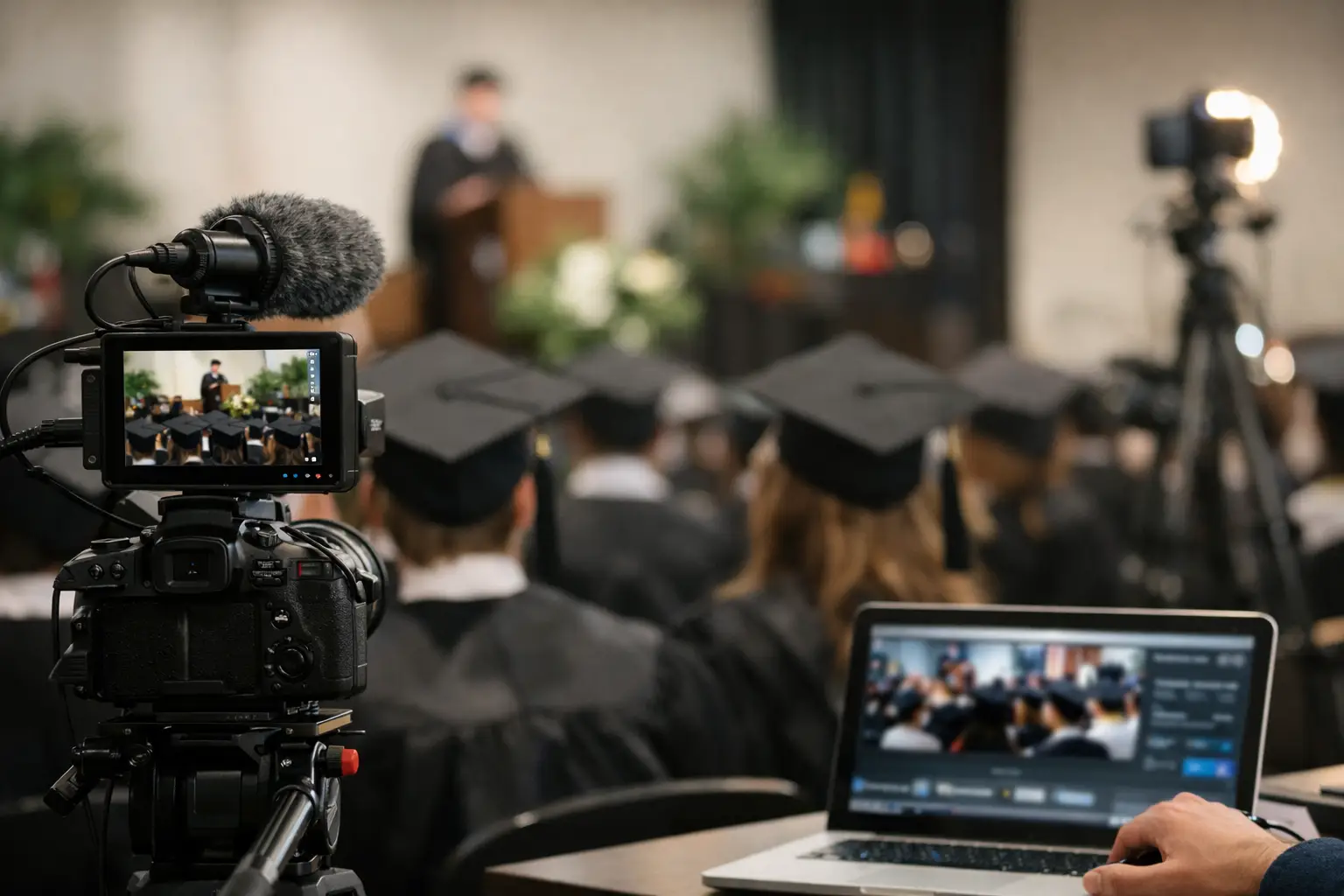
For a professional setup, that usually means at least three camera positions. One locked wide covers the entire stage and protects you if anything else fails. A second camera handles medium framing of speakers at the lectern. A third camera tracks recipient walk-ups and handoff moments. If the room is large or the procession is long, a fourth camera becomes less of a luxury and more of a timing tool.
The switcher choice depends on complexity. A compact all-in-one system can work for a basic stream, but once you are adding multiple cameras, playback, graphics, and confidence outputs, a dedicated live production workflow makes more sense. If the event also feeds in-room screens or an LED wall, the livestream cannot be treated as a separate afterthought. It has to be integrated into the show video system from the start. This is where an experienced team handling full-service corporate event production can simplify the design and execution across room screens, recording, and stream delivery.
Audio will make or break the stream
Viewers will tolerate a modest camera move. They will not stay with bad audio.
Graduation events are deceptively difficult from an audio standpoint because the room mix and the broadcast mix are rarely the same thing. The PA is designed for the audience in the venue. The livestream needs a controlled mix that prioritizes speech intelligibility and consistent level. If you only take a post-fader board feed with no broadcast attention, you often end up with uneven microphones, buried name reads, and music that jumps in level.
A better approach is to define a dedicated stream mix. That can be a separate aux send from the console or a split workflow managed by an A1 who understands both house reinforcement and broadcast needs. Podium microphones should be tested for gain before doors. Reader positions need consistent mic technique. Playback sources should be checked for sample rate compatibility and level structure. If a choir, band, or national anthem is part of the program, that segment needs its own input plan and rehearsal time.
Wireless coordination matters too, especially in dense RF environments. A room full of guests with active devices can expose weak planning fast. Manufacturers like Shure publish useful guidance on wireless best practices, but the bigger point is this: graduation audio should not be improvised at call time.
Pick the right streaming platform before you build the show
When clients ask how to plan a graduation livestream, they often jump straight to platform branding. The better question is what the audience needs the platform to do.
If the goal is broad public access with minimal friction, a browser-based stream page is often the easiest path. If the event requires controlled access, attendee registration, or internal distribution, the destination may be a webinar platform or enterprise video portal. If captions are required, check native support early. If chat or moderated Q and A is part of the experience, assign an owner for it. If there will be heavy mobile viewing, test on phones, not just laptops at the production table.
The choice also affects encoding settings, backup paths, and viewer support. Some platforms are forgiving with variable network conditions. Others are less tolerant and need tighter configuration. Zoom, Microsoft Teams, and custom CDN workflows all have different strengths. The platform should fit the event, not the other way around.
Redundancy is not optional on a graduation stream
This is where professional livestream planning separates itself from hobby-level streaming.
At minimum, build redundancy into three areas: power, recording, and internet. Critical devices should be on conditioned power and protected from a single accidental disconnect. The show should record locally, not only in the cloud. And the network should have a tested primary path with a separate backup, ideally from a different carrier or transport method.
If the venue is providing internet, do not accept a verbal assurance that the connection is strong. Ask for dedicated bandwidth, hardline access, public IP details if needed, and confirmation of any firewall restrictions. Then test upload performance under realistic conditions. Graduation streams are long enough that network instability often shows up mid-program, not during a five-minute precheck.
Redundancy also applies to camera coverage. If one operator is repositioning and the lectern mic goes live unexpectedly, the wide shot protects the show. If the graphics machine freezes, a clean program path should still be available. If the primary encoder fails, the backup should be able to take over without rebuilding the event from scratch.
For more complex productions, a dedicated livestream production team will usually pair hardware encoding, local ISO or program recording, and independent confidence monitoring so the crew sees problems before viewers report them.
Build a run of show that respects timing drift
Graduation programs almost never run exactly to schedule. Name pronunciation checks take longer. Processionals start late. Speakers go off script. A student line pauses at the stage edge. The livestream plan has to absorb that drift without losing structure.
Create a run of show that includes camera assignments, graphics timing, playback cues, lower-third conventions, and decision points for transitions. Define what happens during dead air before the processional, what the stream shows if the ceremony is delayed, and who calls changes when the pace shifts. A technical director or show caller should own this during the event.
Rehearsal should focus on transitions, not just gear check. Practice the stage crossing sequence. Verify where recipients enter frame, where they stop, and whether the handoff moment is blocked by signage, florals, or lectern placement. Small staging adjustments can improve the stream more than adding another camera.
Camera placement should serve the audience at home
A common mistake is placing cameras only where they are convenient for the room. The livestream audience needs clear sightlines, not whatever remains after in-room seating is finalized.
The center wide should be high enough to avoid heads and phones in the foreground. The lectern camera needs an unobstructed angle that does not fight stage décor. The close-up camera for graduate walk-ups should be positioned to catch faces before the handshake or diploma handoff, not just the back half of the movement. If there is IMAG in the room, coordinate framing priorities so the screen feed and the stream feed work together instead of forcing one compromise for both.
Lighting matters here as well. A stage that looks acceptable to the live audience can still produce flat faces or dark eye sockets on camera. If the event is indoors, front light angle and color temperature should be checked through actual camera shading, not by eye from the floor.
Staffing is part of the production design
You can simplify gear. You cannot fake labor on a live show.
For a straightforward graduation livestream, the core team usually includes a producer or show caller, technical director, audio engineer, camera operators, and a streaming or record technician. On smaller events, some roles can combine. On larger shows, combining too many roles creates blind spots. The person mixing audio should not also be expected to troubleshoot the encoder while monitoring RF and cueing playback.
That trade-off matters most when the event is high visibility or executive-attended. If leadership, donors, or a distributed workforce will be watching, the safer call is a crew structure with clear ownership of each critical system.
Final checks before you go live
The last hour should be boring. That is the goal.
All graphics should be loaded and spelled correctly. The program record should be running before the audience enters. Stream health should be verified on an external device off the production network. Audio should be checked with headphones from the viewer side, not only from the console. Batteries should be fresh, media should be formatted, and everyone should know the escalation path if something fails.
If you are producing in the Bay Area and the graduation is being treated as a real broadcast event, not just a camera pointed at a stage, it is worth building the show the same way you would approach a keynote or executive webcast. That means planning for the moments that go wrong before they do.
A graduation livestream works best when nobody notices the production at all. They just hear every name, see every crossing, and trust the stream to stay up from first remarks to final applause.