Barco E2 vs E3: Which One Fits the Show?
If you are weighing Barco E2 vs E3 for a corporate show, the real question is not which processor is better on paper. It is which one matches the canvas size, screen count, source load, and failure tolerance of the event you are about to put in front of executives, investors, or a live audience. In production, the wrong answer usually does not show up in prep. It shows up when graphics wants one more look, the camera feed needs to sit over a wide background, and the schedule leaves no room for rebuilding the show file.
For most corporate events, both processors are serious tools. Both are trusted in live environments. Both can handle layered screen management far beyond what a basic switcher can do. But they do not solve the same size problem, and treating them as interchangeable is where budget waste or technical compromise starts.
Barco E2 vs E3 at a practical level
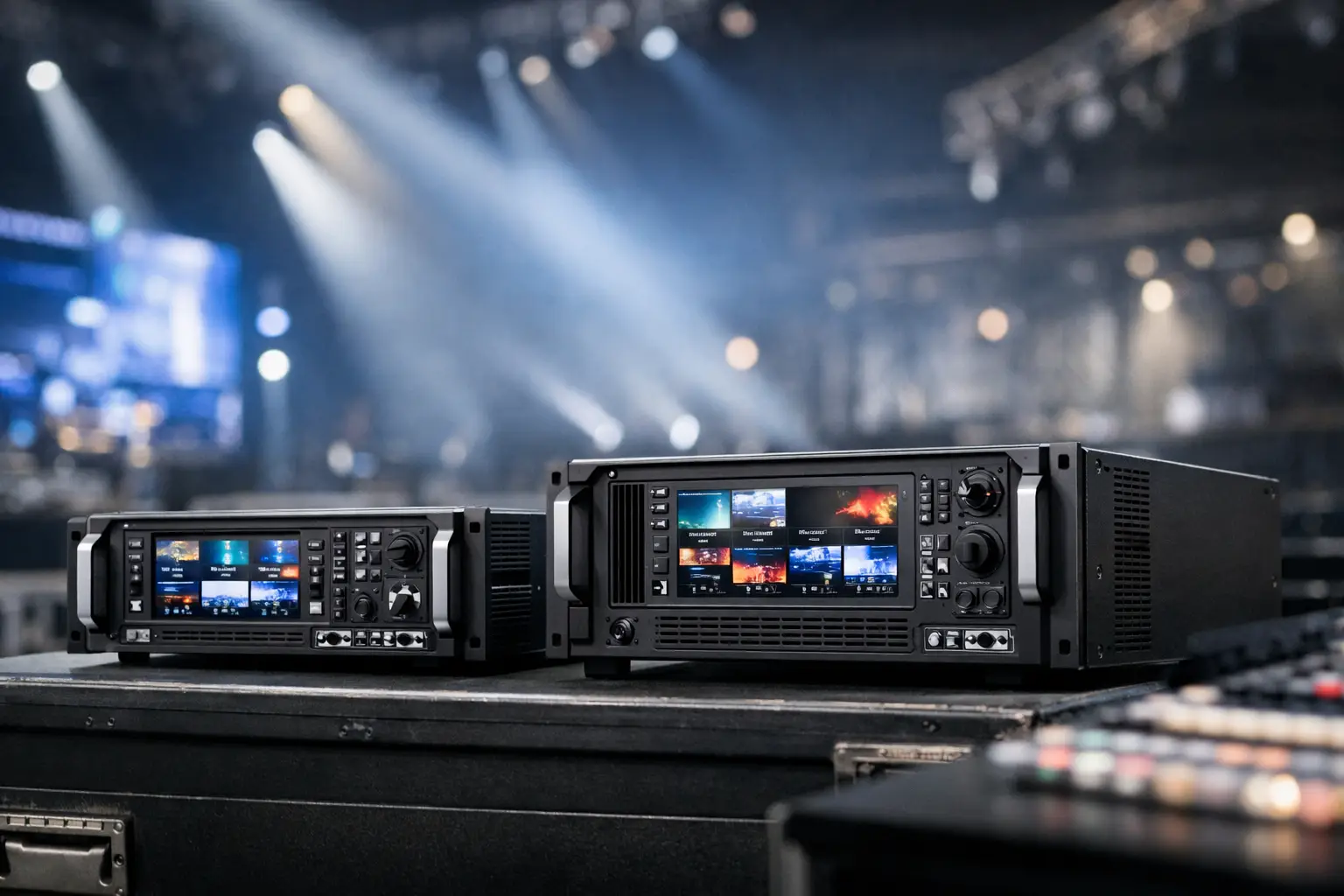
The simplest way to frame Barco E2 vs E3 is capacity. The E2 gives you more overall processing headroom, more outputs, and more flexibility for larger widescreen environments. The E3 uses the same Event Master family workflow, but at a smaller scale and lower cost. That makes the E3 a strong fit for many general sessions, breakout rooms, and single-screen or moderate-width LED setups, while the E2 is usually the safer choice when the show grows into a multi-destination system.
That sounds obvious, but capacity in this context is not just about resolution. It is about how many destinations you are feeding, how many independent layers are active, how many confidence and operator outputs you need, and whether the show file is likely to expand after client review.
In a keynote environment, those details matter more than spec-sheet bragging rights. Corporate shows change late. Presenter content changes later. Playback formats are inconsistent. Remote contributors appear with odd resolutions. The processor has to absorb all of that without forcing the rest of the system into workarounds.
Where the E3 makes sense
The E3 is often the right answer when the event has one primary screen or one moderate LED canvas, a manageable number of live and playback sources, and a clear show structure. Think executive town halls, smaller product announcements, investor presentations, and breakout rooms where you still need proper screen management, clean scaling, and reliable switching but do not need the extra horsepower of an E2.
It is also a sensible choice when you want Event Master workflow without paying for unused capacity. In the corporate world, that matters. A processor should fit the show, not the ego of the gear list.
For many events, the E3 covers the essentials well: a clean program screen, integrated image magnification support, multiple content inputs, and enough layering to build polished looks instead of just cutting sources full screen. If the design is disciplined and the output map is straightforward, the E3 can feel very efficient.
Where the E2 earns its place
The E2 starts making sense fast when the screen system gets wider, the number of outputs climbs, or the show requires more parallel destinations. That includes main sessions with a wide center canvas and side screens, multi-screen brand environments, larger LED walls, complex confidence routing, and events where playback, live cameras, remote feeds, and backup paths all need room inside the same system.
The E2 is not just for giant shows. It is for shows where the cost of constraint is higher than the cost difference in hardware. If a client is likely to add walk-in content, ask for a new lower-third treatment, split the center screen into additional windows, or require redundant playback and stream confidence monitoring, the E2 gives the video team more room to say yes without redesigning the architecture.
Capacity is not abstract – it affects show design
When buyers compare Barco E2 vs E3, they often focus on the processor itself instead of the whole signal flow. In practice, the choice affects the rest of the system: how many switcher outputs you allocate, whether you can maintain dedicated confidence lines, how elegantly you support recording and livestreaming, and how much scaling happens where.
A good design keeps each device doing the work it is best suited for. The switcher handles cuts and show flow. Playback handles content. The processor handles canvas management, destination control, and high-quality scaling. Problems start when the processor is undersized and other parts of the system have to pick up the slack.
That usually creates friction in three places. First, operators lose flexibility because every layer and output is already spoken for. Second, engineering loses margin because backup paths get reduced or combined. Third, clients feel the limitation because visual requests get answered with “not on this build” instead of “yes, we can route that.”
Layers, destinations, and confidence outputs
Layers are where a lot of real-world decisions happen. A basic agenda slide over a branded background is easy. A keynote with a live camera box, lower-third, animated background, interpreter feed, and separate confidence display is not. The processor has to support the visual design and the operational design at the same time.
This is why larger corporate productions often land on the E2 even when the main display could technically fit inside an E3 workflow. Once you account for downstage monitors, backstage confidence, DSM support, stream confidence, records, overflow rooms, and engineering utilities, extra outputs stop looking optional.
LED walls change the conversation
If the event includes LED, Barco E2 vs E3 should be evaluated with the final pixel canvas in mind, not just the scenic concept. A wall that seems modest at first can become demanding once the resolution is locked, side elements are added, or the design team asks for separate destinations across the stage.
LED also raises the quality bar on scaling and pixel management. Fine pitch walls used for corporate keynotes expose weak processing choices quickly. Text, line detail, and window positioning have to hold up under scrutiny. That is one reason Event Master systems remain common in higher-end corporate production.
For reference on Event Master platform details, Barco’s product documentation is still the right starting point at barco.com.
Budget trade-offs and rental logic
The budget difference between E2 and E3 is real, but it should be weighed against show risk, not viewed as a simple savings line. Choosing an E3 for a show that truly fits it is smart. Choosing an E3 for a show that barely fits it can be expensive once labor, redesign time, extra converters, or output compromises enter the picture.
That is also why experienced teams usually decide this at the system-design stage, not at the last rental line review. The processor choice should come after the screen map, source list, confidence needs, and backup plan are clear.
For Bay Area corporate events, this is often part of a broader event systems conversation rather than a stand-alone rental question. If you need the processor, operator, screen management, switching, cameras, and livestream path designed as one package, full-service corporate event production is usually the cleaner approach. AV Land handles that through its event services and Barco E2 rental workflows, with the processor decision tied to the actual show architecture rather than a generic gear upsell.
Barco E2 vs E3 for livestream and hybrid shows
Hybrid events add another layer to the E2 versus E3 decision because the in-room screen system is no longer the only destination that matters. The stream often needs clean records, confidence monitoring, ISO support, returns from remote platforms, and graphics paths that are separate from what the ballroom sees.
That does not automatically mean E2. Plenty of hybrid shows run well on an E3 when the room design is controlled. But hybrid does reduce your margin for improvisation. If you are sending multiple outputs to streaming encoders, recording devices, and monitoring positions while still supporting a polished room experience, the extra capacity of an E2 can make the system easier to operate and easier to protect.
For teams planning a webcast, keynote stream, or multi-camera hybrid production, the processor should be designed alongside the livestream stack, not after it. AVIXA also has useful baseline resources on live event and AV system planning at avixa.org.
So which one should you choose?
If the event has a single main destination, disciplined content structure, and no expectation of major show growth, the E3 is often the right fit. It gives you professional screen management without overspending on capacity you will not touch.
If the event involves multiple screen destinations, larger LED surfaces, extensive confidence routing, complex layering, or a client team known for late-stage creative changes, the E2 is usually the better production decision. Not because the E3 is weak, but because constraint is expensive on show site.
The best choice is the one that leaves room for the event to behave like a real event. Specs matter. Operator workflow matters more. If you build enough headroom into the system, the show feels controlled when the schedule gets tight and the ask list gets longer. That is usually the moment the processor choice proves whether it was a line item decision or a production decision.