



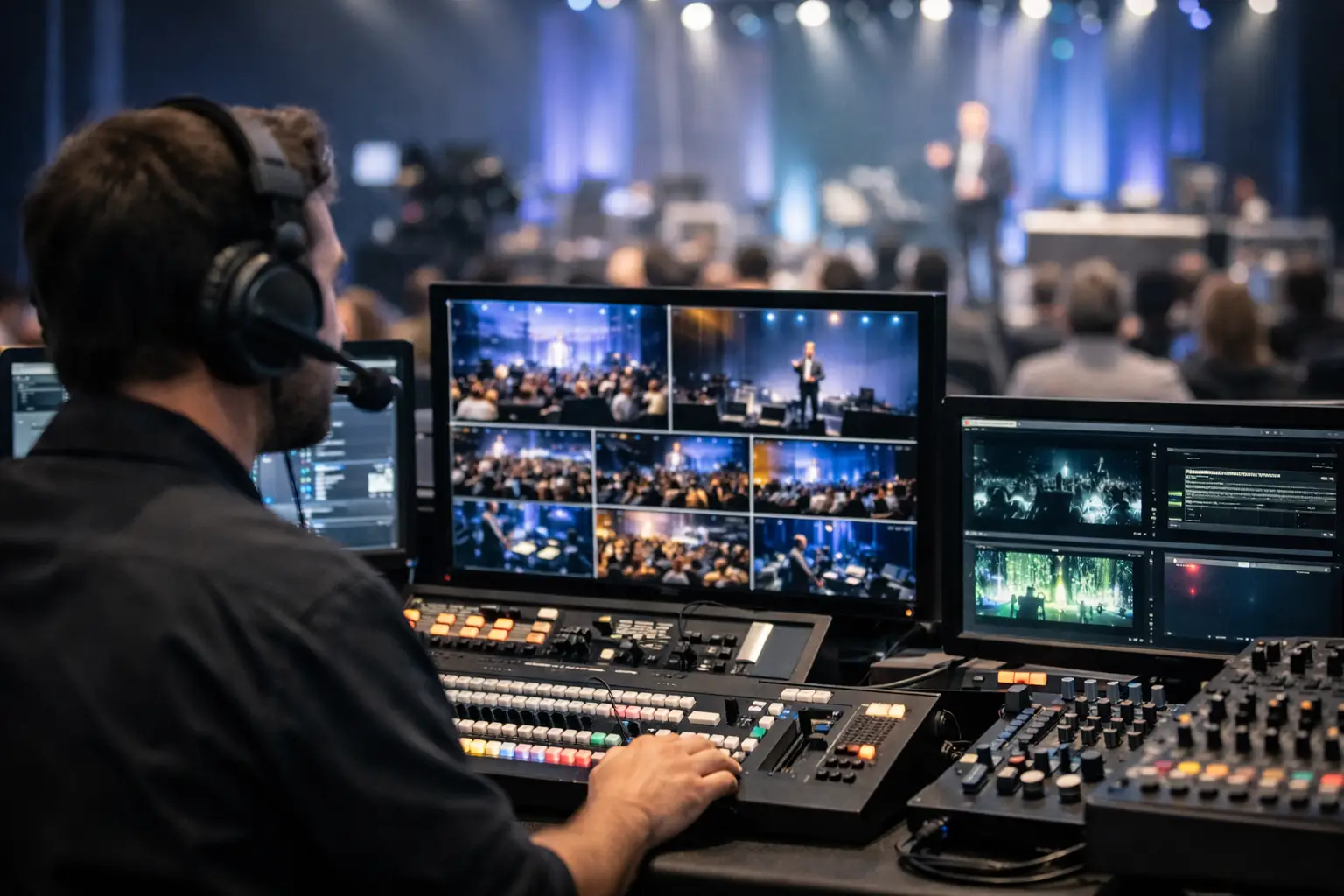
Event Video Control Room: Run Live Shows Right
A keynote is live, the CEO is walking onstage, and the first slide has to hit the LED wall on the exact frame. At that moment, the event video control room is not a collection of screens and switchers. It is the operating center for every visual decision the audience sees in the room and every feed sent to remote viewers.
For corporate conferences, product launches, executive webcasts, and hybrid events, control room planning determines whether the production feels composed or improvised. The audience should never notice the signal paths, backup systems, camera shading, show calling, or last-second adjustments happening behind the scenes. They should see a clean, intentional program.
What an Event Video Control Room Actually Does
A professional control room combines people, hardware, and a defined workflow. Its job is to receive video sources, manage content, build the live program, distribute that program to displays and streaming platforms, and maintain a recovery path when a device or signal fails.
The video director calls camera shots and transitions. A technical director operates the production switcher. Graphics and playback operators manage lower thirds, walk-in content, stingers, speaker slides, and video rolls. A screen operator or video engineer manages routing and display outputs. Depending on the show, a separate streaming engineer monitors encoding, network performance, recording, and remote contributor returns.
On a smaller breakout, one experienced operator may cover several of those duties. For a multi-camera general session with LED canvases, confidence monitors, presentation screens, and a live broadcast audience, those jobs need to be separated. The right staffing level depends on cue density, screen count, source count, and the consequence of an error.
Signal Flow Comes Before Equipment
The equipment list matters, but a show does not become reliable because it has more gear. Reliability starts with a signal-flow plan that everyone can understand under pressure.
A typical corporate show begins with cameras, presenter laptops, playback systems, remote callers, and graphics sources. Those sources move into routers, switchers, presentation systems, and video processors. The program feed then goes to LED walls or projection, confidence monitors, recording devices, streaming encoders, and any required overflow rooms.
Every output has a purpose. The audience display may receive a wide screen composition with presentation content and a live camera image. The confidence monitor may need a simplified feed with notes or a timer. The livestream may require a different frame, embedded graphics, or a clean feed for a separate platform. Treating all outputs as identical is a common planning mistake.
The Difference Between Switching and Processing
A production switcher determines what is live in the program. It cuts from a camera to a presentation, transitions to a video roll, and adds graphics. Video processing handles how sources are scaled, layered, routed, and mapped to complex display surfaces.
For example, a wide LED wall may need a keynote presentation, a speaker IMAG camera, and branded graphics arranged in a precise layout. A Barco E2 or E3 system is often used when the canvas, source management, and output requirements exceed what a standard switcher can handle on its own. The processor is not simply a larger switcher. It is the system that makes the screen design operational during a live show.
That distinction affects labor planning, rehearsal time, and budget. A basic single-screen meeting may not need advanced processing. A product launch with multiple LED surfaces, side screens, and changing show looks usually does.
Redundancy Is a Design Decision
Corporate event teams often ask whether redundancy is necessary. The practical answer is that it depends on the cost of interruption. If an executive keynote is being watched by a room of customers, employees, analysts, and remote attendees, a few minutes of black screen can become the event’s defining moment.
Redundancy should be built around likely points of failure, not added blindly. Critical presentation playback may include primary and backup computers. Key cameras can have alternate signal paths. Streaming can use redundant encoders or a backup distribution method. Network-dependent components require a tested primary connection and a realistic contingency plan.
Power distribution also deserves attention. Isolated power, UPS protection for selected control systems, and properly managed cable paths help prevent avoidable failures. The goal is not to duplicate every device. It is to identify the systems that cannot fail without affecting the audience experience.
A backup is only useful when the team has tested it. An unverified spare laptop, unused stream key, or disconnected backup router is not a recovery plan. During rehearsal, operators should confirm the switch-over procedure and make sure the show caller knows what to expect if it is used.
Build the Control Room Around the Show Call
The control room must support communication as much as video. Camera operators, stage management, audio, lighting, graphics, playback, and the client show caller need a clear command structure. Intercom channels should be assigned intentionally, with separate paths for camera direction, production cues, and technical coordination when the scale demands it.
A detailed show flow is the operating document. It should identify each cue, speaker entrance, playback roll, slide handoff, camera position, screen look, and contingency item. The best cue sheets are specific enough to run the show but flexible enough to accommodate a speaker who starts early, skips slides, or changes the order onstage.
Rehearsal is where the control room becomes a team. It exposes mismatched presentation formats, incorrect camera framing, delayed remote guests, unreadable lower thirds, and screen layouts that looked fine in a design file but do not work at venue scale. For high-stakes programs, technical rehearsal should include the actual presentation operators, show caller, executive support team, and remote contributors whenever possible.
Cameras, Content, and LED Walls Need Different Attention
Live camera production is not just placing cameras in the room. Camera positions must support the story of the event: presenter coverage, audience reaction, product demonstrations, panel conversations, and clean angles for graphics integration. Camera shading and matching matter when images move between a large LED wall and a livestream viewed on laptops.
Presentation content needs equal discipline. Source laptops should be tested at their native resolution, with adapters, refresh rates, fonts, embedded videos, and presenter clickers verified before doors open. If slides include video or animation, playback should be tested through the full system rather than on a laptop screen alone.
LED walls add another operational layer. Pixel mapping, processor configuration, color calibration, brightness, and content aspect ratios must align before the first session. A bright wall can overpower camera exposure. A wide canvas can force last-minute content changes. The video team, content team, lighting designer, and camera department need to review the display plan together.
Livestreaming Extends the Control Room
A hybrid event is not simply an in-room event with a camera pointed at the stage. Remote viewers need clear audio, deliberate camera direction, readable graphics, and a program that makes sense without being physically present.
The livestream control position should monitor the outgoing program, stream health, audio confidence, recording status, and audience-facing platform experience. It also needs a communications path to the main show team. If the stream platform, encoder, or internet connection develops an issue, the response must be coordinated without distracting the stage program.
Recording should be treated as its own deliverable. A program record is useful, but isolated camera records and clean presentation captures can add real value for post-event edits, internal communications, and future marketing. The recording plan should be agreed on before the show, including file formats, naming conventions, storage media, and handoff expectations.
Choosing the Right Production Partner
A capable event video control room is designed from the run of show backward. It begins with what the audience must see, what remote attendees must receive, and what cannot be allowed to fail. Then it defines the crew, signal paths, processing, switching, communications, and backup systems required to deliver that result.
For Bay Area corporate productions, AV Land builds and operates control rooms for conferences, keynotes, product launches, and live broadcasts where precision matters. The work includes technical direction, multi-camera production, Barco E2/E3 processing, LED wall systems, livestreaming, and the detailed preproduction that keeps complex shows controlled.
The useful question is not, “How much equipment do we need?” Ask what the show must accomplish, where it can break, and who will make the right call when the schedule changes. That conversation produces a control room built for the real event, not an equipment package built from a checklist.