



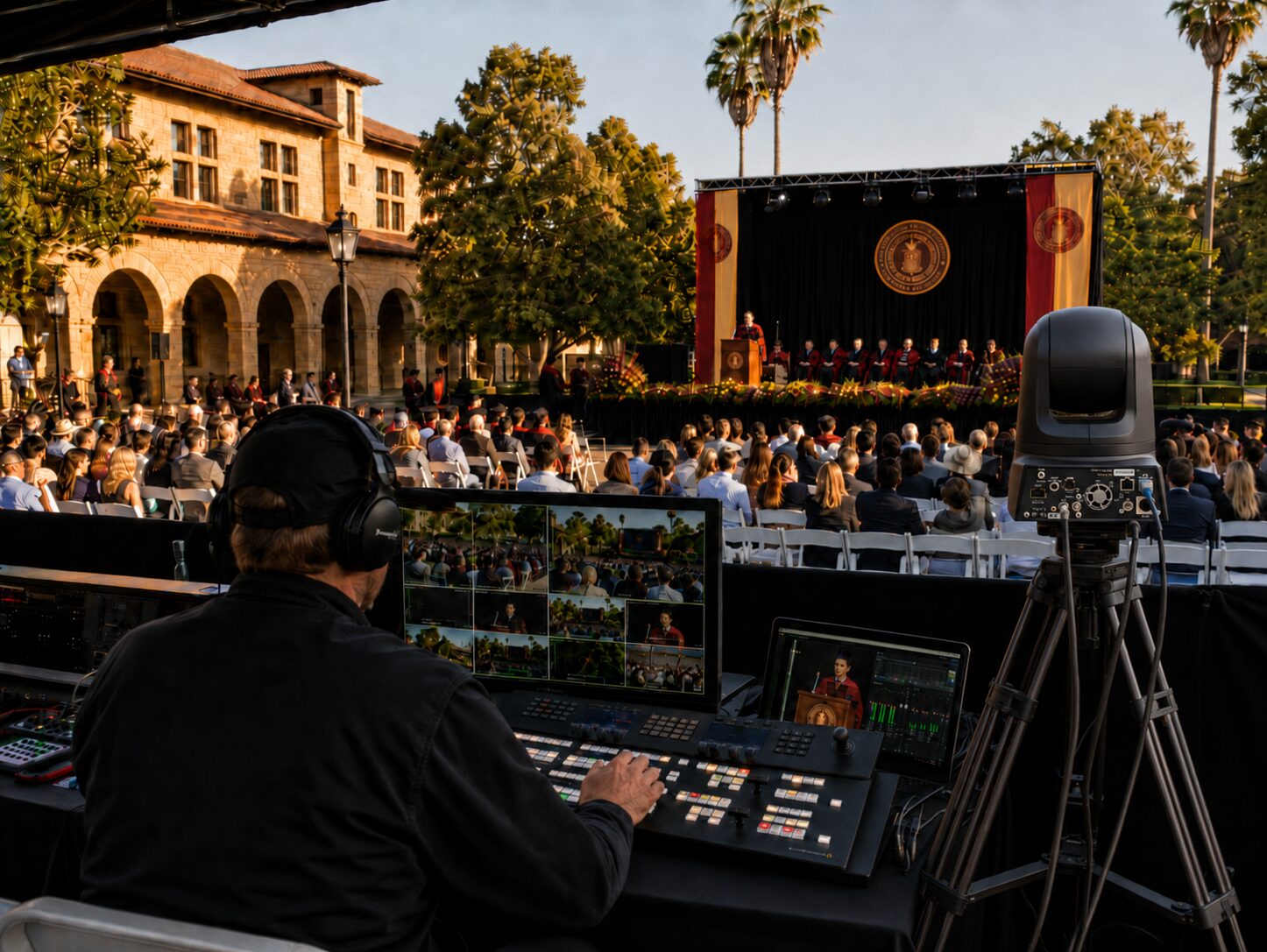
Live Event Production San Francisco Guide
Moscone load-ins do not reward optimism. If your show depends on a clean keynote feed, fast presenter changeovers, remote speakers, LED playback, confidence monitors, recording, and a livestream that cannot fail, live event production San Francisco comes down to one thing: engineering the show before doors open.
That is especially true for corporate events. A product launch has no patience for unstable playback. An executive webcast does not get a second chance if audio clips on the CEO mic. A general session with multiple content sources needs a switcher plan, screen management, backup paths, and operators who know what happens when the laptop that worked in rehearsal suddenly changes resolution at show call.
What Corporate Live Event Production in San Francisco Really Involves
A lot of buyers still hear “AV” and think in categories: audio, video, lighting, staging. That is part of the job, but not the whole job. In practice, corporate live event production is a systems exercise. Every department affects the others. Camera shading impacts the LED wall image. Playback timing affects confidence monitors and streaming outputs. Audio routing determines what the room hears, what remote attendees hear, and what gets recorded for post.
For conferences, keynotes, and hybrid events, the production team is really building signal flow around the agenda. That means mapping every source and destination before equipment arrives on site. Laptops, presenter clickers, walk-up mics, video rolls, Zoom callers, camera feeds, return confidence, IMAG, web stream outputs, backup records, press feeds, and overflow rooms all need a defined path.
This is where experienced technical direction matters. A clean show is rarely the result of one premium piece of gear. It usually comes from decisions like where to scale content, how to split program outputs, when to use discrete screen control, and where to place redundancy so a single failure does not take down the event.
Why Some Venues Make Production Easier and Others Raise the Risk
San Francisco has excellent venues, but they are not interchangeable. Ballroom ceiling height, loading dock access, union rules, rigging limits, house power, backstage footprint, and internet conditions all change the production plan. A clean keynote in a hotel ballroom may require a very different video system than a user conference in a convention center or a leadership event in a headquarters atrium.
Internet is one of the most misunderstood variables. A venue may advertise strong bandwidth, but corporate streaming needs more than a marketing number. You need to know the available hardline options, dedicated versus shared service, upload consistency, VLAN requirements, and where the demarc actually sits relative to your control position. For hybrid events, that information should be confirmed early, not on site during show setup.
Room geometry also matters. LED walls are often the right choice when ambient light is high or when sightlines make projection less practical, but they introduce processing, resolution, and scaling decisions that have to be handled correctly. If the show has multiple looks or layered content, a proper screen management system becomes less of a luxury and more of a requirement.
The Production Systems That Matter Most
For corporate shows, video usually carries the most complexity because it touches the in-room audience, the stream audience, and the archival deliverables at the same time. That is why high-end screen management and switching are so central to execution.
Screen Management and Video Processing
When a show includes LED walls, multiple projection surfaces, custom canvas layouts, presenter support screens, and broadcast outputs, video processing needs to be designed instead of improvised. Barco E2 and E3 systems are common in this tier of production because they allow precise control of scaling, layering, screen destinations, and source management across complex environments.
For broader reference, Barco Event Master systems are designed for live event image processing and presentation switching, and Barco E2 Gen 2 is positioned around full show control, increased 4K input capacity, reliable setup, and flexible layer management. If the event has one screen and a few basic inputs, you may not need that level of system. If the event has multiple outputs with different requirements, you usually do.
That trade-off matters for budget. Overbuilding a simple show wastes money. Underbuilding a general session creates risk at exactly the moment the audience notices everything.
Audio That Serves Both the Room and the Stream
Room mix and broadcast mix are not the same thing. A panel discussion that sounds fine through PA can still sound thin or uneven online. Lavaliers, handhelds, playback, walk-in music, remote guests, confidence returns, and recording feeds all need deliberate routing and gain structure.
For executive events, redundancy is worth discussing upfront. Spare RF coordination plans, backup playback machines, duplicate recording paths, and protected signal transport are not extras when the content matters.
Cameras, Records, and Livestream Outputs
Multi-camera coverage is no longer only for large conferences. Even compact executive events often need a proper switched program, isolated records, and a clean stream feed for remote teams. The real question is not whether cameras are useful. It is how the camera plan supports the event goals.
A thought leadership session may need subtle coverage and a polished record for later edits. A keynote may need IMAG support, branded lower thirds, walk-up camera positions, and playback integration. A hybrid town hall might need return video from remote speakers and a switching workflow tied to Zoom Webinars or Microsoft Teams. Different objectives change the control room design.
For compact live switching, recording, and ISO workflows, hardware such as the Blackmagic ATEM Television Studio HD8 ISO can be useful when the show needs live switching with individual input recording. For software-based streaming and production workflows, vMix is one common platform used in managed live and hybrid event environments.
For organizations planning a webcast or hybrid program, livestream production should be treated as its own show layer, not an add-on. Platform behavior, encoding settings, backup stream paths, and remote contributor monitoring all need attention. This is where a dedicated livestream workflow makes a measurable difference, especially when the audience includes internal leadership, press, or customers. AV Land covers this in our livestream services and broader event services, but the core point is simple: the stream should not be built as an afterthought.
How to Evaluate a Live Event Production Partner
If you are sourcing live event production San Francisco support, equipment lists alone will not tell you enough. The more useful questions are operational.
Ask how the team handles show flow when multiple content sources are changing rapidly. Ask what their backup plan is for playback, records, and key signal paths. Ask who is calling cameras, who is managing screen destinations, and who owns comms between stage management, A1, video, and stream control. Ask whether they handle everything in-house or rely on freelance assembly for core disciplines.
You should also ask for specifics on pre-production. Good teams want run-of-show detail early because it affects labor, timing, patching, and gear selection. If the response is vague, that usually surfaces later as rushed setup, on-site change orders, or show-day compromises.
A strong production partner will also be honest about what depends on venue conditions. For example, livestream reliability may depend on dedicated internet procurement and failover planning. LED wall placement may depend on scenic footprint and sightlines. Camera positions may be limited by room layout or audience density. Real expertise sounds like measured confidence, not blanket promises.
Industry resources such as AVIXA standards can provide useful context for professional AV performance, documentation, verification, and systems expectations. In live event production, however, those standards still need to be applied by experienced operators who understand show pressure, venue realities, and corporate event timelines.
Common Failure Points in Corporate Shows
Most event failures are predictable. The problem is that they are often discovered too late.
One common issue is unmanaged presenter content. Mixed aspect ratios, last-minute laptop swaps, unsupported adapters, and inconsistent playback frame rates can create delays or bad screen output. Another is unclear audio routing between in-room reinforcement and streaming. It is also common to see hybrid events underestimate remote speaker support, especially IFB, return confidence, and latency expectations.
Then there is labor planning. A show can have the right gear and still struggle if the crew structure is thin. Complex programs need dedicated operators for audio, switching, graphics or playback, shading when appropriate, streaming, and technical direction. Combining too many responsibilities in one position saves money on paper and creates exposure during the show.
What a Good Production Process Looks Like
The best corporate productions get simpler as the event gets closer because the complexity has already been organized. That usually starts with a technical discovery call, venue review, agenda analysis, and source-destination planning. From there, the system gets built around the actual show rather than a generic package.
Rehearsal strategy is part of that process. Not every event needs a full day of rehearsal, but most important shows need some level of real cueing with presenters, playback, and remote contributors. This is where issues with timing, walk-ons, confidence placement, and screen logic get resolved before the audience arrives.
A capable Bay Area team should also be comfortable supporting adjacent needs when the event requires them, from video capture for post-production to interview recording, executive webcast support, and equipment rental for internal teams. If the goal is one accountable production partner, that range matters.
For companies producing conferences, keynotes, product launches, and hybrid events, live event production is not just about gear in the room. It is about whether the system holds under pressure, whether the crew can adapt without losing control, and whether the audience ever notices how much had to go right.
If your event has real stakes, plan for technical direction early, design the signal flow before you approve the gear list, and treat redundancy as part of the job rather than an upgrade. That is usually the difference between a show that merely happens and a show that performs the way it was supposed to.
AV Land Live Event Production Support in San Francisco
AV Land supports corporate live event production in San Francisco and across the Bay Area, including conferences, keynotes, executive webcasts, hybrid events, product launches, general sessions, and multi-camera productions.
Depending on the event, our support can include technical direction, camera crew, live switching, Barco E2 operation, screen management, livestreaming, recording, LED wall support, audio coordination, playback support, and full signal-flow planning. Our goal is to build a show system that supports the room, the stream, the records, and the final audience experience.
Need Live Event Production in San Francisco?
AV Land supports San Francisco corporate events, conferences, keynotes, livestreams, hybrid events, LED walls, video crews, and technical direction.
Contact AV Land to discuss your next corporate event.
Phone: 415-799-1315
Email: info@av.land
Frequently Asked Questions
What is live event production?
Live event production is the planning, equipment, crew, and technical execution needed to run an event in real time. For corporate events, this may include audio, video, lighting, staging, screen management, cameras, livestreaming, recording, playback, and technical direction.
Does AV Land provide live event production in San Francisco?
Yes. AV Land supports corporate live event production in San Francisco and across the Bay Area for conferences, keynotes, executive webcasts, hybrid events, product launches, and general sessions.
What makes corporate live event production different?
Corporate live event production often involves executive presenters, complex content, brand requirements, livestreaming, recording, remote speakers, screen management, and limited room for failure. The workflow needs to be planned before the show starts.
Can AV Land support livestreaming and in-room AV at the same event?
Yes. AV Land can support in-room AV, video switching, camera coverage, livestreaming, recording, hybrid event workflows, and technical direction as part of one coordinated production plan.
What areas does AV Land serve?
AV Land serves San Francisco, San Jose, Santa Clara, Mountain View, Palo Alto, Sunnyvale, Oakland, and surrounding Bay Area cities.