



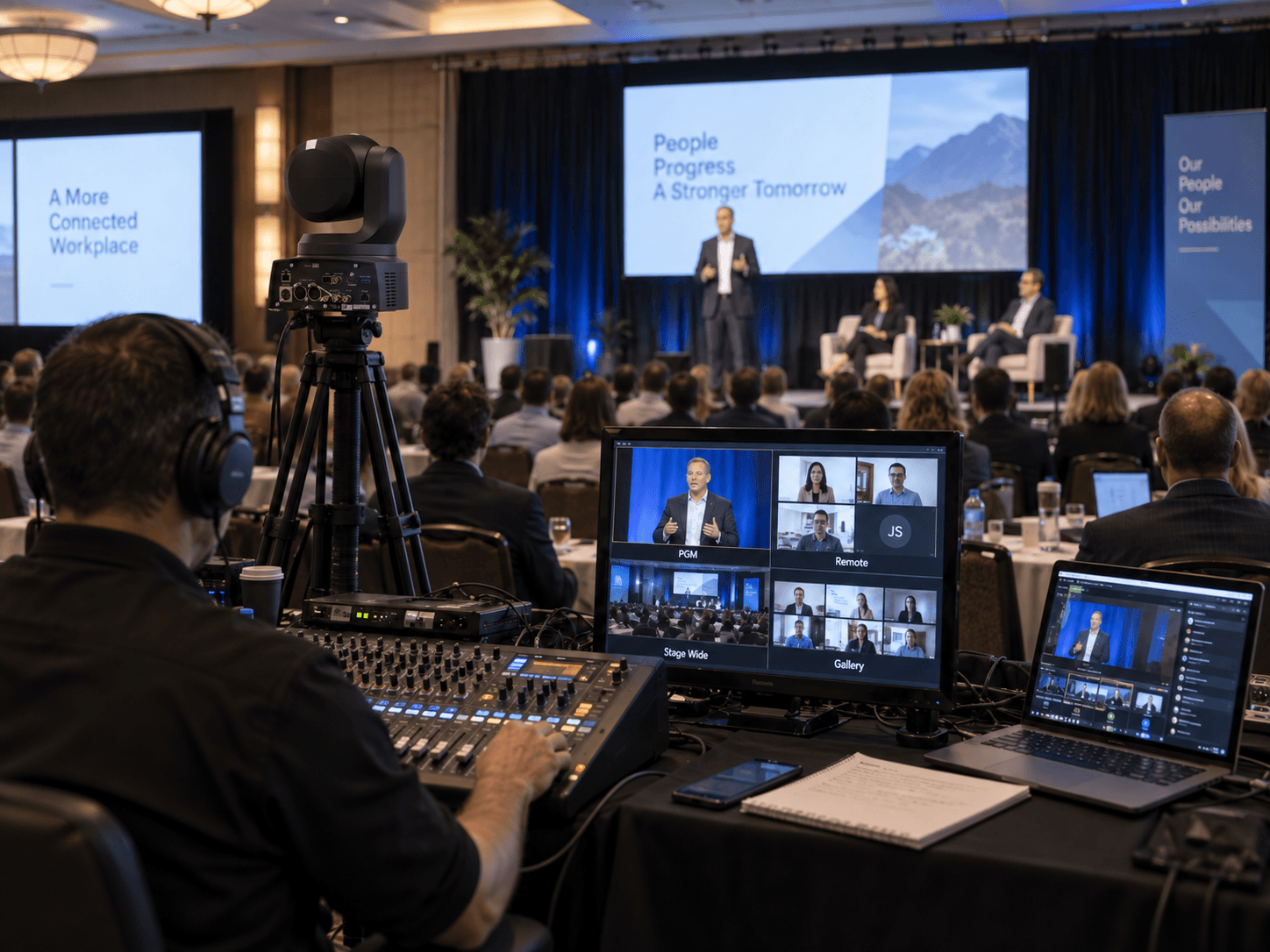
Corporate Town Hall AV Guide for Reliable Shows
A corporate town hall may look simple on the agenda: leadership speaks, employees listen, questions are answered, and the program ends.
Behind the scenes, it may involve presentation computers, cameras, microphones, playback, LED walls, confidence monitors, audience Q&A, remote contributors, livestreaming, recording, and several technical departments working at the same time.
This corporate town hall AV guide focuses on how those systems should work together so leadership can focus on the message instead of the technology.
For Bay Area companies, town halls often carry important internal communications: product updates, organizational changes, quarterly results, leadership announcements, or company-wide Q&A. The production system needs to support that message clearly for both the room and remote employees.
Corporate Town Hall AV Guide: Start With the Audience
The first question should not be:
LED or projection?
Start with:
Who needs to receive the message, and how will they experience it?
A town hall may have:
- In-room employees
- Remote employees
- Overflow rooms
- Executives on stage
- Remote executives
- Audience Q&A participants
Each group may need a different signal.
The room may see a combination of slides and IMAG.
The remote audience may need tighter camera framing, lower thirds, direct presentation feeds, and dedicated program audio.
The executives may need confidence monitors, timers, presenter notes, or remote guest returns.
Those differences should be defined before equipment is selected.
Build the Signal Flow Before Load-In
A reliable town hall starts with documented signal flow.
Every source should have a known path to every destination that needs it.
Common sources include:
- Main presentation computer
- Backup presentation computer
- Playback
- Cameras
- Remote guests
- Graphics
- Audience microphones
Common destinations include:
- Main LED wall or projection
- Side screens
- Confidence monitors
- Overflow rooms
- Livestream program
- Recording
Our guide to conference signal flow covers how to map those sources, destinations, format conversions, and backup routes.
Separate the Room Program From the Stream Program
One of the most important decisions is whether the room and remote audience receive the same program.
Sometimes they can.
Often they should not.
An in-room attendee can already see the executive on stage.
A remote employee may be watching on a laptop and needs tighter camera framing.
The room may need:
- Full-screen presentation
- IMAG during keynote
- Wide stage compositions
The stream may need:
- Tighter presenter shots
- Picture-in-picture slides
- Lower thirds
- Remote guest layouts
- Dedicated holding content
Treat the webcast as a real production deliverable rather than an output added at the end.
Choose the Display System Around the Room
The display system should follow the venue, audience, camera plan, content, and budget.
LED Walls
LED can be a strong choice for:
- Large ballrooms
- Wide stages
- High ambient light
- Camera-heavy productions
- Custom visual canvases
But LED requires proper planning for:
- Pixel pitch
- Viewing distance
- Processor configuration
- Power
- Camera compatibility
- Brightness
- Content resolution
Our guide to corporate LED wall calibration covers show-site tuning, brightness, gamma, cabinet uniformity, camera testing, and source validation.
Projection
Projection can still be the correct choice in controlled lighting environments or where scenic design, room geometry, budget, or rigging make it practical.
The decision should not be based on which technology is newer.
It should be based on what works for the room and program.
Use Screen Management When the Show Needs Multiple Visual States
A town hall may involve:
- Slides full screen
- Slides plus IMAG
- Remote guest layouts
- Walk-in content
- Branded backgrounds
- Confidence-monitor feeds
For more complex stages, a screen-management system such as Barco E2 or Encore3 can help manage those layouts across multiple destinations.
Barco’s Event Master platform is designed for professional multi-screen presentation and screen-management workflows.
The value is not simply having more layers.
The value is being able to recall tested show states quickly and consistently.
Presentation and Playback Need Different Workflows
Presentation decks and playback media should be treated as separate source types.
Presentation requires:
- Current deck control
- Backup deck
- Confidence feed
- Presenter clicker
- Embedded media testing
Playback may include:
- Opening videos
- Walk-in loops
- Product videos
- Stingers
- Closing videos
Our guide to corporate event video playback covers Millumin, Mitti, ProVideoPlayer, PIXERA, custom LED canvases, 16:9 playback, lower thirds, and backup playback systems.
Design Audio Around Speech Intelligibility
Town hall audio is fundamentally about speech.
If employees cannot clearly understand leadership, the production has failed regardless of how impressive the stage looks.
Microphone choices may include:
- Lectern microphone
- Wireless lavalier
- Headset microphone
- Handheld microphone
- Audience Q&A microphone
- Remote contributor audio
The correct choice depends on presenter movement, room acoustics, show format, and backup requirements.
The audio plan should also include:
- Playback audio
- Walk-in music
- Remote guest return
- Stream mix
- Recording mix
- Mix-minus
The room mix and remote mix should be treated separately when needed.
Plan Audience Q&A as a Production Segment
Q&A often looks simple until it begins.
Decide in advance:
- How questions are collected
- Who selects the question
- Where the audience microphone is located
- Who moves the microphone
- Which camera covers the questioner
- Whether the remote audience can submit questions
- Who moderates remote questions
If the audience is large, roaming wireless microphones may be required.
If questions are pre-selected, the stage manager and camera team should know where the participant is located before the moderator calls on them.
A clean Q&A segment is planned, not improvised.
Camera Coverage Should Follow the Town Hall Format
A town hall may only need two cameras.
Another may need four or more.
A practical camera plan might include:
- Center long-lens executive camera
- Wide safety shot
- Second presenter or panel angle
- Audience Q&A camera
Our guide to conference camera placement covers long-lens positions, IMAG, livestream framing, PTZ cameras, audience coverage, and stage sightlines.
The goal is not to use more cameras.
The goal is to give the director useful choices.
Remote Viewers Need Direct Presentation Feeds
Do not rely on a camera pointed at the ballroom screen to show detailed slides to remote employees.
Financial charts, product roadmaps, diagrams, and text should be captured directly from the presentation source.
The broadcast program can then combine:
- Executive camera
- Slides
- Remote guest
- Graphics
according to the segment.
Choose the Streaming Platform Early
The webcast platform affects the technical workflow.
Different platforms may have different requirements for:
- RTMP ingest
- Permissions
- Registration
- Q&A
- Captions
- Viewer authentication
- Recording
Zoom supports livestreaming workflows for webinars and events, including custom streaming destinations where enabled. Zoom Events livestreaming documentation
Microsoft Teams also supports external-encoder workflows through RTMP-In when the correct policies and event configuration are enabled. Microsoft Teams RTMP-In documentation
Test the platform using the actual organization account before event day.
An encoder can be configured correctly and still fail to connect if the account permissions or platform settings are wrong.
Build Internet Redundancy Around the Consequence of Failure
If remote employees are a primary audience, internet connectivity becomes part of the production system.
A high-visibility town hall may justify:
- Dedicated venue hardline
- Secondary internet path
- Cellular backup
- Bonded connectivity
- Local recording
Our guide to livestream internet failover setup covers independent internet paths, WAN failover, bonding, cellular backup, monitoring, and forced failure testing.
Build Redundancy Where Failure Matters
Redundancy does not mean duplicating every cable.
Protect the parts of the system that carry the largest consequence.
For a high-visibility town hall, that may include:
- Main presentation computer
- Critical playback
- Executive microphone
- Main screen processor input
- Streaming encoder
- Internet connection
- Program recording
A backup is only useful if it is connected, configured, current, and tested.
Confidence Monitors Need Their Own Plan
Executives may need:
- Current slide
- Next slide
- Timer
- Remote guest return
- Program feed
Confidence-monitor requirements should be defined before the show.
Do not assume one monitor showing the main screen is enough.
Our guide to confidence monitors explains how presenter-facing displays can support live corporate events.
The Run of Show Should Include Technical Cues
A town hall run of show needs more than speaker names and scheduled times.
Include:
- Presentation version
- Playback filename
- Video duration
- Microphone assignment
- Camera cue
- Screen state
- Remote guest status
- Q&A workflow
- Contingency
Our event run of show planning guide covers how to turn a corporate agenda into actionable show cues.
Technical Rehearsal Is Where the Town Hall Becomes Predictable
A technical rehearsal should run the actual show system.
Test:
- Executive walk-on
- Presentation
- Clicker
- Confidence monitors
- Playback
- Remote guests
- Camera shots
- Audience Q&A
- Stream program
- Recording
Our technical rehearsal planning guide explains how to validate the full system before the event goes live.
Test the Failure Paths Too
During rehearsal, do not only test the happy path.
Try:
- Switching to the backup presentation laptop
- Taking backup playback
- Dropping the remote guest
- Switching internet paths
- Replacing an executive microphone
The team should already know what the audience sees while recovery is happening.
Plan Around the Venue
The venue can change the technical design significantly.
Confirm:
- Loading access
- Ballroom dimensions
- Rigging
- Ceiling height
- Power
- Network availability
- FOH location
- Camera sightlines
- Cable paths
- Room turnover schedule
- Venue labor requirements
A technically strong design still needs to work inside the actual room.
Corporate Town Hall AV Checklist
- In-room audience requirements confirmed
- Remote audience requirements confirmed
- Signal flow documented
- Room and stream programs defined
- Main presentation tested
- Backup presentation tested
- Playback tested
- LED or projection system verified
- Confidence monitors confirmed
- Executive microphones assigned
- Backup microphones ready
- Camera positions verified
- Audience Q&A plan confirmed
- Remote presenters tested
- Mix-minus tested
- Streaming platform tested
- Primary internet tested
- Backup internet tested
- Program recording verified
- Technical run of show finalized
- Critical failure paths rehearsed
A Good Town Hall Feels Simpler Than the System Behind It
The strongest corporate town halls often look technically simple to the audience.
Leadership speaks.
The slides appear.
Remote employees can follow.
Questions are heard.
The show moves forward.
Behind that simplicity is a coordinated system of cameras, audio, displays, presentation management, playback, streaming, communications, and backup paths.
That is the purpose of a corporate town hall AV guide: not to make the production more complicated, but to make the complexity predictable before leadership steps on stage.
Need AV Support for a Corporate Town Hall?
AV Land provides corporate town hall production, camera systems, audio, LED and projection, presentation management, playback, screen processing, livestreaming, recording, and technical direction throughout the San Francisco Bay Area and beyond.
Contact AV Land to discuss your next company town hall or all-hands meeting.
Corporate Town Hall AV FAQ
What AV equipment does a corporate town hall need?
The requirements depend on audience size, room layout, remote viewers, and program format. Typical systems may include microphones, loudspeakers, presentation computers, playback, displays, cameras, video switching, confidence monitors, livestream encoding, recording, and communications.
How many cameras does a corporate town hall need?
There is no fixed number. A simple leadership update may work with two cameras, while a larger program with panels, Q&A, remote guests, and audience interaction may benefit from three or more positions.
Should the room and livestream use the same video program?
Not necessarily. In-room attendees can already see the stage, while remote employees rely entirely on the webcast. The stream may benefit from tighter shots, direct presentation feeds, graphics, and layouts that differ from the room’s IMAG program.
Does a town hall need backup internet?
If remote viewers are an important part of the audience, a tested backup internet path can significantly reduce risk. The appropriate design depends on the visibility of the event and consequences of losing the webcast.
Should a town hall use LED or projection?
Either can be appropriate. The decision should consider room size, ambient light, viewing distance, stage design, camera requirements, rigging, content, and budget.
How early should AV planning begin?
Technical planning should begin early enough to influence room layout, screen design, camera placement, content workflow, streaming requirements, venue coordination, and rehearsal scheduling before those decisions become difficult to change.